
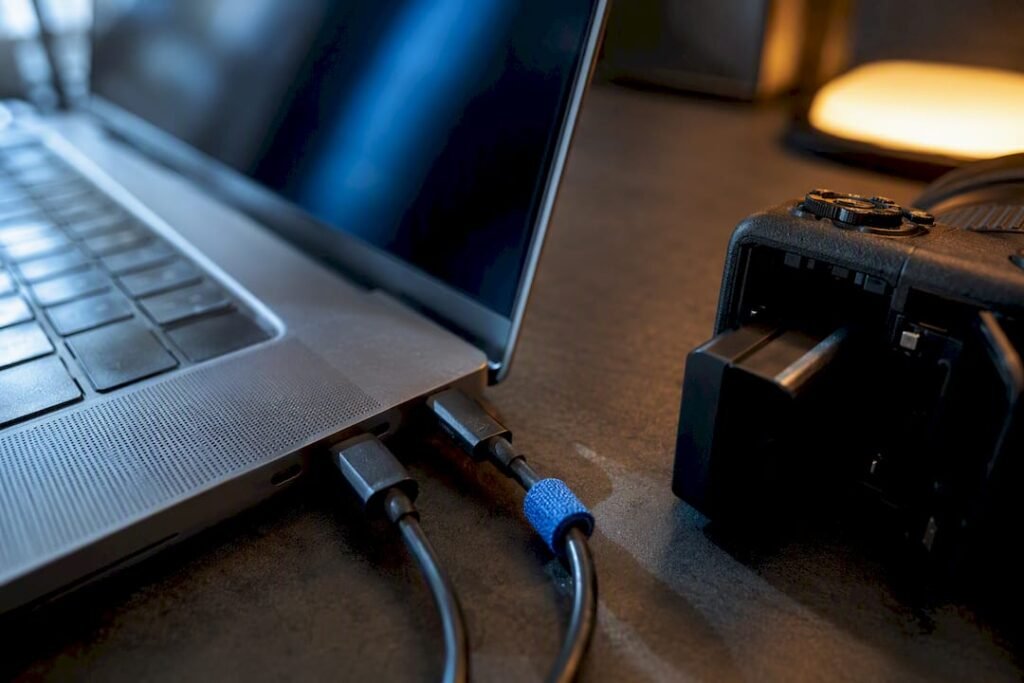
Charging a laptop and camera at the same time works when both devices speak USB Power Delivery (usb.org’s PD standard) and your source has enough shared wattage, and a brand like Ifory builds power banks around exactly that math. The three practical fixes: a GaN wall charger rated 100W or higher, a high-capacity PD power bank, or a vehicle/solar setup for off-grid days. Check the input label on each device before you plug in, and use a certified cable rated for the wattage you actually need.
TL;DR:
- Using a high-capacity PD power bank with multiple ports is essential for charging laptop and camera simultaneously during extended remote shoots.
- Always add 20 to 30 percent overhead to the combined wattage of all devices to avoid slow charging or failures, especially with modern, high-wattage laptops.
- Certified USB-C cables rated for the necessary wattage are crucial, particularly for high-output setups exceeding 100W or using Extended Power Range cables.
- Fast charging can accelerate battery degradation, so use it only when quick turnaround is needed and avoid maxing out wattage when not necessary.
- Proper power planning involves checking device input/output specs, matching capacity to trip duration, and prioritizing charging order to optimize shoot efficiency.
Table of Contents
- Which Charging Setup Fits Your Situation?
- How Much Power Do You Actually Need?
- Cables and Protocols That Actually Matter
- Battery Safety and Travel Rules You Can’t Skip
- A Field-Tested Charging Workflow for Shoots
- Does Your Camera Brand Change the Charging Math?
- Does Fast Charging Wear Out Your Batteries Faster?
- Why Most Creators Get Power Planning Backwards
- Which Ifory Setup Matches Your Shoot?
- Sources
- FAQ
Which Charging Setup Fits Your Situation?
The right laptop and camera charging setup depends entirely on where you’re standing, not what gear you own. A hotel room, a trailhead, and a truck bed each call for a different tool, and using the wrong one is how people end up with a half-charged camera battery on shoot day two.
Hotel or outlet access. A high-output GaN travel charger is the simplest fix. GaN (gallium nitride) chargers run cooler and smaller than old silicon bricks, and models rated 100W or more can dynamically split power across ports, sending a laptop 65W while a camera battery grabs the rest. If your laptop alone draws close to 100W under load, don’t expect a 65W charger to also feed a camera. It’ll charge the laptop and starve everything else.
Off-grid or remote locations. This is where a large-capacity PD power bank earns its keep. Look for a bank with multiple PD-capable ports and enough stored energy to survive a full shooting day without a recharge. Reviewers testing large-format banks note that hitting 100W on two separate USB-C outputs simultaneously is what actually enables real laptop-plus-camera charging rather than one device slowing to a crawl. The trade-off is weight: more capacity means more grams in your bag.
Vehicle and solar setups. A 12V inverter converts car power to AC, which is flexible but lossy. A DC-only setup, like a folding solar panel feeding a power bank directly, skips that conversion step and tends to run cooler with less electrical noise nearby, which matters if you’re recording audio next to your charging gear.
A quick way to weigh your options:
- GaN wall charger: lightest option, needs a wall outlet, best for hotels and studios.
- Power bank: heaviest option, works anywhere, best for multi-day remote shoots.
- Solar + DC: slowest recharge, unlimited runtime with sun, best for extended off-grid trips.
- Vehicle inverter: moderate weight, depends on engine running or a healthy car battery, best for road-trip days.
How Much Power Do You Actually Need?
Every laptop and camera charging failure traces back to the same mistake: nobody added up the watts before plugging in. Flip your laptop over or check its charger, and you’ll find an INPUT label reading something like “100 to 240V, 50/60Hz.” That tells you it accepts standard global power. What matters more is the OUTPUT number on the charging brick, usually 45W, 65W, 90W, or higher, and the camera battery charger’s own draw, typically a modest 10 to 20W.
Here’s the rule of thumb creators on the road actually use:
- Add up the peak wattage every device pulls at once, laptop plus camera charger plus anything else on the same source.
- Add 20 to 30% headroom on top of that total, since chargers rarely deliver their rated max continuously.
- Match that number to a charger or power bank whose combined output covers it, not just its single-port maximum.
A 65W brick sounds generous until a modern creator laptop demands 65W on its own, leaving nothing for the camera. That’s the most common oversight in the field: sizing for one device and assuming the leftover output will magically cover a second.
A note on advertised wattage: many multi-port chargers list combined-output modes like “USB-C1+C2: 65W+35W” for a stated 100W total, meaning the ports split that number rather than each hitting 100W independently. Retail listings for GaN travel adapters show this pattern clearly. Always check the per-port spec, not just the headline number on the box.
If your kit includes a power-hungry laptop and a mirrorless camera with a fast-charging battery, size for 100 to 140W total capacity. Anything less and you’re choosing which device charges first, whether you meant to or not.
Cables and Protocols That Actually Matter
Wattage gets all the attention, but the cable and protocol version decide whether that wattage ever reaches your device. USB-PD is the negotiation language chargers and devices use to agree on voltage and current, and the USB Implementers Forum’s own specification is the definitive reference if you want the technical detail.
- PD 3.1 introduces Extended Power Range (EPR), which unlocks 140W+ delivery but only works with EPR-rated cables, not standard USB-C cables you may already own.
- Standard PD tops out around 100W and works fine with most quality USB-C cables rated for 5A.
- Short, certified cables outperform long generic ones. Voltage drop over distance is real, and a cheap 2-meter cable can quietly cap your charging speed.
- Some cameras and laptops run proprietary fast-charge modes that don’t fully negotiate with third-party PD chargers, delivering a trickle charge instead of full speed.
Manufacturer documentation for high-output GaN chargers explicitly recommends EPR-capable cables for anything above 100W, and skipping that detail is a common reason people think their new charger is defective when it’s actually just cable-limited.
Pro Tip: Keep one dedicated, EPR-rated cable in your kit reserved only for your highest-wattage charging pair. Mixing it with older cables in a bag is how a good cable ends up swapped for a bad one mid-trip.
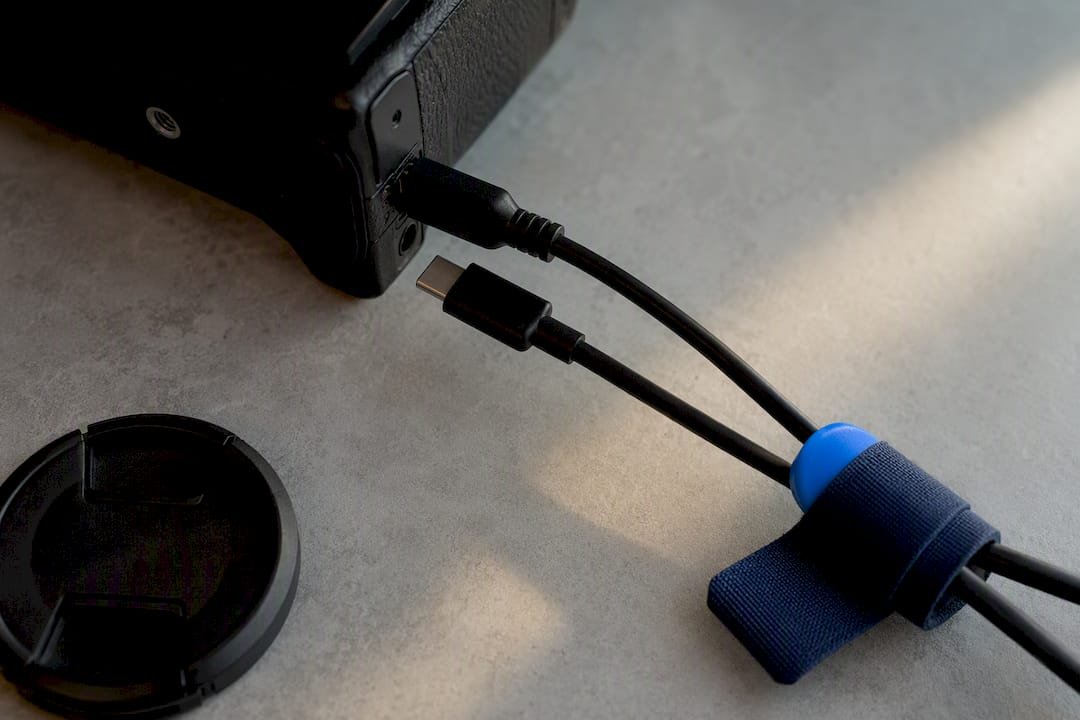
If you shoot tethered, don’t power your camera through the same USB-C port carrying data to your laptop. Tethering specialists have found that powering through the tether port can interfere with the data signal itself, causing dropped frames or connection resets. Use the camera’s separate charging port when one exists.
Battery Safety and Travel Rules You Can’t Skip
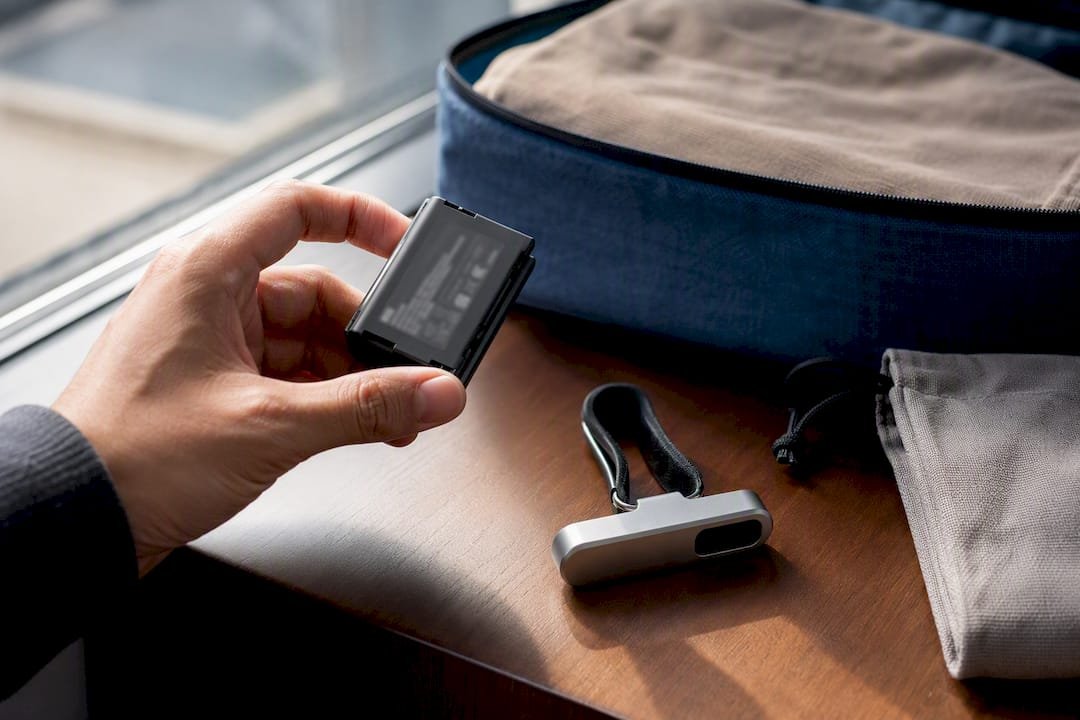
Lithium batteries carry real restrictions once you’re headed to an airport, and ignoring them can mean a battery gets pulled at security. Most airlines cap carry-on lithium batteries at 100 watt-hours (Wh) without special approval, and some may allow higher capacities with airline consent. That figure is printed right on the battery label, usually alongside the voltage and amp-hour rating, so check it before you pack rather than at the gate.
Outdoor shoots add a second layer of risk: moisture and dust. This is where an IP rating on your charging gear stops being a marketing footnote and starts being the difference between a working power bank and a dead one after a rainy trailhead session. IP67 means dust-tight and rated for temporary submersion, which covers rain, splashes, and short accidental immersion.
Run through this before you plug anything in:
- Confirm the charger’s INPUT label matches your outlet or power source (100 to 240V covers nearly everywhere).
- Check the cable’s rated current, not just its length or connector type.
- Never use an unfamiliar multi-outlet strip in a hotel or rental, especially older units without surge protection.
- Keep charging gear where air can circulate. Blocked vents on a GaN charger or power bank are the top cause of overheating and slowed charging.
- Use certified adapters only. Off-brand GaN chargers occasionally misreport their own PD capabilities to connected devices.
A Field-Tested Charging Workflow for Shoots
When you’re back at camp or the hotel after a long shoot day, charging order matters more than most people think. Here’s the sequence that avoids the classic mistake of waking up to a dead laptop and a full camera battery, which helps nobody.
- Camera batteries first. These are mission-critical for tomorrow’s capture and usually charge fastest given their lower wattage needs.
- Laptop second. Offloading and backing up footage matters, but it can wait an hour if your power source is limited.
- Phones and accessories last. Rotate these onto whatever headroom remains once the first two are underway.
If your charger or power bank can’t handle everything at once, stagger charging. Start the laptop and camera together initially, then swap the laptop off to let the camera fully charge while your phone uses the freed port.
Troubleshooting checklist:
- Charging slower than expected: check the cable rating first, then confirm you’re not on a combined-output port sharing wattage with another device.
- “Not charging” errors on a laptop: often a protocol mismatch. Try a different PD-certified cable before assuming the charger is broken.
- Warm-to-the-touch charger: normal under load, but if it’s hot enough to be uncomfortable, unplug it and check for blocked vents.
Pro Tip: Pack a dedicated pouch with your rated cables, the camera’s original charger, a compact GaN adapter, and a power bank as backup. Losing one piece shouldn’t strand your whole travel power setup for the day.
For wedding and event shooters working long, unpredictable days, this priority order matters even more since there’s rarely a second chance to recharge mid-shoot. Cinevisualstudios’ breakdown of camera settings for wedding cinematography is a useful companion read for planning power needs around a full event timeline.
Does Your Camera Brand Change the Charging Math?
USB-C PD compatibility varies more across camera brands than most people expect. Some mirrorless bodies charge their internal battery directly through USB-C at meaningful speeds. Others only trickle-charge through the port, meaning the camera stays powered on but the battery barely moves unless you pull it and use the dedicated wall charger.
Check your camera’s manual for its actual USB-C charging wattage, not just whether it has a USB-C port. A port doesn’t guarantee PD support. Older mirrorless and DSLR models frequently include USB-C for data transfer only, with charging still requiring a proprietary dock or the original battery charger.
Battery grip accessories complicate things further. A grip holding two batteries usually needs the dedicated charger anyway, since most cameras won’t fast-charge a grip configuration over USB-C at all. If you’re shooting on multiple camera bodies from different brands, don’t assume one PD charger and one cable covers all of them. Pack the original chargers as backup even when you’re relying primarily on USB-C for the trip; it’s a small addition to your bag against the cost of a dead battery with no fallback.
Does Fast Charging Wear Out Your Batteries Faster?
Fast charging trades some long-term battery health for short-term convenience, and that trade is usually worth it for working creators who need speed over longevity. Lithium-ion batteries degrade slightly faster under high charging currents because rapid charging generates more heat, and heat is the primary driver of capacity loss over hundreds of cycles.
In practice, this rarely matters for camera batteries, since most camera charging circuits cap their own input rate regardless of what the charger can theoretically deliver. Laptops are more sensitive to this. Charging at the top of a 100W or 140W rating repeatedly, especially in warm environments, can shorten a battery’s usable lifespan over a couple of years compared to slower, cooler charging.
The practical fix isn’t avoiding fast charging. It’s avoiding unnecessary fast charging when you don’t need it. If your laptop is sitting at a hotel overnight with no rush, a moderate charge rate generates less heat than maxing out a 140W adapter for a device that only needs to top off. Save the full-speed charging for when you genuinely need a laptop back in your hands in thirty minutes, not eight hours.
Why Most Creators Get Power Planning Backwards
Most advice on this topic treats charger wattage as the whole story, and that’s backwards. The bottleneck in laptop and camera charging setups is almost never the charger. It’s the assumption that a single number on a box means anything without checking the cable, the port allocation, and each device’s actual PD behavior.
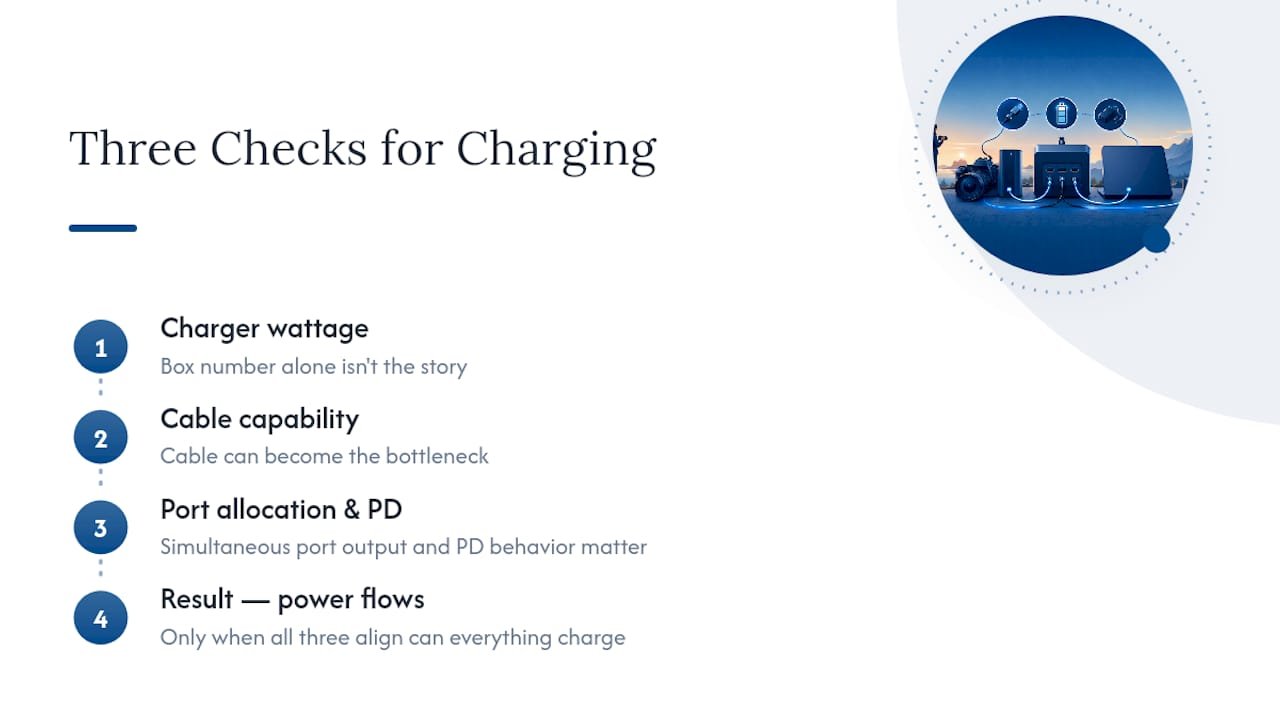
Ruggedness and multi-port design matter more in practice than most gear reviews suggest, because field conditions don’t cooperate with lab-clean charging scenarios. An IP67 rating isn’t a nice specification for a brochure. It’s the difference between a power bank surviving a sudden downpour on a coastal shoot and one that doesn’t. Multiple ports with real simultaneous 100W output solve the actual problem creators face: not “can I charge one thing fast” but “can I charge everything I own before tomorrow’s call time.”
The honest trade-off nobody likes discussing is weight versus runtime. A bank that survives a five-day backcountry trip is heavier than one built for a weekend in a hotel, and no amount of engineering erases that physics. Buy for the trip you actually take most often, not the one you take once a year.
— Mats
Which Ifory Setup Matches Your Shoot?
Some power banks are built for the exact math this article just walked through: enough wattage, enough ports, and hardware that survives conditions a standard power bank can’t. The Ifory Powerbank delivers 40,000mAh of capacity with 100W PD output across multiple ports, so a laptop and camera battery can genuinely charge together rather than fight over leftover wattage. A robust IP67 rating and anti-drop structure mean a sudden rain squall or a tumble off a tripod bag doesn’t end your trip early, and a built-in LED display shows how much runtime is left before planning a recharge.

For multi-day off-grid work, pair it with the Portable Solar Panel – PD 40W, which recharges the power bank directly without the conversion losses of a vehicle inverter. Between the two, you cover hotel outlets, remote trailheads, and extended backcountry days without carrying three separate systems. Browse the full Ifory powerbank lineup to find the capacity that matches how many days you’re typically off the grid, and check current availability before your next shoot.
Sources
For the technical specification behind everything in this guide, the USB-IF’s official PD pages cover PD 3.1 and EPR cable requirements directly from the standards body. For a deeper look at building a full travel power kit, DOACE’s photographer and videographer power guide walks through device-by-device load mapping in more detail than fits here.
FAQ
Can I Charge My Camera Battery Through a USB Port?
Yes, if your camera supports USB charging and the port delivers enough current. Many mirrorless cameras charge their internal battery over USB-C, but some only trickle-charge or require the original wall charger for full speed.
What Happens When You Charge a Laptop and Phone From the Same Charger?
A shared charger splits its total output across active ports, so both devices charge slower than they would alone, especially if the laptop is pulling near the charger’s rated maximum. Check the combined-output spec, since many chargers list per-port limits lower than the total wattage.
Is It Safe to Charge a Laptop With a Phone Charger?
It’s safe as long as the phone charger uses USB-C PD and both devices negotiate voltage correctly, but a low-wattage phone charger will charge a laptop extremely slowly or not at all if the laptop demands more power than the charger supplies.
Can I Use My Laptop to Charge Other Devices?
Some laptops with USB-C PD output can charge a phone or small accessory, but this drains the laptop’s own battery faster and isn’t a reliable strategy for keeping a camera charged during a full shoot day.