
Yes, a USB-C solar panel will charge your gear, but only if the panel offers a regulated USB-C Power Delivery output or you route power through a compatible power bank or charge controller first. Raw solar output is not safe to plug straight into a phone or laptop: the voltage swings with the sun. That single distinction, regulated versus raw, decides whether your setup works in the field or leaves you guessing.
TL;DR:
- Only panels with built-in regulation circuitry can reliably deliver safe, stable power via USB-C PD for devices like phones and laptops.
- Panels in the 40 to 60 watt range with both USB-C and DC ports can sustain steady output and support Power Delivery negotiation outdoors.
- Using an external charge controller or MPPT circuit is essential for larger or unregulated panels to prevent voltage swings and ensure safe charging.
- Connecting a rugged, solar-compatible power bank between the panel and devices ensures stable, regulated power and extends multi-day outdoor use.
- Matching connector types and verifying PD support before purchase or setup prevents compatibility issues and unsafe wiring during outdoor charging.
Table of Contents
- What “USB-C solar panel compatibility” actually means
- How USB-C Power Delivery negotiation works with solar input
- Connectors and adapters: matching USB-C, DC barrel, MC4, and T4 safely
- Practical wiring setups for charging on the move
- Compatibility checklist and buying tips for outdoor use
- How a rugged power bank fits into a USB-C solar workflow
- Weight versus speed: the trade-off nobody skips
- Ifory: a ready intermediary for USB-C solar charging
- Sources
- FAQ
What “USB-C solar panel compatibility” actually means
The phrase gets used loosely, and that’s where most buying mistakes start. A solar battery charger is typically a small, low-wattage panel meant to trickle-charge a phone directly. A portable solar panel in the 40 to 60 watt class is built to feed a power bank or solar power station rather than a device. Then there’s the panel with a genuine USB-C PD output, which is a smaller category: it contains its own regulation circuitry, so the port behaves like a wall charger rather than a raw cell.
Consumer Reports draws this same line, separating lower-wattage solar battery chargers meant for direct-device charging from larger panels designed to feed power stations, with port type and internal regulation determining whether direct-device charging is even possible.
The practical differences show up fast once you’re outside:
- A regulated USB-C port negotiates voltage and current with your device, the same way a wall adapter does.
- An unregulated DC or USB-A output on a panel just passes through whatever the cells are producing, which varies with cloud cover and panel angle.
- Panel wattage caps what any port can deliver, so a 10-watt panel cannot output 30 watts no matter what the connector looks like.
How USB-C Power Delivery negotiation works with solar input
USB-C Power Delivery works through a handshake: the device and the power source exchange signals about voltage and current before any real power flows. That handshake needs a stable, regulated source on the other end. A bare solar cell can’t hold a steady voltage as clouds pass or the panel angle shifts, so a device plugged into an unregulated output either refuses to charge, charges at a crawl, or drops the connection every time the light changes.
Panel wattage sets the ceiling for that negotiation. PD tiers commonly run in steps such as 18W, 30W, 45W, 65W, and 100W, and a panel has to produce enough clean wattage to clear whichever tier a laptop or fast-charging phone is asking for. Fall short and the device either negotiates down to a slower tier or doesn’t complete the handshake at all.
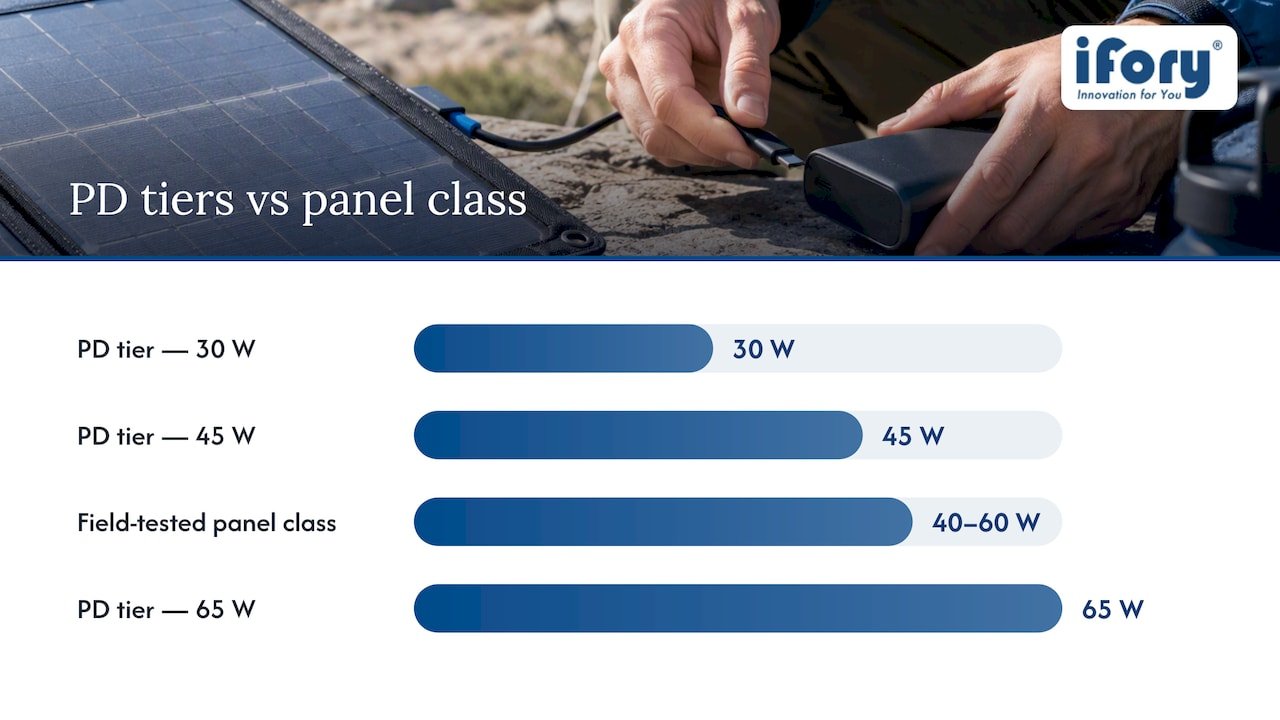
Field testing from OutdoorGearLab shows that foldable panels in the 40 to 60 watt class, equipped with both USB-C and DC ports, sustain steady USB-C output and charge battery banks reliably under direct sun. That wattage range is where PD negotiation actually holds up outdoors rather than stalling.
This is where a charge controller or MPPT (maximum power point tracking) circuit earns its place. It sits between the raw cells and the output port, smoothing the voltage so the PD handshake doesn’t get interrupted every time a cloud crosses the sun.
- Panels without any onboard regulation depend entirely on a separate power bank or controller to make USB-C charging viable.
- MPPT circuits track the panel’s optimal output point in real time, which reduces dropouts compared to a fixed-voltage regulator.
- A stable intermediary, whether a controller or a battery, is what keeps a laptop or phone from disconnecting mid-charge.
Connectors and adapters: matching USB-C, DC barrel, MC4, and T4 safely
Four connector families show up across solar gear, and each has a job. USB-C is for devices: phones, tablets, laptops, satellite communicators. DC barrel connectors typically feed power stations or charge controllers. MC4 connectors link solar panels together or connect a panel to a charge controller in a permanent or semi-permanent PV setup. T4 connectors look similar to MC4 but come from a different lineage and aren’t guaranteed to mate safely with every MC4-branded plug.
That last point matters more than most buyers expect. Moreday’s connector comparison explains that MC4-style and T4 connectors differ in locking geometry and that certification expectations vary by region, with many European buyers checking for IEC 62852 and TÜV documentation while UL 6703 is the common reference elsewhere. Mixing connector brands without confirming intermateability risks a loose or arcing connection, which is a real safety issue outdoors, not just an inconvenience.
Safe adapter paths exist, but they follow a pattern:
- MC4 to DC barrel adapters let a PV-style panel feed a power station’s DC input.
- DC to USB-C conversion should go through a regulated converter or the power bank’s own input circuit, never a bare wire splice.
- Same-brand or verified-compatible cables and adapters reduce the risk of a poor mechanical connection.
Pro Tip: Keep the adapter chain as short as possible. Every extra junction is another point where a loose connector can cost you charging time in the field.
Avoid DIY direct wiring between raw panel leads and a USB-C device. Without regulation in between, you’re exposing sensitive charging circuitry to voltage swings the port was never designed to handle.
Practical wiring setups for charging on the move
Three setups cover almost every outdoor scenario, and picking the right one depends on what you’re charging and how much sun you can count on.
- Direct device charging works only when the panel itself carries a regulated USB-C PD output. Match the panel’s rated wattage to your device’s charging tier, use a short PD-rated USB-C cable, and expect output to drop noticeably in partial shade or cloud cover.
- Panel to power bank or power station is the setup most outdoor users should default to. Connect the panel’s DC or MC4 output into the power bank’s solar input, let the bank’s internal circuitry handle regulation, then charge your phone, laptop, or camera from the bank’s own USB-C ports whenever you need power, sun or no sun.
- External regulator or MPPT controller comes into play with larger or older panels that lack built-in regulation. Confirm the panel’s open-circuit voltage matches the controller’s input range, check connector polarity before plugging in, and use a fused inline connection where the controller doesn’t include its own protection.
The second option is the one that scales best for multi-day trips or multiple devices. A power bank absorbs the sun’s inconsistency during the day and hands you stable, on-demand power at night, which a direct panel-to-device connection simply can’t do once the sun sets.
Pro Tip: Charge your power bank during the brightest hours of the day, even if you don’t need power yet. Banked capacity is worth more than real-time panel output once the weather turns.
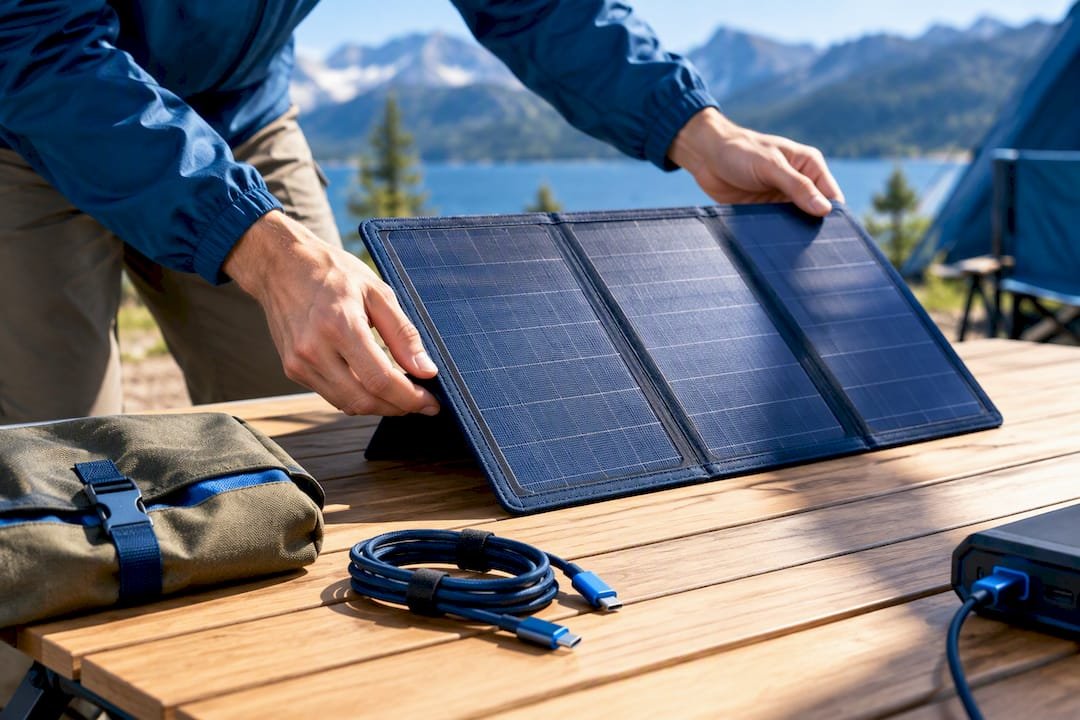
Check voltage compatibility before your first trip, not in the field. A mismatch between a panel’s output voltage and a controller’s rated input range is one of the more common reasons a “compatible” setup fails to charge at all.
Compatibility checklist and buying tips for outdoor use
Before buying or packing a USB-C solar panel, run through a short list of specs that determine whether it will actually work with your gear.
- Confirm the panel states USB-C PD support explicitly, not just “USB-C output,” since the two aren’t the same thing.
- Check per-port wattage rather than the panel’s total rated wattage, since ports often split available power.
- Note whether the panel has DC and USB ports, since DC is usually meant for a power bank or controller rather than a device.
- Verify adapter availability for your specific connector combination before you leave home.
- Look for a cable rated for the wattage you expect to draw, since underrated cables bottleneck charging speed.
- Check the ingress protection rating if you’ll be near water or in wet weather.
- Weigh portability against wattage: bigger panels charge faster but add pack weight.
Matching panel wattage to device needs keeps expectations realistic. A phone typically tops up fine from a 10 to 20 watt panel in good sun. A satellite communicator draws very little and charges quickly from almost any panel. A laptop needs a panel in the 40 to 60 watt class with a genuine PD output, and even then, charging time stretches well beyond what a wall outlet would take.
| Device type | Typical panel wattage needed | Charging note |
|---|---|---|
| Smartphone | 10 to 20 watts | Charges reliably in direct sun |
| Satellite communicator | Under 10 watts | Low draw, fast top-up |
| Laptop | 40 to 60 watts with PD | Needs stable sun and a regulated port |
Red flags to watch for include panels that advertise a high wattage number without specifying per-port output, and listings that show a USB-C port with no mention of PD support at all. When in doubt, ask the manufacturer directly for the PD wattage per port and for documentation on connector certification, particularly for MC4 or DC components.
How a rugged power bank fits into a USB-C solar workflow
A power bank with multiport USB-C PD output and a solar-compatible input solves the core compatibility problem: it becomes the stable middle step between an inconsistent panel and a device that needs clean, negotiated power. Instead of asking a panel to hold a PD handshake through changing light, the bank absorbs the raw input, stores it, and hands out regulated power on demand.
A rugged power bank built for outdoor use brings several features that matter in that workflow:
- A large capacity that stores enough solar-charged power for multiple devices across a multi-day trip.
- Fast charging that clears the higher PD tiers laptops and tablets ask for.
- A waterproof rating that helps keep the bank functional through rain or splashes near water.
- A drop-resistant structure suited to rough handling on trail or on a boat.
- An LED display for monitoring remaining charge, so you know how much power is left before dark.
- A built-in flashlight that adds utility once the sun is down and the panel is packed away.
Weight versus speed: the trade-off nobody skips
Every setup trades pack weight against charging speed, and there’s no way around it. A day hike favors a small panel and a light power bank since sun exposure is short and predictable. A multi-day backcountry trip favors a larger panel feeding a high-capacity bank, since you’re banking power across days, not hours. Travel setups tend to favor the bank alone, charged from outlets, with the panel as backup.
— Mats
Ifory: a ready intermediary for USB-C solar charging
If you’ve read this far, you already know the fix for most USB-C solar compatibility headaches: put a regulated power bank between the panel and your devices. Ifory’s power bank does exactly that, pairing 100W PD output with a rugged, waterproof build so the panel’s inconsistency never reaches your phone or laptop directly.
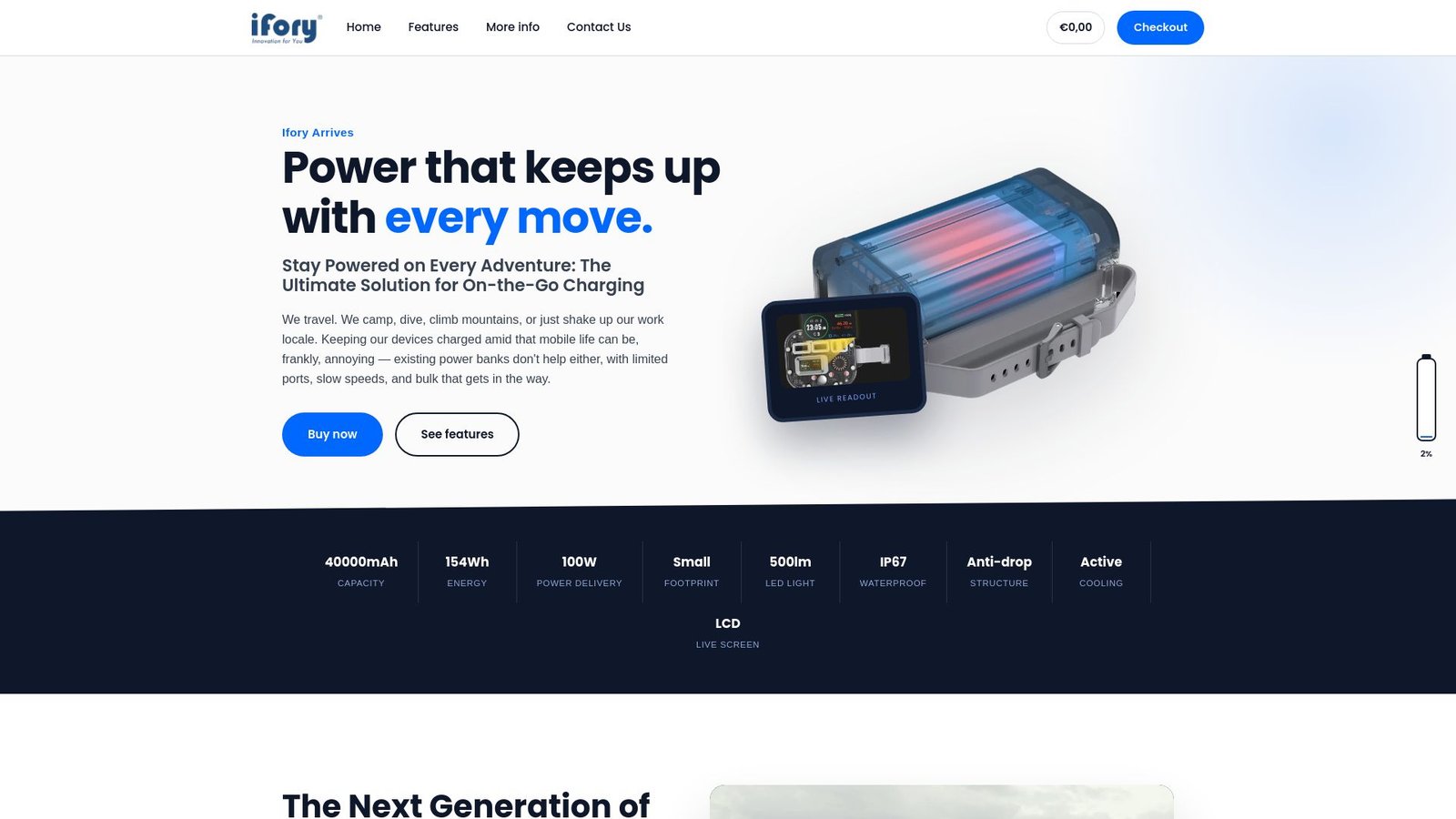
It works with a portable solar panel as a matched intermediary setup, giving you stable charging from a variable power source without adapters or DIY wiring. Check out the Ifory power bank and compatible solar panel to see the current lineup and pick the setup that fits your trip.
Sources
- Best Portable Solar Panels and Solar Battery Chargers – Consumer Reports
- Best Portable Solar Chargers | Tested & Ranked – OutdoorGearLab
- MC4 Connector Types: The Complete 2026 Comparison – Moreday
FAQ
Are there solar panels with USB-C outputs?
Yes, many portable panels now include a USB-C port, but not all of them support Power Delivery. A panel with a plain USB-C output can still deliver unregulated power, so check specifically for PD support before assuming it will charge modern devices at full speed.
Are T4 and MC4 connectors compatible?
T4 and MC4 connectors look alike but come from different manufacturers with different locking geometries, and Moreday’s connector guide warns against assuming they mate safely across brands. Checking certification documentation, such as IEC 62852 or UL 6703, before mixing connector types is the safer approach.
How do I connect my solar panel to a USB-C device?
If the panel has a regulated USB-C PD output, a direct PD-rated cable to your device works. If it only has a DC or MC4 output, route the power into a power bank or charge controller first, then charge your device from that bank’s USB-C port.
Are all solar panels compatible with USB-C devices?
No, compatibility depends on whether the panel regulates its output and whether it supports the PD wattage tier your device needs. A panel without regulation or PD support can’t safely charge a modern USB-C device without an intermediary power bank or controller in between.