

Yes, many recent cameras charge via USB-C, but whether a camera can run while you shoot depends on USB Power Delivery support and the wattage you supply. Some models only recharge the battery when the camera is off, while others draw power live during video or long exposures. Before you count on a power bank in the field, confirm your camera’s exact behavior and use a certified cable.
TL;DR:
- Sony lists specific ILCE and ILME models for USB Power Delivery, while select Canon R series cameras may require optional adapters; a USB C port alone proves little.
- Sony recommends at least 18 watts of PD output for many cameras, and higher wattage may be needed for faster charging or sustained power.
- For still photography, a bank rated for 18 to 30 watts usually keeps pace between bursts, while video calls for 45 to 100 watts.
- Use a USB C PD cable with an electronic marker, preferably about one meter long, because unmarked cables may limit output or prevent power negotiation.
- Test with the battery installed, connect the bank before turning on the camera, and expect intensive recording to drain the battery despite external power.
Table of Contents
- 1. Cameras and families with USB-C charging support
- 2. USB-C port versus USB Power Delivery: the distinction that matters
- 3. Picking power banks, cables, and a field charging workflow
- How to confirm your camera supports in-use USB-C charging
- Expert perspective: field power planning and why rugged PD banks matter
- What I actually pack for remote shoots
- Ifory: a rugged USB-C PD bank built for this workflow
- FAQ
- Sources
1. Cameras and families with USB-C charging support
Camera makers have moved toward USB-C fast, but the level of support still varies by model line, so it pays to check your specific camera rather than assume the port means full power delivery.
Sony publishes a list naming several ILCE and ILME models as USB-PD compatible, including the ILCE-7M4, ILCE-7CR, and ILME-FX3, recommending a minimum output for reliable charging or power supply on many of these bodies. Canon documents USB-C connectors used for power, charging, and data transfer on select R-series bodies, and lists optional PD adapters such as the PD-E1 and PD-E2 for models including the EOS R1 and EOS R5 C. Panasonic’s LUMIX S series has also adopted USB-C charging across much of its mirrorless lineup, following the same industry shift toward a single port for data and power.
Compact and rugged cameras tell a different story. The OM SYSTEM TG-7 builds USB-C charging directly into its rugged, outdoor-oriented design, aimed at divers, hikers, and anyone who needs to top up a battery without hunting for a proprietary charger. The Fujifilm Instax Mini EVO follows the same pattern among instant cameras, charging over USB-C instead of disposable batteries or a dedicated dock.
A few things to keep in mind when checking your own gear:
- Sony’s compatibility list names specific ILCE and ILME models as USB-PD capable, not every Sony camera with a USB-C port.
- Canon’s R-series power options depend on the exact model, with some requiring an optional PD adapter.
- Rugged compacts like the TG-7 tend to support straightforward USB-C charging without needing a separate power-delivery profile.
2. USB-C port versus USB Power Delivery: the distinction that matters
A USB-C port on your camera does not automatically mean it supports USB Power Delivery. Many cameras include USB-C purely for file transfer and tethering, with charging limited to specific conditions or not supported through that port at all. USB-PD is a separate protocol that negotiates voltage and current between the camera and the power source, and it is this negotiation, not the connector shape, that determines whether your camera can run on external power while active.
Nikon’s online manual draws a clear line between “power delivery,” where the camera draws power from an external source while operating, and simple battery charging, which only happens while the camera is off. The manual walks through menu settings that control this behavior, and similar settings appear in Sony and Canon menus, often labeled as “USB power supply” or shown through an onscreen charging icon.
One figure worth remembering: Sony recommends at least 18 watts of PD output for many of its cameras to charge or receive power reliably, with higher-wattage sources needed for faster charging or sustained power draw on more demanding bodies.
Practical pointers for checking PD support:
- Look for the phrase “USB Power Delivery” or “PD” in your camera’s official manual or spec page, not just “USB-C.”
- Check the camera’s menu for a “USB power supply” option or an icon that appears only when a PD source is connected.
- Remember that a basic USB-C cable without PD support can block the handshake even if both devices are technically PD capable; our USB-C PD guide breaks down why e-marked cables matter here.
3. Picking power banks, cables, and a field charging workflow
Matching your power bank to your camera’s real needs keeps you shooting instead of troubleshooting. Photo-only work with occasional top-ups generally needs less output than extended 4K recording, where the camera draws power continuously and a weak source leads to slow trickle-charging that never keeps pace with battery drain.
- For stills-focused shoots, a power bank in the 18 to 30 watt PD range usually keeps pace with charging between bursts.
- For extended video work, look for 45 to 100 watts of PD output so the bank can power the camera while it records, not just recharge it afterward.
- Always use an e-marked USB-C PD cable, and favor shorter lengths around one meter for the most reliable 100-watt delivery.
- Watch for cheap, unmarked cables: they often cap out well below their stated wattage and can prevent the PD handshake entirely.
- Connect the bank before powering on the camera when possible, then watch the battery icon to confirm it is charging or drawing power rather than slowly draining.
Pro Tip: Test any new power bank and cable combination at home with a fully charged battery before relying on it during a multi-day shoot.
How to confirm your camera supports in-use USB-C charging
A few minutes of checking before a trip beats discovering a dead battery mid-shoot.
- Search your camera’s official manual or manufacturer spec page for “USB Power Delivery,” “USB power supply,” or “PD,” since these phrases confirm in-use power support rather than simple charge-while-off behavior.
- Open your camera’s menu system and look for a “USB power supply” setting or an icon that activates only when a genuine PD source is connected.
- Run a safe test: leave the battery inserted, connect a known PD-capable power bank while the camera is off, then power it on and watch whether the battery icon shows charging or external power draw.
- Avoid removing the battery mid-test. Sony’s own guidance notes that many cameras cannot fully charge the battery while also powering heavy use, so slow drain during intensive shooting does not necessarily mean something is broken.
Expert perspective: field power planning and why rugged PD banks matter
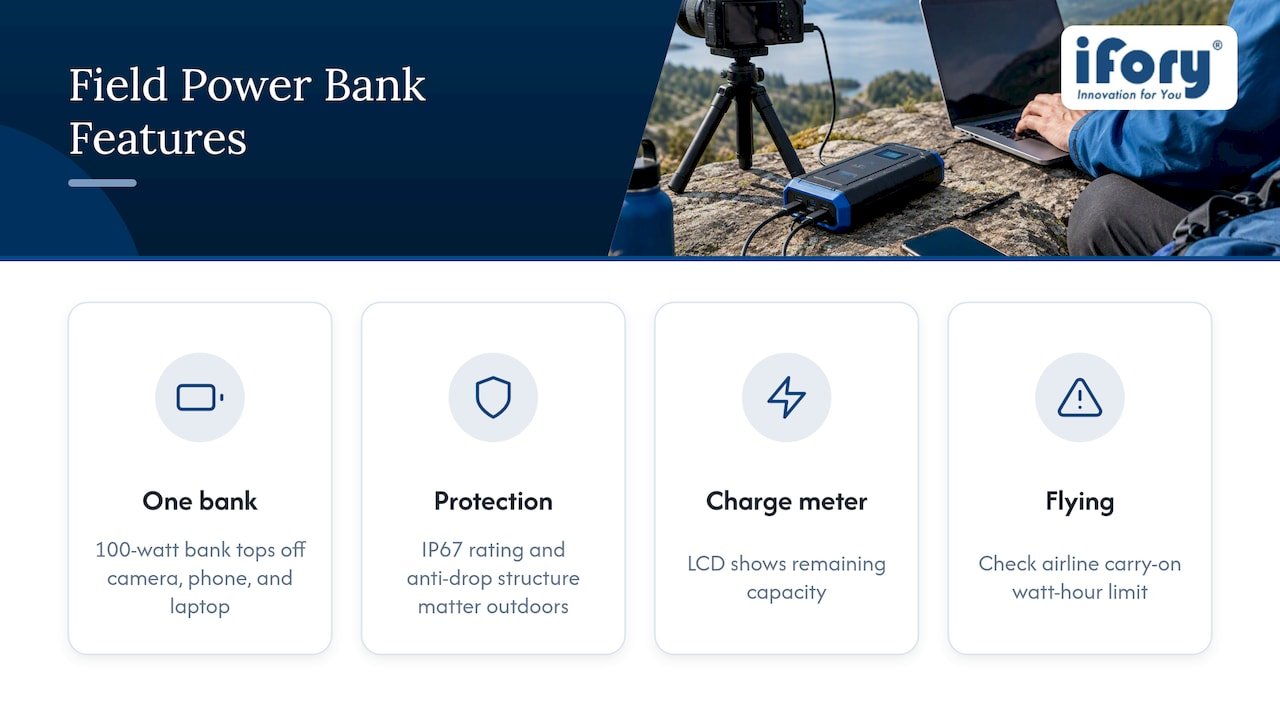
Carrying one 100-watt PD-capable bank instead of three separate chargers simplifies a multi-day trip considerably: the same unit can top off a camera, a phone, and a laptop, cutting down on both gear weight and the number of AC adapters you need to track. Ruggedized features like an IP67 rating and an anti-drop structure matter more than they might seem to on paper, since a charging setup left in a wet backpack or dropped on rocks is useless if the electronics inside fail. An LCD charge meter removes the guesswork of estimating remaining capacity by feel, which matters when you are days from an outlet. If you are flying, confirm your bank’s capacity falls under your airline’s carry-on watt-hour limit before you pack it.
What I actually pack for remote shoots
My kit stays simple: one PD power bank, the shortest reliable cable I own, a small AC PD adapter for hotel nights, and a spare camera battery as a backup that needs no cable at all, taking inspiration from why get photo USBs for your wedding memories to keep digital files accessible and reliable. I lean toward ruggedized banks and e-marked cables because a cheap cable failing in the field costs you a shooting day, not just a charge cycle. Weight matters, but when a dead battery means missing the shot entirely and a replacement is hours away, reliability earns its place in the bag every time.
— Mats
Ifory: a rugged USB-C PD bank built for this workflow
Matching a power bank to the charging behavior described above is most of the battle, and this is where a dedicated outdoor bank earns its keep. Our Ifory Powerbank delivers 100W PD output across multiple ports, enough to run a laptop and a PD-capable camera from the same unit instead of carrying separate chargers for each.

A model with IP67 waterproof rating and an anti-drop structure prevents a sudden rain shower or a stumble on a trail from putting your charging plan at risk. The built-in LCD display shows exactly how much capacity remains, and for longer off-grid trips, it pairs with our portable solar panel for recharging between stops.
- 100W PD output across multiple ports for cameras, phones, and laptops from one bank
- IP67 waterproof and anti-drop construction for wet or rough outdoor conditions
- Real-time LCD display for tracking remaining charge
- Solar panel compatibility for extended off-grid trips
Check the full specs and pick up an Ifory Powerbank before your next trip into the field.
FAQ
What cameras can charge with USB-C?
Many current mirrorless cameras support USB-C charging, including several Sony ILCE and ILME models, select Canon R-series bodies, and Panasonic’s LUMIX S series, along with rugged compacts like the OM SYSTEM TG-7. Support ranges from simple charge-while-off to full in-use power delivery, so checking your specific model’s manual is the only reliable way to know which you have.
Can Canon cameras charge with USB-C?
Select Canon R-series models, including the EOS R1 and EOS R5 C, use USB-C connectors for charging and power, with some requiring an optional PD adapter such as the PD-E1 or PD-E2. Check your exact model’s spec sheet, since not every Canon camera with a USB-C port supports the same charging behavior.
Can I charge my camera through USB?
If your camera has a USB-C port, it likely supports at least basic charging while powered off, but running the camera continuously while connected requires explicit USB Power Delivery support and a sufficiently powerful PD source. Sony’s own support guidance notes that many cameras cannot fully charge the battery while also powering heavy use like video recording.
Why is Gen Z obsessed with digital cameras?
Younger photographers have shown renewed interest in dedicated digital cameras alongside smartphones, often drawn to the distinct image quality and hands-on control that a standalone camera offers. This renewed interest has pushed manufacturers to modernize convenience features like USB-C charging, making these cameras easier to live with day to day.
What wattage do I need to charge my camera via USB-C?
Many cameras charge reliably starting around 18 watts of PD output, a figure Sony recommends for several of its models, while sustained power during video work often calls for 45 to 100 watts. Always pair a PD-capable source with an e-marked cable, since an underpowered or non-PD cable can prevent charging entirely.
Sources
- Which Sony cameras support USB PD (USB Power Delivery)? | Sony USA
- USB Power Delivery | Nikon online manual
- OM SYSTEM TG-7 product page
- Canon EOS R1 specifications – Canon Europe