
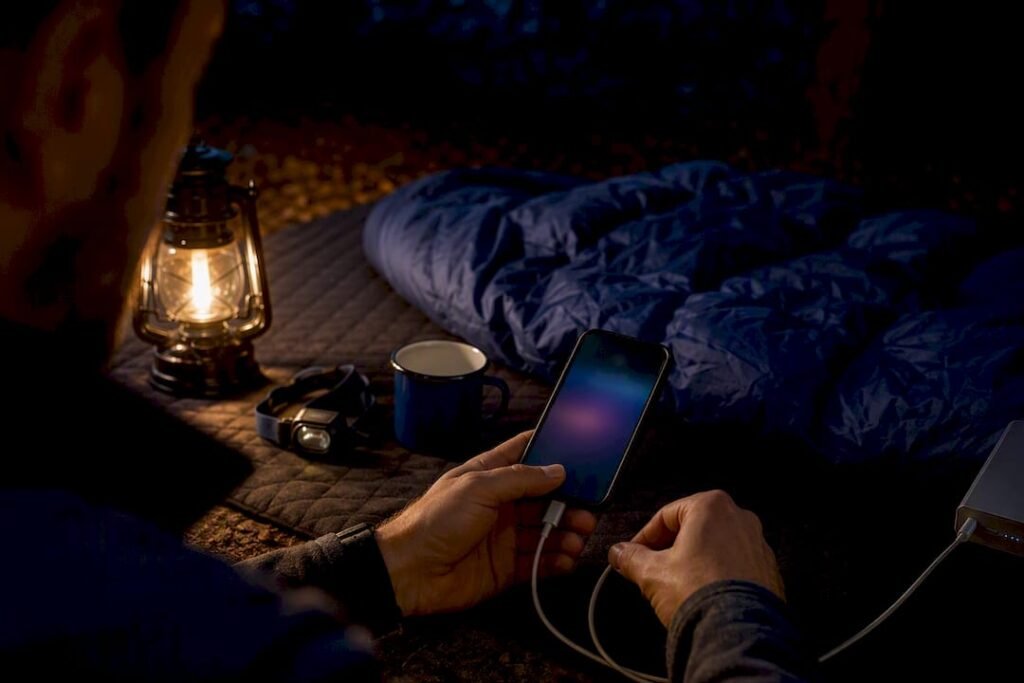
Cold is the wildcard most people miss. A phone that reads 15% at camp can jump back to 40% once it warms up against your body, so temperature control often matters more than any setting you toggle. A 40,000mAh bank is one option built for exactly this kind of multi-day math.
TL;DR:
- Switching to airplane mode in areas with weak signals can reduce power drain to about 1% every 12 hours, even while using GPS offline.
- Keeping the phone between 40% and 80% charge minimizes long-term battery stress, especially important across multi-day trips.
- Using a rugged, high-capacity power bank with at least 40,000mAh and USB-C Power Delivery supports multiple devices over several nights without resupply.
- Cold exposure causes voltage sag, and warming the phone inside clothing or with a chemical warmer can restore up to 30% of apparent charge without additional power.
- Proper outdoor-specific gear like waterproof, shockproof banks and routine nightly recharging keeps devices reliable in harsh weather conditions.
Table of Contents
- Your Pre-Trip and Nightly Battery Checklist
- Which Settings Actually Save the Most Battery Outdoors
- Why Temperature Wrecks Your Battery Faster Than Use Does
- Build a Nightly Charging Routine That Actually Holds Up
- Power Banks, Solar Panels, and What Actually Works Off-Grid
- Where Ifory’s Power Bank Fits Into This Routine
- What I Actually Carry Depends on the Trip
- Get a Power Bank Built for These Exact Conditions
- Sources
- FAQ
Your Pre-Trip and Nightly Battery Checklist
Run through this before you leave the trailhead, then repeat the nightly version at camp.
Before you leave:
- Download offline maps in Gaia GPS or a similar app so navigation doesn’t depend on live data or continuous GPS pinging.
- Set screen brightness low, shorten your timeout to 15 or 30 seconds, and turn off always-on display.
- Enable low power mode (or battery saver) before you lose signal, not after your battery is already low.
- Pack a main power bank, one spare cable, and a lightweight solar panel only if you’re out longer than a week without resupply.
- Bring a thin insulating pouch or dry bag that doubles as a cold buffer for your phone.
Each evening at camp:
- Flip to airplane mode the moment you’re done using GPS or checking messages.
- Charge your phone first, then any safety devices like a satellite communicator, then your headlamp or watch.
- Check your power bank’s remaining charge and confirm your cables are dry and free of grit or sand.
Which Settings Actually Save the Most Battery Outdoors
Airplane mode is the biggest lever you have. In areas with weak or no signal, your phone burns power constantly searching for a tower, and switching to airplane mode can cut that drain down to roughly 1% every 12 hours in many field reports from TreeLine Review. You can still use GPS for navigation in airplane mode on most phones. Turn it on selectively, use your offline map, then switch it back off.
Beyond that, work through these in order:
- Screen settings first. Drop brightness to the minimum you can still read, cut the timeout to 15 seconds, and disable always-on display and high refresh rate if your phone has one.
- Kill background activity. Disable background app refresh, force-close apps you’re not using, and mute non-critical notifications.
- Turn off radios you’re not using. Bluetooth, Wi-Fi, and NFC all sip power even when idle.
- Switch on battery saver. Android’s built-in power management restricts background data and dims the display automatically, and iPhone’s Low Power Mode does something similar.
- Skip the full shutdown. Repeatedly powering a phone off and back on can burn more battery than leaving it in airplane mode, since restart processes and re-syncing eat into whatever you’d saved.
Dark mode gets a lot of hype, but its actual savings depend heavily on your screen type. Purdue University’s testing found the benefit is real on OLED displays showing mostly dark content, but modest to negligible elsewhere. Turn it on anyway. It costs nothing and helps on the right hardware.
Pro Tip: Reduce vibration intensity and turn off haptic feedback on typing. It’s a small drain individually, but it adds up over a multi-day trip where you’re checking your phone dozens of times.
Why Temperature Wrecks Your Battery Faster Than Use Does
Lithium-ion batteries operate best between about 62 and 72°F (18 to 22°C). Drop below that range and you get what’s called voltage sag: the battery’s internal chemistry slows down, the phone reads a lower charge than it actually has, and in cold enough conditions it shuts down entirely even with a real charge left inside. Warming the phone back up, not charging it, is usually what fixes this.
Phones that shut down in freezing temperatures often aren’t actually dead. Warming them gradually inside a jacket or sleeping bag lets the chemical reaction inside the battery recover, frequently restoring 20 to 30 percentage points of apparent charge with zero electricity added.
Cold-weather tactics that work:
- Keep your phone in an inner layer pocket against your body during the day, not in an outer shell pocket exposed to wind.
- Sleep with it inside your sleeping bag at night, ideally near your torso rather than at your feet.
- Use a chemical hand warmer wrapped near (not directly touching) the phone in extreme cold.
- Never plug in a phone that feels cold to the touch. Warm it first, then charge once it’s back near room temperature.
Heat causes different problems. Direct midday sun can push a phone’s internal temperature high enough to trigger thermal throttling or an automatic shutdown to protect the battery. Remove the case while charging in hot weather, keep the phone shaded and out of a sun-baked tent, and never leave it charging inside a closed car or a black stuff sack in direct sun.
Build a Nightly Charging Routine That Actually Holds Up
Start charging the moment you reach camp, not after dinner when you’ve forgotten. A consistent routine beats reactive charging every time, because it removes the guesswork of “do I have enough left to make it through tomorrow.”
Here’s the order that works on most trips:
- Satellite communicator first, if you’re carrying one. Losing emergency contact capability is the highest-stakes failure on the list.
- Phone second. It’s your map, your camera, and often your only communication tool once you’re back in range.
- Headlamp or watch third. Useful, but rarely safety-critical if it runs a night behind.
The 40 to 80% rule matters more than people assume. Charging your phone to a partial range instead of running it down to zero and back to 100% every night reduces the deep-cycle stress that degrades lithium-ion cells over time, according to guidance from TreeLine Review. On a weekend trip, that’s mostly about efficiency. On a two-week trip, it’s the difference between your power bank lasting the whole route or dying on day nine.
Size your bank to the trip:
- Weekend (2 to 3 nights): A 10,000mAh bank comfortably covers a phone plus a headlamp.
- Extended trips (4 to 7 nights): Step up to 20,000 to 40,000mAh, or plan a resupply point where you can recharge everything fully.
- Long expeditions or basecamp setups: A high-capacity bank in the 40,000mAh range plus a solar panel gives you a real buffer against weather delays.
Top your phone to 100% only before a genuinely long push, such as a summit day with heavy navigation use. Otherwise, conserve and stay in that 40 to 80% band. Carry a spare cable. A cracked or corroded connector will strand a fully charged bank just as fast as an empty one.
Power Banks, Solar Panels, and What Actually Works Off-Grid
Milliamp-hours (mAh) tell you capacity, but usable output depends on voltage conversion losses, so the real number that matters for fast charging is the wattage rating, specifically whether a bank supports USB-C Power Delivery (PD). A bank rated for 100W PD charges a phone and a tablet simultaneously far faster than an old 10W brick, even if the mAh numbers look similar on paper.
Weight versus capacity is the trade-off every backpacker eventually runs into. REI’s testing notes that many backpackers prefer a single 10,000 to 20,000mAh bank and rely on town stops or resupply rather than hauling a 40,000mAh brick for the entire route, since the weight adds up on foot. Car campers and basecamp trips don’t have that constraint, and a large-capacity bank with a real-time LED display for checking charge status becomes a genuine convenience rather than a burden.
Solar panels are a supplement, not a guarantee. Recharge speed depends entirely on sun hours, panel angle, and cloud cover, and a cloudy afternoon can turn a two-hour top-up into an all-day project. They earn their weight on trips longer than a week where you’re not resupplying, less so on a three-day loop.
A quick gear checklist for off-grid charging:
- Confirm your power bank supports USB-C PD, not just USB-A output.
- Check the IP rating if you’re anywhere near water, rain, or heavy dust.
- Bring one full-length cable and one short backup, both USB-C if your devices allow it.
- Skip the solar panel on short trips. It’s dead weight if you’re back in three days.
Where Ifory’s Power Bank Fits Into This Routine
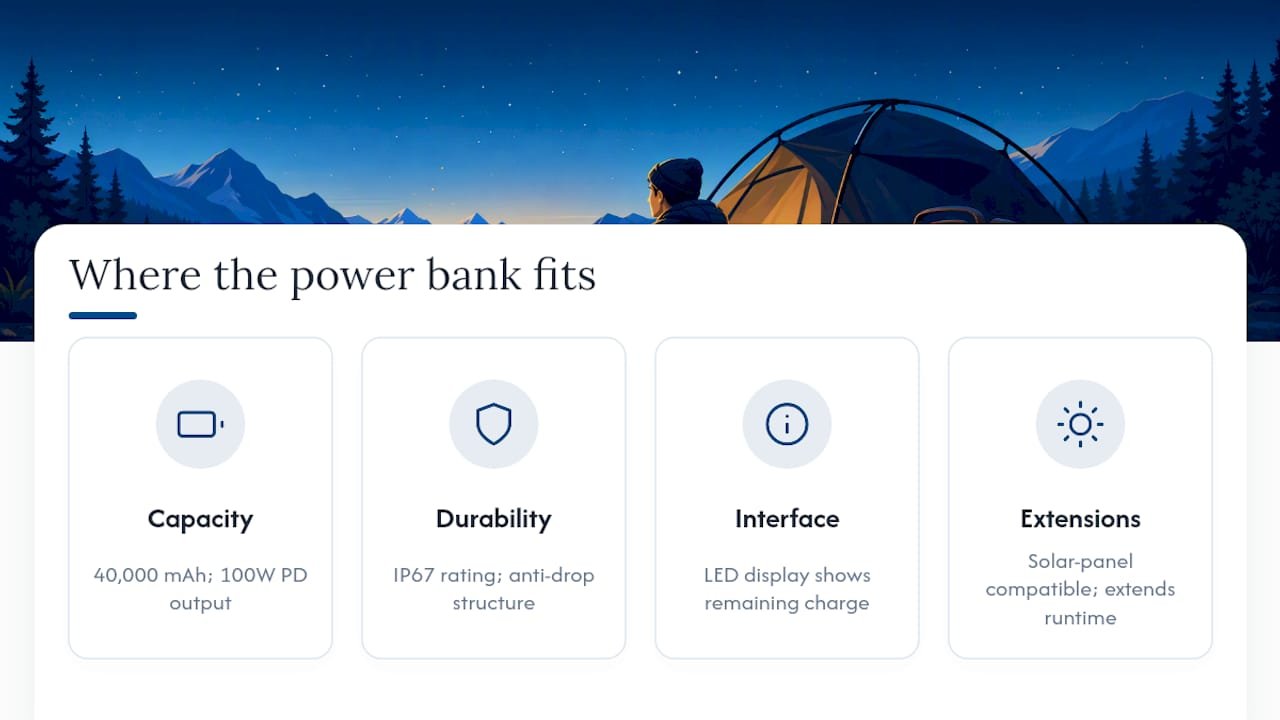
Everything above points toward one kind of tool: high capacity, fast charging, and the ability to survive actual outdoor conditions. This power bank carries a 40,000mAh capacity with 100W PD output, which covers a phone, a satellite communicator, and a headlamp across several nights without a resupply. An IP67 rating means a sudden downpour or a dunk crossing a stream doesn’t end your trip early, and an anti-drop structure matters more than most people expect once a bank has ridden in a pack for a week of scrambling over rocks.
A LED display solves the guessing game. Instead of wondering how much charge is left in the bank itself, a quick glance tells you where you stand, which makes the nightly priority order (communicator, then phone, then accessories) easier to manage. A built-in flashlight provides a backup light source if your headlamp battery gives out. Pairing it with a portable solar panel on longer basecamp trips extends the runway further, though the same cloud-cover caveat applies.
What I Actually Carry Depends on the Trip
For a day hike, I skip the power bank entirely and start with a full charge and airplane mode ready to go. On a weekend, a 10,000mAh bank and one spare cable covers it, paired with conservative screen settings. Multi-day trips push me toward a 20,000 to 40,000mAh bank or a resupply plan, depending on terrain and sun exposure.
I’d rather carry one reliable, rugged bank than juggle two or three smaller ones. Fewer failure points, fewer things to lose in the bottom of a pack, and one less decision to make when I’m tired and just want the phone charged.
— Mats
Get a Power Bank Built for These Exact Conditions
If you’ve read this far, you already know the theory. What you need next is hardware that survives the actual conditions this article describes, not a bank that works fine on a desk but folds under real weather. Ifory’s powerbank lineup is built around that gap: rugged construction, real waterproofing, and enough capacity to cover a multi-day trip without hunting for an outlet.

Before you buy any power bank, confirm three things on the product page: weight versus your pack budget, the warranty terms, and the exact PD wattage so you know your charging speed. If you want the highest capacity for a long trip, the 40,000mAh 100W model covers multiple devices across several nights. If you’re weight-conscious for a shorter loop, the compact power bank still gives you rugged protection without the bulk. For anyone weighing waterproof claims against marketing fluff, it’s worth reading how waterproof actually differs from water resistant before you trust a bank near a river crossing. Pick the model that matches your next trip length, and check the spec sheet against the checklist above before you check out.
Sources
- How to Save Phone Battery Life in the Backcountry – REI
- Outdoor Battery Strategy Guide: How to Keep Your Electronics Charged on the Trail – TreeLine Review
- Get the most life from your Android device’s battery – Android Help
- How to save phone battery life – Gaia GPS blog
FAQ
How Can I Keep My Phone Charged While Camping?
Use airplane mode when you don’t need cellular service, keep the screen dim with a short timeout, and top off your phone nightly with a rugged power bank sized to your trip length, ideally one with USB-C PD support like Ifory’s 40,000mAh model.
What Is the 40 to 80 Percent Charging Rule?
Keeping a lithium-ion battery between roughly 40% and 80% charge instead of cycling it from empty to full every night reduces long-term battery stress and is the routine recommended for multi-day trips.
How Do Backpackers Keep Their Phones Charged on Long Trips?
Most rely on a combination of airplane mode, offline maps, a nightly top-up routine, and a mid-to-high-capacity power bank, choosing between resupply charging on shorter trips and a larger bank like a 20,000 to 40,000mAh unit on longer, unsupported routes.
How Can I Extend My Phone’s Battery Life Outdoors?
Lower your screen brightness, shorten the timeout, disable background app refresh, turn off Bluetooth and Wi-Fi when unused, and keep the phone warm against your body in cold conditions since temperature swings cause more sudden battery loss than actual usage does.
Does Battery Health Care Matter Beyond Just Camping Trips?
Yes. The same partial-charge habits that help in the backcountry also extend long-term battery health on any device, a point covered in detail in this breakdown of battery health on refurbished phones.