
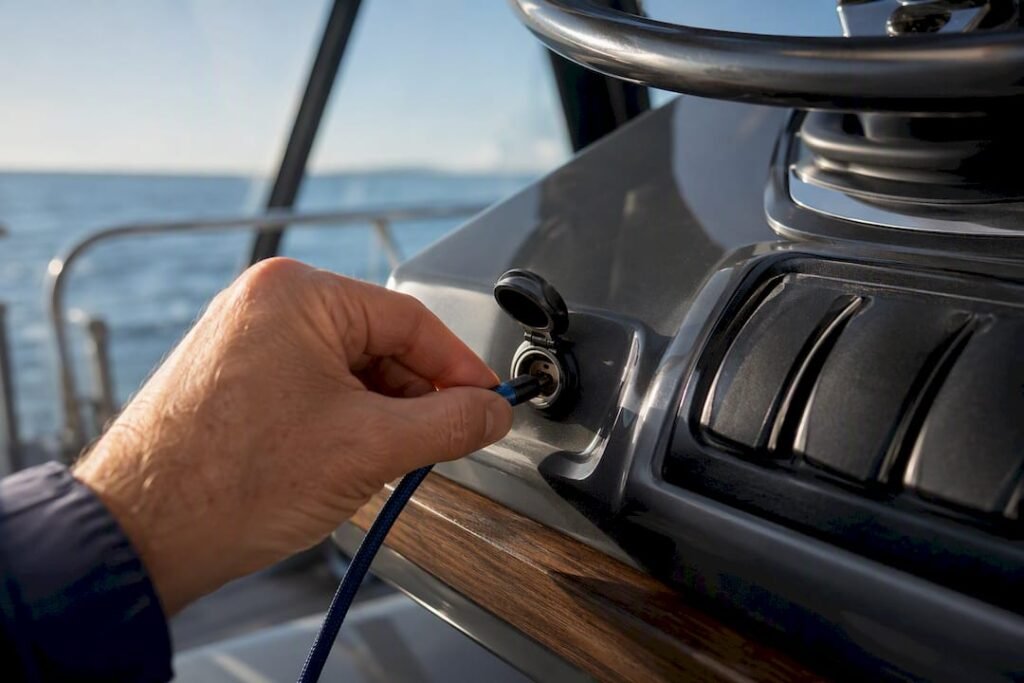
The most reliable setup pairs a marine-rated panel-mount USB-C socket for permanent installs with an IP67-rated USB-C PD power bank for portable backup. Before buying anything, confirm three specs: Power Delivery (PD) support, output wattage (about 36W on 12V systems, up to around 60W on 24V systems), and a genuine waterproof rating. For exposed cockpits, tenders, or emergency use, an IP67 power bank like Ifory covers the gap fixed sockets can’t.
TL;DR:
- Fixed panel or tile sockets are suitable for dry, semi-protected areas like helm stations, but may need upgrading for higher wattage needs.
- A 12V system limits fast charging to about 36W, while 24V systems can support up to 60W; higher wattage support is essential for laptops.
- A genuine waterproof rating of IP67 is crucial for exposed decks and tenders, while IPX4 suffices for sheltered galley or helm areas.
- Using short, high-quality USB-C cables and dedicating ports for high-demand devices like laptops improves charging speed and reliability.
- Installing USB-C sockets requires careful fuse placement and sealing, or consulting a marine electrician to avoid safety hazards.
Table of Contents
- Types of USB-C Charging Solutions for Boats
- What Voltage and Wattage Do You Actually Need?
- How Do You Install a USB-C Charger on a Boat?
- IPX4 or IP67: Which Rating Do You Actually Need?
- Charging Multiple Devices Without Overloading a Socket
- Why This Guide Leans Toward Waterproof PD Solutions
- A Portable Backup That Handles What Fixed Sockets Can’t
- Sources
Types of USB-C Charging Solutions for Boats
Boat electronics charging comes down to three hardware categories, and picking the wrong one for your location is the most common mistake owners make.
Panel-mount and tile-style sockets sit flush in a helm dashboard or console. They’re low-profile, use a front-fit bezel so you can swap a dead unit without pulling wiring, and look clean next to your other gauges. These are built for dry-ish, semi-protected spots.
Flip or covered sockets add a hinged cap over the port. That cap is the whole point: it lets the unit survive a washdown or a splash of rain without water tracking into the connector. They’re the standard choice for cockpit and galley locations that see spray but aren’t fully exposed.
Portable IP67 power banks skip installation entirely. You charge them at the dock, then carry them wherever the boat takes you: the bow, the tender, a kayak. They’re the only category that stays sealed while actively charging a device in the rain.
- Panel/tile sockets: best for helm and nav stations, neat integration, easy bezel replacement
- Flip/cover sockets: best for galley and cockpit areas with occasional wash-down exposure
- IP67 portable power banks: best for exposed decks, tenders, and true emergency backup
- Multi-port charging modules: worth it once you’re running three or more devices from one station
If you’re wiring a dedicated charging station near the helm, a multi-port module saves you from drilling four separate holes. If you just need something that survives getting rained on while it’s plugged into your phone, that’s a portable bank’s job, not a socket’s.
What Voltage and Wattage Do You Actually Need?
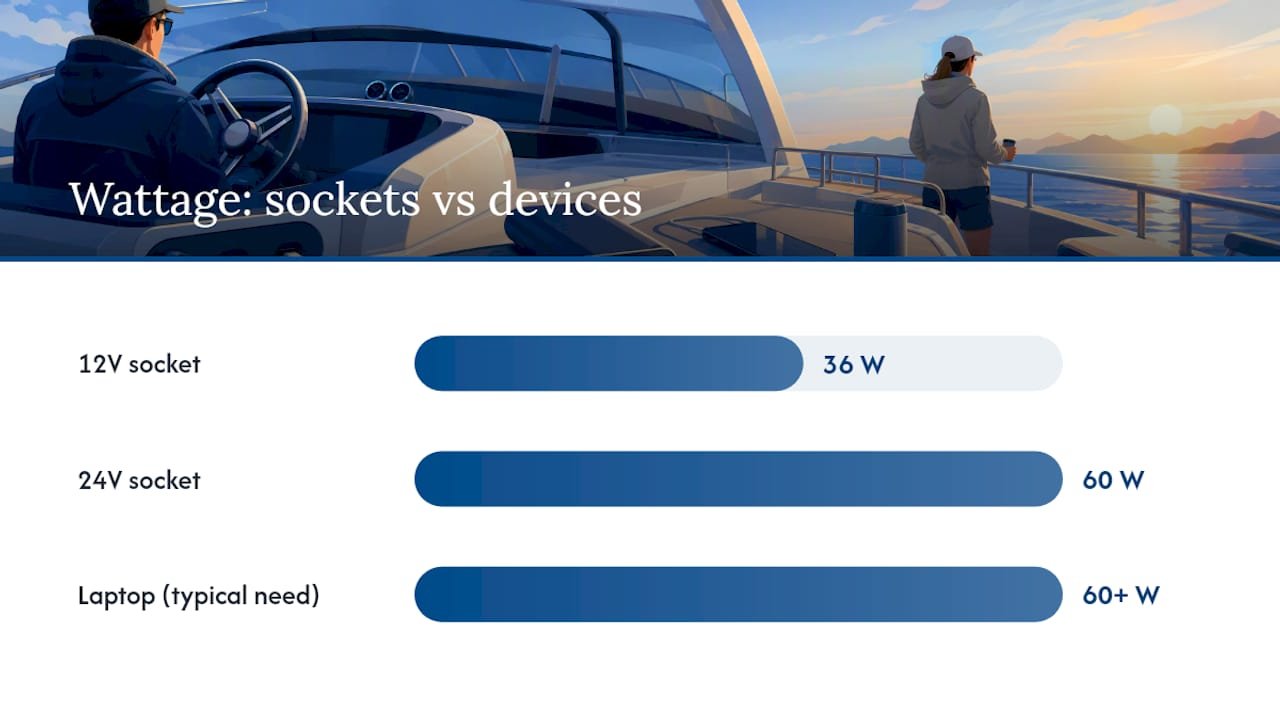
Most marine USB-C sockets advertise 36W output on 12V systems and up to 60W on 24V systems. That gap matters more than it looks. A phone charges fine at 36W. A laptop usually wants 60W or more to charge at a reasonable speed, which means a 12V boat electrical system often can’t deliver full-speed laptop charging through a fixed socket. If you’re running a 24V system, or you plan on charging a laptop regularly, PD-capable options rated for higher wattage become worth the extra cost.
USB Power Delivery (PD) is the protocol that lets a charger and device negotiate voltage and current automatically. Without PD, you’re stuck with a fixed, lower output regardless of what the device can accept. For phones, PD is nice to have. For tablets and laptops, it’s the difference between a two-hour charge and an all-night one. Our PD vs Quick Charge breakdown covers the technical differences if you want the full picture.
On the wiring side, look for products listing an input voltage range around 10 to 32V DC and a max input current near 6A, then size your fuse accordingly. Most manufacturers recommend a 10A fuse for this class of charger.
Trust signals worth checking on the spec sheet:
- CE and RoHS certification markings
- 316 stainless steel bezels or hardware
- Anti-corrosion or conformal coating on internal components
- UV-resistant housing material
One quick number worth remembering: that 36W/60W split isn’t marketing language, it’s a hard ceiling tied to your boat’s voltage. Buying a “fast charging” socket rated for 60W on a 12V boat won’t get you 60W. It’ll cap at whatever your system’s voltage actually supports.
How Do You Install a USB-C Charger on a Boat?
Installing a panel socket is a manageable DIY project if you follow the sequence in order and don’t skip the fuse.
- Confirm the cutout size. Most tile-style sockets need a 29 to 32 millimeter hole, and front-fit bezels let you swap the unit later without redrilling.
- Choose your wire gauge based on run length and current draw, then route the cable away from bilge water and sharp edges.
- Place the inline fuse close to the battery, not close to the socket. This protects the entire wire run, not just the last few inches.
- Mount and seal the unit, using marine sealant around the cutout edge to stop water tracking behind the bezel.
- Protect exposed terminals with heat-shrink or dielectric grease before closing up the install.
- Test under load before buttoning up the panel, then recheck after the first trip once vibration has settled everything in.
Pro Tip: Snap a photo of your wiring before you seal the panel closed. Six months from now, when something needs troubleshooting, you’ll thank yourself for not having to guess which wire goes where.
If your boat’s electrical panel already looks like a puzzle, or you’re not fully comfortable with fuse placement and wire sizing, call a marine electrician. A wrong fuse size is a fire risk, not just a warranty issue.
IPX4 or IP67: Which Rating Do You Actually Need?
These two ratings get confused constantly, and the confusion has real consequences on a boat.
IPX4 means splash and washdown resistant, but only with the cover closed. Flip-style sockets carrying this rating are fine at the helm or galley, where you close the cap when you’re not actively charging something.
IP67 means dust-tight and waterproof while the device is in use, submerged briefly, not just splashed. That’s the rating you want for a power bank you’re charging a phone from out on an exposed deck or in a tender that might take spray over the bow.
- Helm and nav station: covered/flip sockets are appropriate, since these areas rarely see direct wash
- Galley: same logic, covered sockets handle occasional splashes fine
- Cockpit and exposed deck: an IP67 portable bank is the safer call
- Tender or dinghy: IP67 portable only, fixed sockets aren’t practical here anyway
For longevity, inspect rubber seals each season, clean corroded contacts with a marine-grade contact cleaner, and keep housings out of direct sun when you can. UV breaks down plastic housings faster than saltwater does in most cases.
Charging Multiple Devices Without Overloading a Socket
PD negotiation sets the voltage and current a device actually receives, which is why the same charger can deliver different speeds to a phone versus a tablet. A phone might pull 15 to 20 watts. A tablet or laptop will try to pull much more, and if the socket can’t supply it, charging just slows down rather than failing outright.
Cable choice matters more than most boaters assume. A cheap or overly long USB-C cable causes voltage drop, which shows up as painfully slow charging even when the source and device are both capable of fast charging. Our USB-C connector guide covers why cable quality affects real-world speed, not just theoretical specs.
- Use short, thick USB-C to USB-C cables whenever charging speed matters
- Don’t expect full-speed charging on two devices sharing one port through a splitter
- Dedicate one socket or power bank port specifically to laptop-class charging
- Label ports if you’ve got a multi-port module, so guests aren’t guessing which one is fastest
Pro Tip: Keep one laptop-rated PD cable aboard at all times, even if you rarely charge a laptop. It’s the cable people forget until the one day they actually need it. For managing several devices at once without constant socket-swapping, our multi-device charging guide has practical layouts that work well on smaller boats.
Why This Guide Leans Toward Waterproof PD Solutions
Most charging advice for boats gets written by people thinking about cars with a marine label slapped on top. Boats are wetter, more corrosive, and less forgiving of a charger that only “mostly” works. That’s why this guide keeps circling back to two things: real PD support and a waterproof rating that holds up when the device is actively charging, not just sitting idle under a closed cap.
The gap between IPX4 and IP67 isn’t academic; it is the difference between a charger that survives your boat and one that dies the first season you use it hard on an exposed deck. Ifory built its power bank line around that gap, with IP67 protection and multi-port PD output aimed at people who use gear outdoors, not just indoors with better weather assumptions.
— Mats
A Portable Backup That Handles What Fixed Sockets Can’t
Fixed sockets are great until you’re on the tender, or the helm socket is already occupied by the chartplotter’s power draw. That’s the gap Ifory’s waterproof power bank is built to fill.
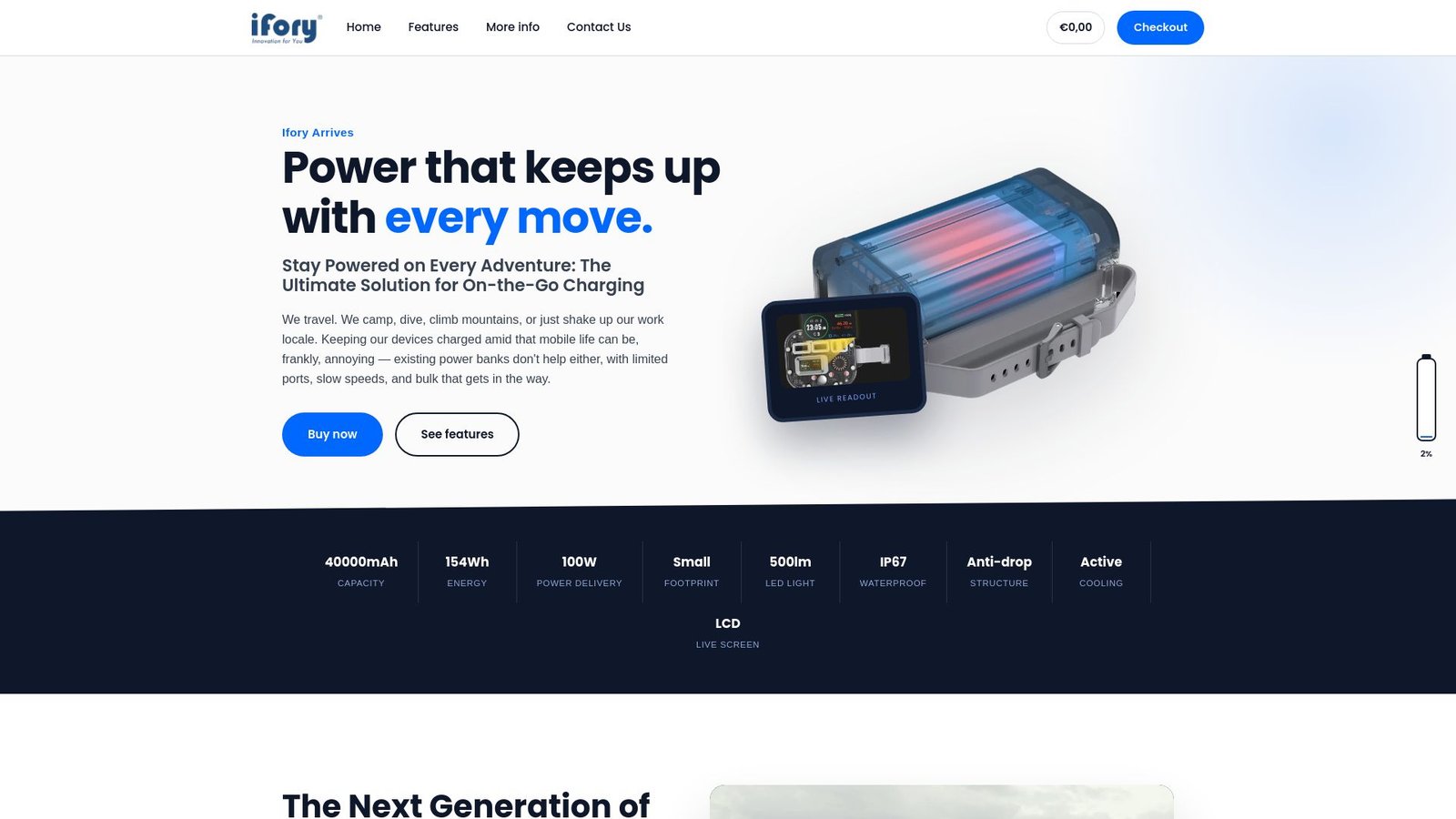
The power bank carries a high capacity and up to 100W PD output across multiple ports, so it can top off a phone, run a tablet, and still have headroom for a laptop if your device supports it. The power bank has an IP67 waterproof rating, so it keeps charging even when spray hits the deck, and it is designed to handle bumps that come standard on any small boat. An LED display shows remaining charge at a glance, and the integrated flashlight provides illumination useful when anchoring after dark.
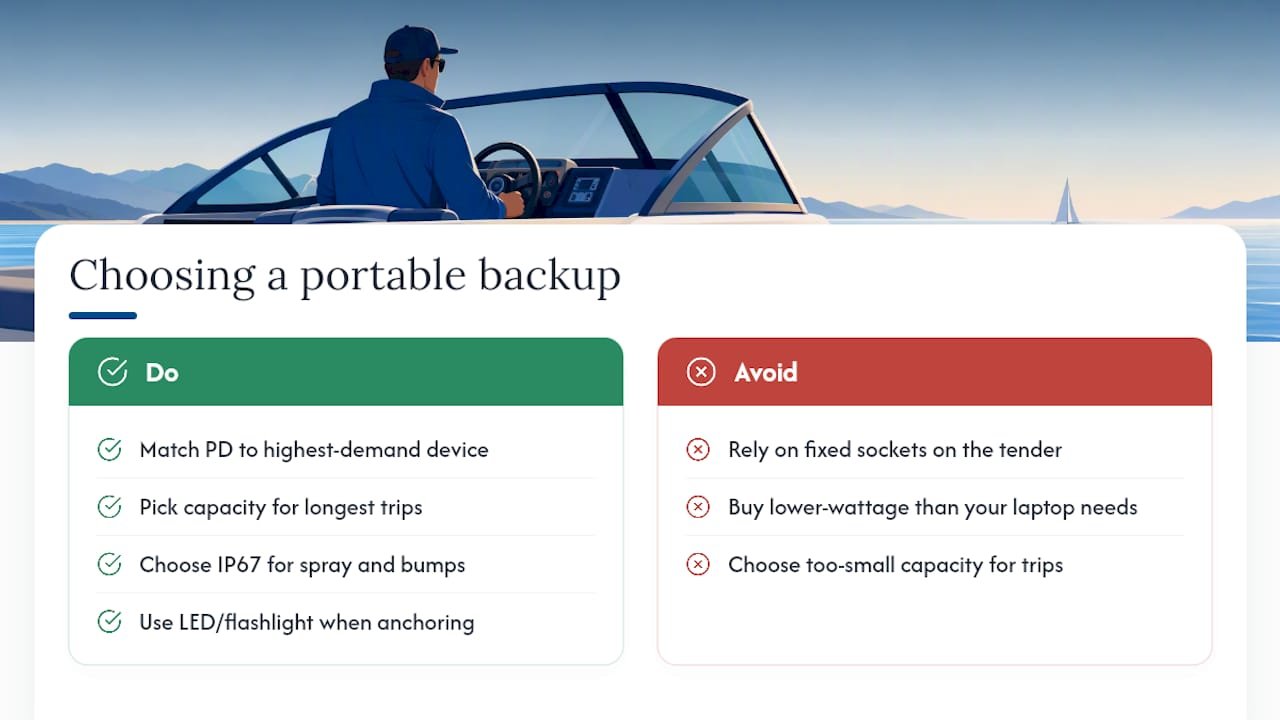
For most boaters, matching PD wattage to your highest-demand device (phone, tablet, or laptop) is the one decision that matters most before buying. Check the full spec sheet on the powerbank category page and pick the capacity that matches your longest trips without a shore charge.
Sources
Product specs referenced above come from Scanstrut’s TILE USB-C socket page, the Flip Pro Max installation details, and New Wire Marine’s compact charger listing. For Ifory’s own specs, visit the powerbank product category.
- Scanstrut TILE USB-C Interior Charging Socket – 12/24V – Stainless Steel Bezel – Boat Gear USA
- Scanstrut Flip Pro Max Dual USB-C Charger — 922-SCUSBF4 — Marisol Marine Company