
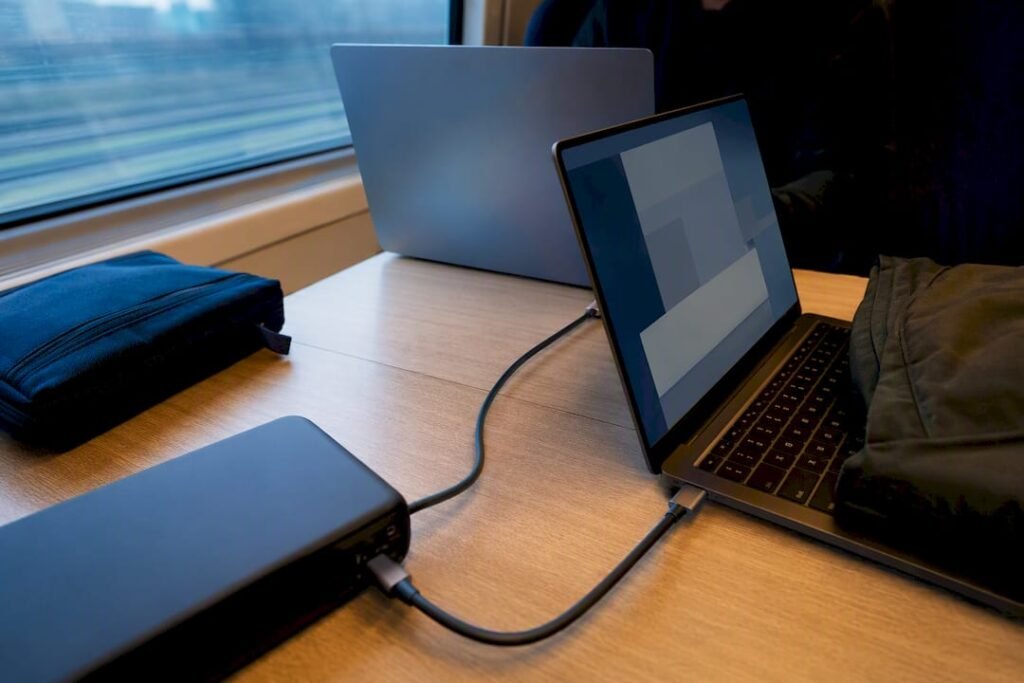
The fastest way to charge two laptops at once is a multi-port USB-C PD charger rated 100W or higher, or a laptop-capable power bank with dual USB-C output. Laptop-to-laptop charging almost never delivers enough power to keep up with real use. Pick the wall charger for a desk or hotel room, or a high-capacity power bank for anywhere without a reliable outlet.
TL;DR:
- A dual-port GaN USB-C charger rated above 100W provides the most reliable and flexible charging for two laptops at once, with automatic power redistribution.
- High-capacity power banks with at least 100W output are ideal for outdoor or travel scenarios where outlets are unavailable, but they require compatible cables and airline approval for capacities over 100Wh.
- Laptop-to-laptop USB-C charging is not recommended as a primary method because it typically supplies a slow trickle rather than a full charge, depending on the device controllers.
- Ensuring the total charger wattage exceeds the combined maximum power draw of both laptops by at least 20-30 percent prevents overloading and maintains full charging speeds.
- Always verify circuit capacity and use a surge protector rated for the total load to safely run two laptop chargers from one outlet without tripping breakers or causing wiring issues.
Table of Contents
- What Are the Best Ways to Charge Two Laptops at Once?
- How Do You Choose the Right Charging Gear?
- Is It Safe to Charge Two Laptops From One Outlet?
- What Charging Setup Works Best for Travel, Hotels, and Coworking?
- Why Rugged Power Banks Change the Equation for Mobile Workers
- Keep Both Laptops Charged Wherever You Work
- Sources
- FAQ
What Are the Best Ways to Charge Two Laptops at Once?
Three real methods exist for charging two laptops simultaneously, and they are not equally good.
Multi-port GaN USB-C PD chargers are the most reliable option. Gallium nitride (GaN) semiconductors run cooler and pack more wattage into a smaller charger than older silicon designs, which is why a 100W dual-port brick can now fit in a jacket pocket. These chargers use USB Power Delivery negotiation to split output across ports. A common configuration sends 100W to one port and 65W to the other, which covers a power-hungry 16-inch laptop and a lighter ultrabook at the same time, according to Wecent’s explainer on dual USB-C laptop chargers. Plug in one device and it may briefly claim the full 100W. Plug in the second, and the charger renegotiates and redistributes power between both ports automatically.
High-capacity power banks with PD or AC output solve the outlet problem entirely. A power bank rated 100W with two USB-C PD ports can charge two laptops away from any wall, which matters on trains, in parks, or during a long flight delay.
Laptop-to-laptop USB-C charging sounds convenient but rarely works well. Whether one laptop can charge another depends entirely on the USB controllers inside each machine, and even when it’s supported, the transfer is usually a slow trickle rather than a real charge, according to a detailed Superuser discussion on laptop-to-laptop USB-C charging.
Portable power stations and UPS units make sense for off-grid work, camping, or backup during outages, though they trade portability for capacity.
- Multi-port GaN charger: best for desks, hotels, offices
- Laptop-capable power bank: best for travel, outdoor work, no outlet access
- Laptop-to-laptop USB-C: backup only, not a real charging solution
- Power station or UPS: best for off-grid or emergency backup
How Do You Choose the Right Charging Gear?
Start with math, not marketing. Add up both laptops’ maximum charger wattages, and pad the total by 20 to 30 percent so the charger isn’t running flat out constantly.
- Calculate total wattage. A 65W ultrabook plus a 90W gaming laptop needs at least 155W of combined output. A charger rated exactly 155W leaves no margin.
- Check per-port PD ratings, not just the total. Some cheaper dual-port chargers only reach their advertised max wattage when a single port is in use. Read the fine print on port-by-port allocation before buying.
- Favor GaN chargers for anything above 100W. They stay cooler and smaller than silicon equivalents, which matters when the charger lives in a backpack.
- Confirm PD 3.0 or PD 3.1 support. Newer laptops increasingly expect these standards for full-speed negotiation, and older PD 2.0 chargers can undercharge modern machines.
- Use rated cables. A USB-C cable needs a built-in e-marker chip to safely carry loads above 60W. A USB-C cable guide can help you confirm what your existing cables actually support.
- Weigh battery capacity against airline rules. Power banks above 100Wh generally require airline approval, and most carriers cap portable batteries at 100Wh without prior clearance, so check your airline before packing a large power bank.
Pro Tip: Keep one spare 100W-rated cable in your bag at all times. A charger is only as fast as the weakest cable connected to it, and a cheap cable will silently throttle a 100W charger down to a fraction of its rated output.
Is It Safe to Charge Two Laptops From One Outlet?
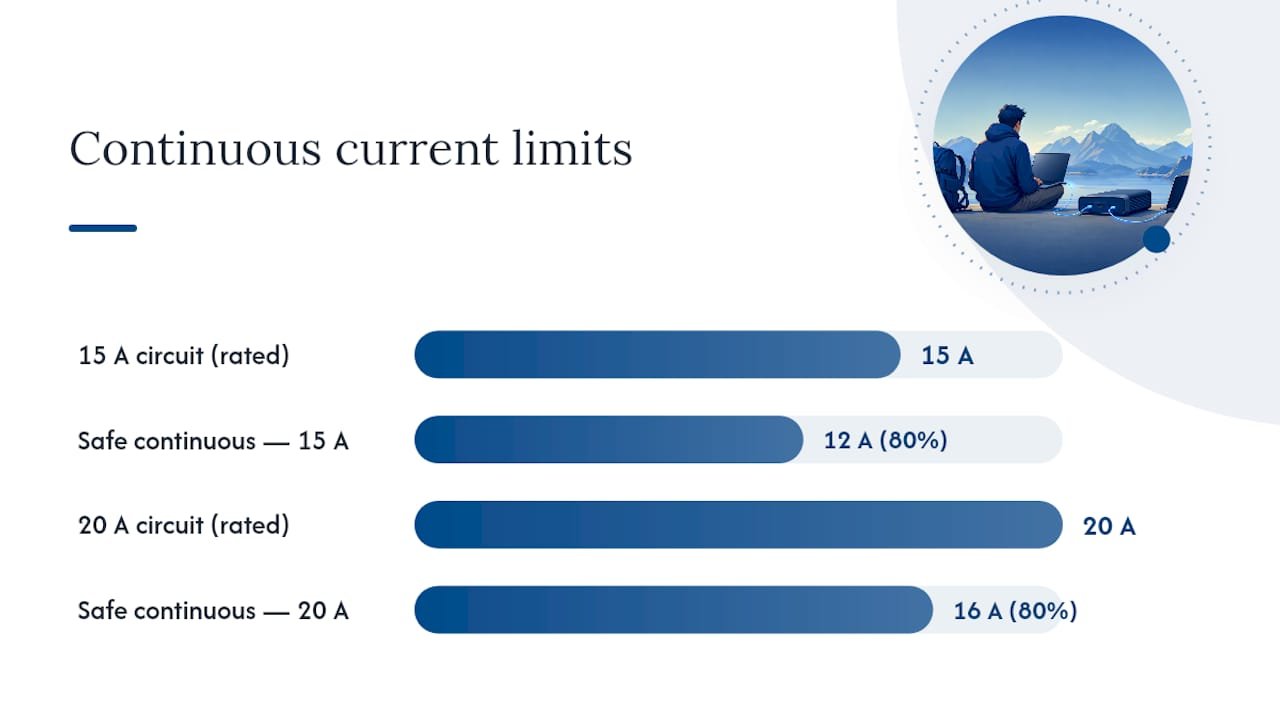
Yes, usually, as long as you respect circuit limits. A standard household circuit in most homes handles 15 or 20 amps, and the safe continuous load is 80 percent of that rating to avoid tripped breakers or overheated wiring, based on circuit-capacity guidance from Alibaba’s product insights team. Two laptop chargers typically draw well under that ceiling on their own, but a room already running a space heater, monitor, and coffee maker on the same circuit changes the math fast.
Watch for warning signs: an outlet or power strip that feels warm to the touch, a faint buzzing sound, or a breaker that trips repeatedly under normal load. Any of these means stop and redistribute the load immediately.
- Use a surge protector rated for the combined wattage, not a bare splitter
- Never daisy-chain power strips into one another
- Split high-draw devices across separate circuits when working from a shared space like a coworking desk
- Avoid running space heaters or kettles on the same outlet as laptop chargers
A quality surge protector with overload protection is worth the extra cost over a cheap multi-outlet adapter, especially when two 100W+ chargers are drawing continuously for hours.
What Charging Setup Works Best for Travel, Hotels, and Coworking?
Different environments call for different gear, and packing the wrong combination means wasted battery time.
- Travel: Pack a 100W+ multi-port GaN charger plus two properly rated USB-C cables. If outlets are scarce, such as on a train or in an airport lounge, a laptop-capable power bank like Ifory’s 40,000mAh model covers both devices without hunting for a plug.
- Hotel room: Bring your own high-wattage PD charger rather than relying on the room’s often-single, low-amperage outlet. Check what else is plugged into that circuit, especially the minibar or air conditioner, before adding two laptop chargers.
- Coworking space: A dedicated multi-device charging setup with PD distribution across several ports keeps cables organized and avoids the daisy-chained power strips common in shared desks.
- Home desk: A docking station with built-in PD charging lets both laptops charge through a single hub, often alongside monitor and peripheral connections.
Before plugging in anywhere new, do a quick check: outlet feels cool, cable shows no fraying, and the charger’s total rated wattage covers both devices with margin to spare.
Why Rugged Power Banks Change the Equation for Mobile Workers
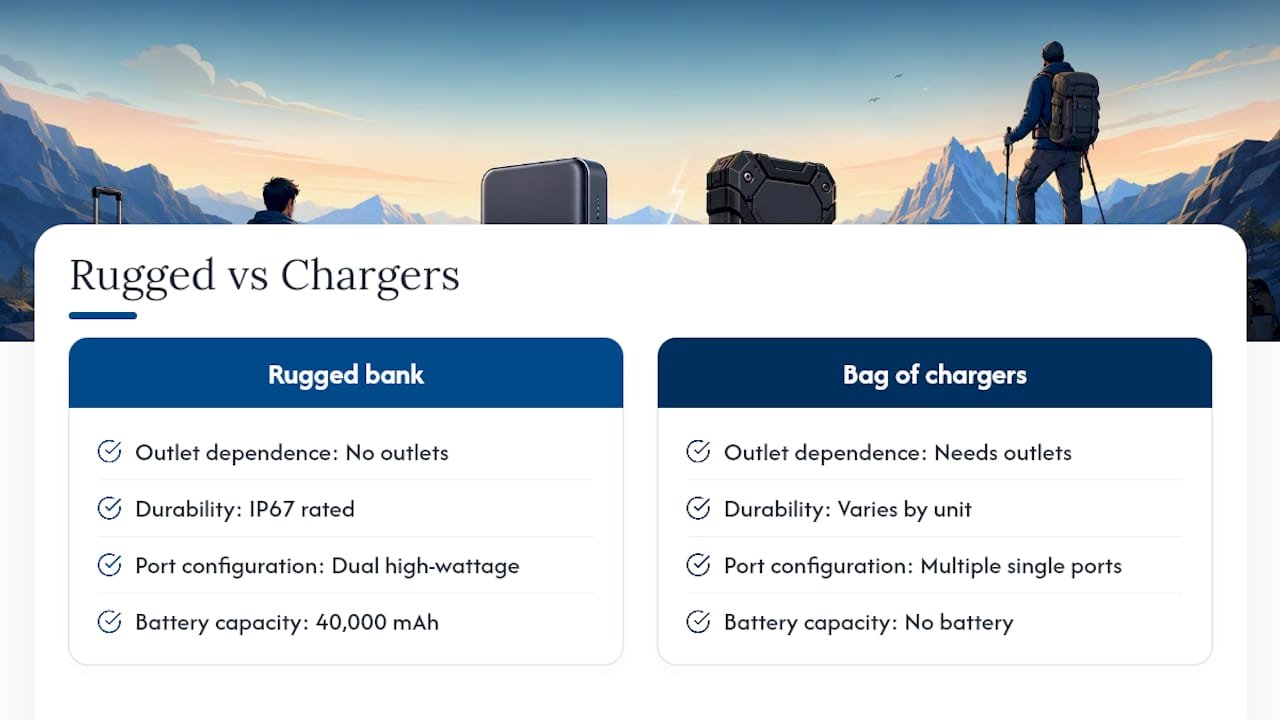
Reliable outlets are the exception on the road, not the rule. An IP67-rated power bank with dual high-wattage ports removes that dependency entirely, which is why a rugged, multi-port option like Ifory’s 40,000mAh power bank tends to outperform a bag full of wall chargers for anyone working outdoors or between locations.
That said, per-port allocation still applies to power banks the same way it does to wall chargers, and a laptop with a very high draw, like a 16 inch workstation under full load, may still need direct AC power to charge at full speed rather than just hold its charge.
— Mats
Keep Both Laptops Charged Wherever You Work
A 40,000mAh power bank with 100W Power Delivery output across multiple ports enables two laptops to draw power at once without you circling a coffee shop for an open outlet.

The IP67 rating and anti-drop build mean it survives a spilled drink or a drop off a tailgate, and the real-time LED display shows exactly how much runtime is left before you need a recharge yourself. Keep in mind that very high-draw laptops split port allocation, so a demanding workstation paired with a lighter ultrabook will charge faster than two power-hungry machines running simultaneously. For most travelers, remote workers, and outdoor photographers juggling two devices, that trade-off is easy to live with given the freedom from hunting for outlets. Check current stock and specs on the Ifory power bank product page and see which capacity fits your travel routine.
Sources
For deeper reading on USB-C behavior, GaN dual-port PD allocation, and circuit-load safety, the citations above cover the core technical claims made throughout this guide.
- How To Safely Charge Two Laptops From One Outlet Without Overload – Alibaba Product Insights
FAQ
Can I charge two laptops from one power bank?
Yes, if the power bank has at least two USB-C PD ports and enough combined wattage, such as a 100W model like Ifory’s 40,000mAh power bank, though per-port allocation may slow one device under heavy load.
Can one laptop charge another laptop through USB-C?
Sometimes, but it depends on both laptops’ USB controllers, and even when supported, it usually delivers only a slow trickle charge rather than a full-speed charge.
What wattage charger do I need to charge two laptops at once?
Add both laptops’ maximum charger wattages together and add a 20 to 30 percent buffer. Two laptops rated 65W and 90W need a charger delivering at least 155W total, ideally more.
Is it safe to run two laptop chargers on one outlet?
Yes, as long as combined continuous load stays under 80 percent of the circuit’s rated capacity and you use a quality surge protector rather than a cheap splitter or daisy-chained power strips.