
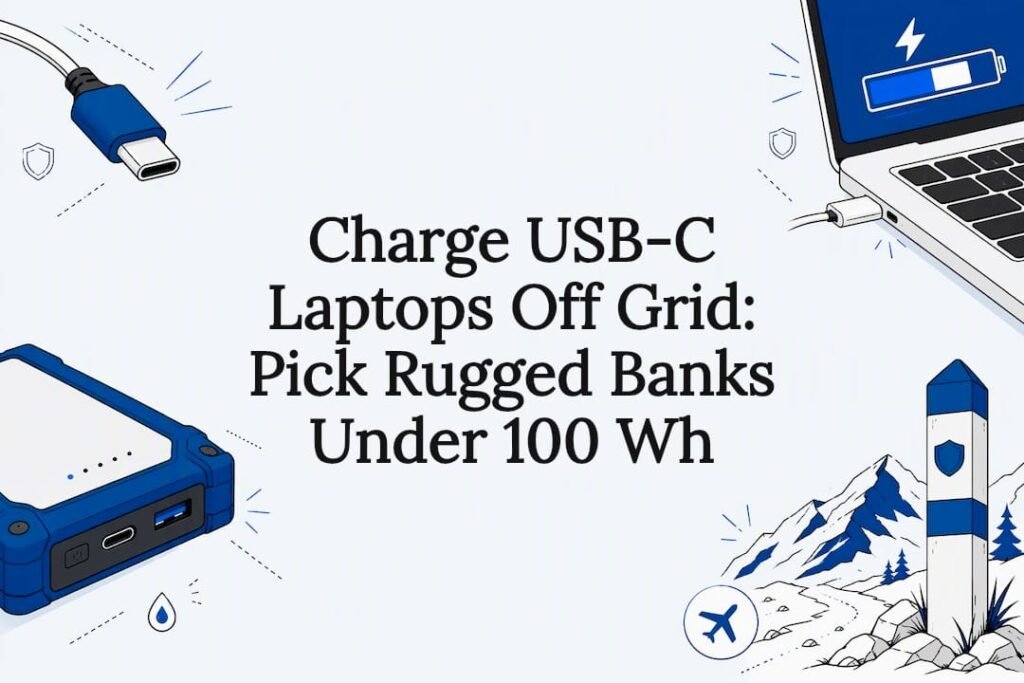
Yes, a power bank can charge a laptop through USB-C, but only if that bank supports USB Power Delivery at a wattage your laptop actually needs, and only if you’re using a proper USB-C cable rated for that load. The single most important move before you buy or pack anything: check your laptop’s original charger wattage, then match a power bank’s single-port PD output to it. Ifory’s 100W output covers most thin-and-light laptops when this condition is met.
TL;DR:
- Power banks supporting at least 100W USB-PD and using e-marked cables are necessary to charge high-wattage laptops at full speed in the field.
- Always verify your laptop’s original charger wattage and match it with the power bank’s single-port output, especially for gaming or workstation laptops exceeding 100W.
- Convert a power bank’s mAh rating to watt-hours to accurately assess usable energy and ensure it complies with airline regulations, especially for carry-on travel.
- Durable features like IP67 waterproofing, drop protection, and clear watt-hour displays improve reliability and decision-making during outdoor use.
- Field-specific practices, such as timing recharges with high-wattage ports and testing multi-device loads at home, enhance charging efficiency and prevent unexpected failures.
Table of Contents
- Selection Checklist: What Actually Matters for Laptop Charging in the Field
- How Does USB-C PD Actually Control Charging Speed?
- What Are the Airline Rules for Carrying a Power Bank?
- Field Workflow: Cables, Ports, and Realistic Runtime
- Why Ruggedness Changes the Math for Outdoor Charging
- Get an Outdoor-Ready USB-C Power Bank Built for Real Trips
- Sources
- FAQ
Selection Checklist: What Actually Matters for Laptop Charging in the Field
Most power bank listings bury the specs that matter under marketing language. Here’s what to check before you trust a bank with your laptop in the backcountry.
Output wattage tiers. Laptop chargers commonly ship at 65W, 100W, or 140W+. A 65W laptop charges fine on a 65W or 100W bank. A 16-inch MacBook Pro or a gaming laptop pulling 140W+ under load will bottleneck on anything below that, according to independent laptop power bank testing. Check your laptop’s charger brick, not the laptop’s battery capacity, to find your target number.
Wh, not mAh. A bank’s mAh rating tells you cell count, not usable energy. Convert to watt-hours (mAh × voltage ÷ 1000) or, better, buy from a brand that lists Wh directly on the product page. This number also determines whether you can fly with it.
Port-sharing behavior. A “100W” bank rarely delivers 100W to two devices at once. Look for a spec sheet or per-port output table rather than a single headline number.
Recharge speed and pass-through. A bank that recharges itself in two hours off a 100W wall charger gets you back in the field faster than one that takes six. Bidirectional PD support (in and out on the same port) is worth paying for.
Ruggedness features. An IP67 rating, drop protection, a live LED readout, and a built-in flashlight all reduce the number of things that can go wrong on a multi-day trip.

Airline compliance as a filter, not an afterthought. If you fly often, buy a bank with clearly printed Wh, ideally under 100 Wh, so you never have to negotiate with a security agent.
Pro Tip: Screenshot the product’s per-port output table before you buy. If the listing only shows a single peak wattage number with no port breakdown, treat that as a red flag, not a selling point.
How Does USB-C PD Actually Control Charging Speed?
USB-C is just the connector shape; for a detailed explanation of charging voltage and protocols, see how to charge a vape with a phone charger. USB Power Delivery (USB-PD) is the protocol that negotiates voltage and current between the bank and your laptop, and it’s what actually determines charging speed. The USB-IF’s Power Delivery specification defines these negotiation rules, and the IEC 62680-1-2:2024 standard governs the underlying hardware and cable requirements.
PD comes in tiers:
- PD 3.0 covers up to 100W, the ceiling for most thin-and-light laptops.
- PD 3.1 with Extended Power Range (EPR) pushes to 140W, 180W, and 240W for high-draw gaming and workstation laptops.
- Cables matter as much as the bank. Any cable delivering more than 60W legally requires an e-marker chip identifying it as rated for higher current; without one, the connection quietly caps at 60W regardless of what your power bank can output.
Here’s the trap buyers fall into: a bank’s “100W” label is a peak spec measured under ideal, single-device conditions. Independent testing of a popular 100W power bank found the main port’s output dropped from roughly 100W down to about 60W once multiple devices were plugged in simultaneously. Thermal limits and firmware throttling do the rest. Read the per-port chart, not the box.
What Are the Airline Rules for Carrying a Power Bank?
Airlines treat every power bank as a spare lithium battery, which means strict handling rules apply no matter how rugged the housing.
- Carry-on only, always. Checked baggage is off-limits for spare lithium batteries under standard aviation guidance.
- 100 Wh is the baseline. Most airlines allow power banks up to 100 Wh without special approval, based on Luftfahrt-Bundesamt passenger guidance.
- 100 to 160 Wh requires airline sign-off. Banks in this range require prior operator approval, and passengers are typically limited to two approved spare units.
- Calculate Wh before you pack. Multiply mAh by voltage and divide by 1000. A 40,000mAh bank at 3.7V lands around 148 Wh, which puts it squarely in the approval-required zone, so check the printed Wh rating, not just the mAh figure on the box.
- Protect terminals and keep it accessible. Tape over exposed contacts and keep the bank reachable in case a security agent wants to see it.
Field Workflow: Cables, Ports, and Realistic Runtime
Getting a laptop charged in a tent or on a boat deck comes down to a handful of habits, not luck.
Start with a cable audit before you leave home. Bring at least one e-marked USB-C cable rated for your bank’s full peak output, and retire the generic cable that came with your phone years ago; it’s almost certainly capped at 60W.
Dedicate the bank’s highest-power port to the laptop. Charge phones, GPS units, or camera batteries off the secondary ports, and expect those ports to derate the main output when running simultaneously, exactly as independent multi-device testing has shown.
Plan your runtime around delivered energy, not the mAh sticker. A conservative estimate applies a 75 to 85% efficiency factor to the Wh rating to account for conversion and cable losses, according to field testing on hybrid power setups. A 148 Wh bank realistically delivers something closer to 110 to 125 Wh to your laptop.
Recharge the bank itself with a fast 100W wall charger whenever you have access to power, rather than a slow legacy brick; the difference between a two-hour and a six-hour recharge can decide whether you’re shooting the sunrise or waiting on an outlet.
Pro Tip: Test your exact multi-device combination (laptop plus phone plus camera charger, all at once) at home before a trip. Field surprises are cheaper to discover on your kitchen table than three days from the nearest outlet.
Why Ruggedness Changes the Math for Outdoor Charging
Most charging advice assumes you’re sitting at a desk. Outdoor use changes the calculus entirely: humidity, drops, sand, and unpredictable recharge windows matter as much as raw wattage.
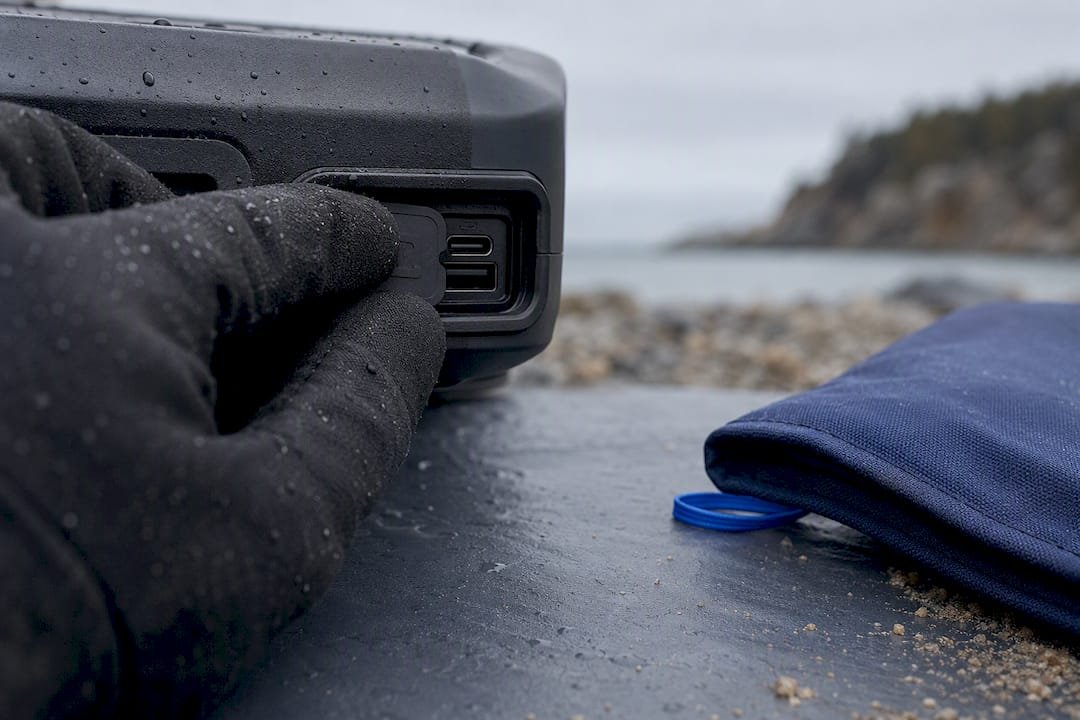
An IP67 rating and a genuine anti-drop structure aren’t nice extras when a bank is riding in a kayak dry bag or getting knocked off a tailgate. A live LED readout that shows exact remaining watt-hours, rather than a vague four-bar indicator, lets you make real decisions about whether to charge the laptop tonight or wait for tomorrow’s solar input. A built-in flashlight sounds like a gimmick until you’re fumbling for a headlamp at 2 a.m. with a dead battery.
None of this replaces understanding PD wattage and cable requirements. It just means the bank that survives the trip is the one that actually gets used when it counts. Readers evaluating options should weigh clear Wh labeling and durability testing as heavily as peak wattage claims, since a spec sheet number means nothing if the unit doesn’t survive week two of a trip.
— Mats
Get an Outdoor-Ready USB-C Power Bank Built for Real Trips
This power bank is built around the exact checklist this article just walked through: high capacity, fast charging, and multiple ports so your laptop doesn’t have to compete with your phone for power. Durable waterproofing and anti-drop features handle conditions a desk charger never has to survive, and a real-time LED display shows your remaining power instead of a rough guess.

For most thin-and-light laptops in the 65 to 100W range, a single high-power USB-C port covers a full charge without derating problems as long as you’re not running multiple high-draw devices simultaneously. If your setup includes a 140W+ gaming laptop, plan around delivered energy rather than the peak number, and pair the bank with the compatible portable solar panel for multi-day trips off the grid. Check current pricing and specs on the Ifory shop page before your next trip.
Sources
- IEC 62680-1-2:2024 | IEC
- USB Power Delivery | USB-IF
- UGREEN 100W 20,000mAh Nexode power bank review: Pure power
- Luftfahrt‑Bundesamt — electronic devices with lithium batteries (passenger info)
FAQ
Can a USB-C power bank actually charge a laptop?
Yes, as long as the power bank supports USB Power Delivery at a wattage that matches or exceeds your laptop’s original charger, and the cable is e-marked for that load. Ifory’s 100W PD output charges most thin-and-light laptops at or near full speed.
What wattage power bank do I need for my laptop?
Check your laptop’s charger brick for its wattage rating; most ultrabooks need 65W, while many mainstream laptops draw closer to 100W, and heavy gaming or workstation laptops often require 140W or more under independent product testing.
Does a regular USB-C cable work for laptop charging?
Not always. Any cable delivering more than 60W needs an e-marker chip, and without one the connection defaults to 60W or lower even if your power bank supports more.
Can I bring a laptop power bank on a plane?
Yes, but only in carry-on luggage. Airlines generally allow up to 100 Wh without approval, and 100 to 160 Wh with airline sign-off, per Luftfahrt-Bundesamt guidance.
Does charging via USB-C hurt laptop battery health?
USB-PD charging follows the same voltage and current negotiation your laptop’s own charger uses, so it doesn’t introduce extra wear beyond normal charge cycles. Heat and consistently topping off to 100% affect battery longevity more than the charging source itself.