
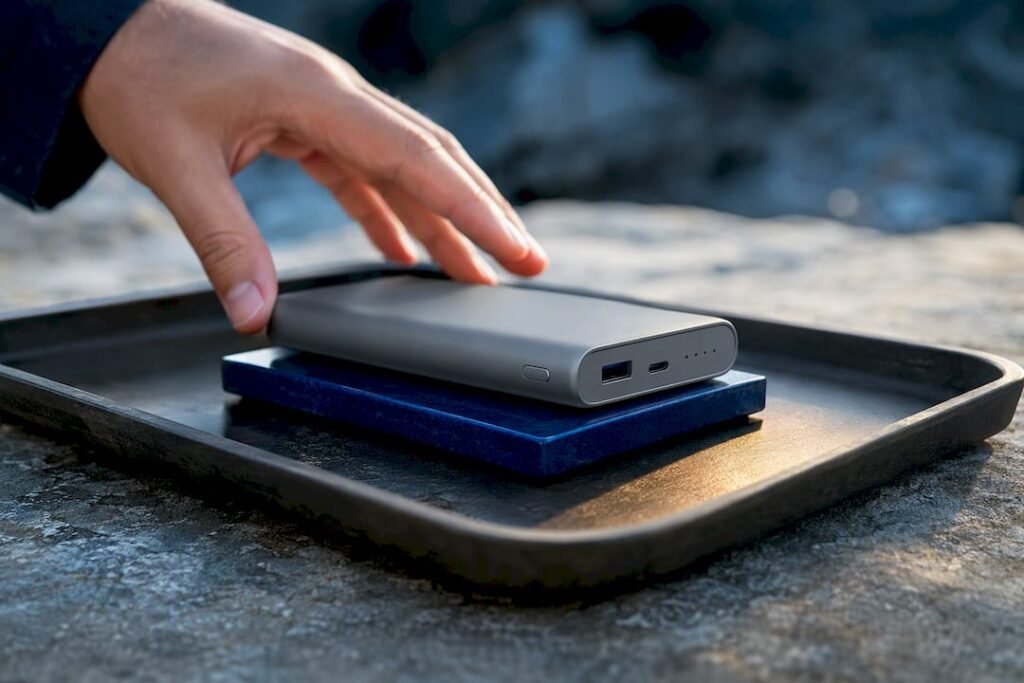
Mild warmth during charging or discharging is normal and expected. Danger signs are different: smoke, a burning smell, swelling, or a case too hot to hold. If you spot any of those, unplug the unit if it’s safe to do so, set it on a non-flammable surface, clear people away, and treat it as a possible fire hazard until it’s fully cooled.
TL;DR:
- Overheating in power banks is mainly caused by internal resistance increases due to aging, fast charging, or charging multiple devices simultaneously.
- External factors like blocked airflow, environmental heat, and improper storage can exacerbate temperature rise during use or charging.
- Signs of dangerous overheating include swelling, smoke, burning smell, sparks, or a case too hot to touch, requiring immediate safety measures.
- Troubleshooting involves testing with low power, swapping cables or chargers, and inspecting ports before deciding to replace a failing or damaged unit.
- Proper safety design features like a robust battery management system, quality cells, and environmental protections significantly reduce the risk of thermal runaway.
Table of Contents
- Why Power Bank Overheating Happens: Energy, Cells, and Charging Behavior
- When Heat Turns Dangerous, and What To Do Right Now
- Practical Prevention: Habits, Chargers, and Storage That Keep Heat Down
- Troubleshooting Checklist: Isolate the Cause Step by Step
- Safe Disposal and When To Replace a Power Bank
- What Safer Power Bank Design Actually Looks Like
- Balancing Speed and Safety in Daily Use
- A Power Bank Built With Overheating Risk in Mind
- Sources
Why Power Bank Overheating Happens: Energy, Cells, and Charging Behavior
Every power bank wastes some energy as heat. That’s not a flaw. It’s physics. Converting the battery’s stored voltage into whatever a phone, laptop, or camera needs involves boost and buck converters, and no converter is 100% efficient. The lost energy leaves as heat, a process engineers call Joule heating, or I²R loss, where I is current and R is resistance.
Several factors push that heat higher:
- Aging or degraded cells. Internal resistance climbs as lithium cells age, so a two-year-old power bank runs hotter for the same job than it did new.
- Fast charging. Pulling high wattage through PD or QC protocols means more current moving through the same wires and converters in less time, which raises dissipation.
- Charging multiple devices at once. Splitting output across two or three ports multiplies the conversion work happening inside the unit simultaneously.
- Pass-through charging. Charging the bank while it charges a phone forces it to convert incoming and outgoing power at the same time, roughly doubling the workload on the same components.
- Blocked airflow. Tucking a power bank under a pillow, inside a tight backpack pocket, or against another warm device traps the heat it’s already generating.
- Environmental heat. Direct sun, a parked car in summer, or a hot tent adds ambient heat on top of whatever the electronics produce.
Huawei’s support guidance confirms that slight heating during normal charging and discharging is expected, and recommends ventilated placement and pausing use if the heat doesn’t subside. The lesson: some warmth is baked into how these devices work. The question is always whether it stays mild or crosses a line.
When Heat Turns Dangerous, and What To Do Right Now
A power bank that’s warm to the touch is doing its job. One that’s hot enough to make you flinch, or shows physical changes, is telling you something has gone wrong internally. Lithium-ion failures are statistically rare, but when they happen they escalate fast. The Verge reported a recall involving 1.1 million units, and while incidents represent a small fraction of devices in use, the outcomes can include burns and property damage.
Watch for these red flags:
- Swelling or a bulging case. Gas buildup inside a damaged cell pushes the housing outward.
- Smoke or a burning plastic smell. Both mean thermal breakdown is already underway.
- Sparks or popping sounds. These signal an internal short circuit.
- A case too hot to hold comfortably, even when the bank isn’t actively charging or discharging.
If you see any of these, stop using the unit immediately. Unplug it only if you can do so without burning yourself. Move it to a non-flammable surface, concrete, tile, or a metal tray, away from curtains, bedding, or paper. Keep pets and kids back and open a window if there’s smoke.
Do not puncture the case, and do not throw it in water, ice, or the freezer to cool it fast. Product Safety Australia warns that rapid cooling risks condensation and short circuits, and that natural cooling on a safe surface is the better first response unless you’re dealing with an active fire, which calls for different emergency steps entirely. A damaged lithium cell can go from warm to thermal runaway in a matter of minutes, which is why hesitation is the real risk here, not overreaction.
Practical Prevention: Habits, Chargers, and Storage That Keep Heat Down
Most overheating complaints trace back to a handful of fixable habits, not defective units. Start with your gear.
- Match the charger to the bank’s rated input. A cheap or mismatched wall adapter forces awkward voltage negotiation that generates extra heat.
- Use short, certified cables. Longer or uncertified cables carry more resistance, and resistance is heat. This matters more with PD fast charging than with standard 5W charging.
- Skip pass-through charging when you can. Charging the bank and a device at the same time doubles the conversion work happening inside it. Charge the bank first, then use it.
- Charge on a hard, open surface. Beds, couches, and carpets trap heat underneath a charging power bank. A desk or tabletop lets air move.
- Avoid direct sun, sealed bags, and parked cars. Safety authorities specifically flag hot cars and direct sunlight as avoidable overheating triggers.
- Unplug once it’s charged. Leaving a full bank connected to a wall charger for hours adds unnecessary heat cycling for no benefit.
- Buy a model with clear safety specs and keep an eye on recall notices for your brand and model number.
Pro Tip: If you’re charging overnight or don’t need a full top-up, stop around 80 to 90 percent. Lithium cells run cooler and last longer when they’re not pushed to a full charge every single cycle.
Troubleshooting Checklist: Isolate the Cause Step by Step
When a power bank runs hot but shows no red flags, a short diagnostic routine usually finds the culprit. Work through it in order.
- Let it cool fully, then plug it into a low-power charger (5V/2A) for 5 to 10 minutes. Note where the heat concentrates, near the ports, the middle of the case, or evenly across it.
- Swap the cable and charger. Cable resistance and PD negotiation loops are common, fixable causes of heat. Try a known-good, certified cable and a different charger before blaming the bank itself.
- Charge one device at a time, screen off. If the heat drops noticeably, your original load, not the bank, was the problem.
- Try every port and inspect them for lint, corrosion, or bent pins. A dirty or damaged port can cause repeated connection attempts that generate extra heat.
- If it still overheats under a simple, low-power test, with nothing else plugged in and no fast-charge negotiation happening, that’s your signal to retire the unit rather than keep troubleshooting.
This process usually takes fifteen minutes and tells you whether you’re dealing with a cable problem, a charger problem, or a battery that’s genuinely failing.
Safe Disposal and When To Replace a Power Bank
Some symptoms mean it’s time to stop repairing and start replacing. Swelling, heat at low load with nothing demanding, smoke, any leakage, or unusual clicking or hissing sounds are all disqualifying. Reporting on lithium battery recalls consistently shows that replacement is the safer call once a cell shows these signs, since repair isn’t realistic for sealed battery packs.
Most power banks handle a few hundred charge cycles well before capacity and safety start declining, and heavy daily use or frequent fast charging shortens that window.
When it’s time to let one go:
- Never throw a power bank in household trash. Lithium cells can ignite in compactors and landfill equipment.
- Take it to an e-waste or hazardous-waste drop-off point, many electronics retailers and municipal recycling centers accept them free.
- If the unit already overheated or burned, isolate it, let it cool completely, then seal it in a non-flammable container before transporting it to an authorized recycler.
What Safer Power Bank Design Actually Looks Like
A power bank’s safety comes down to a handful of engineering choices you can’t see but can ask about: a well-tuned battery management system (BMS) that cuts power at the first sign of a fault, quality cells with consistent internal resistance, thermal spreading that avoids heat concentration, and a case that survives drops without cracking into the electronics.
Ifory’s 40,000mAh, 100W unit reflects that thinking in its specs. The IP67 rating keeps moisture out of the internals during outdoor use, the anti-drop structure protects the BMS from impact damage, and the LED display gives you a real-time read on charge level and output instead of leaving you guessing.
A safe power bank isn’t the one that never gets warm. It’s the one that tells you what’s happening and shuts itself down before warm becomes dangerous.
When shopping, ask for certification details and test data. A brand willing to share that information is one worth trusting with a battery you’ll carry into remote places.
Balancing Speed and Safety in Daily Use
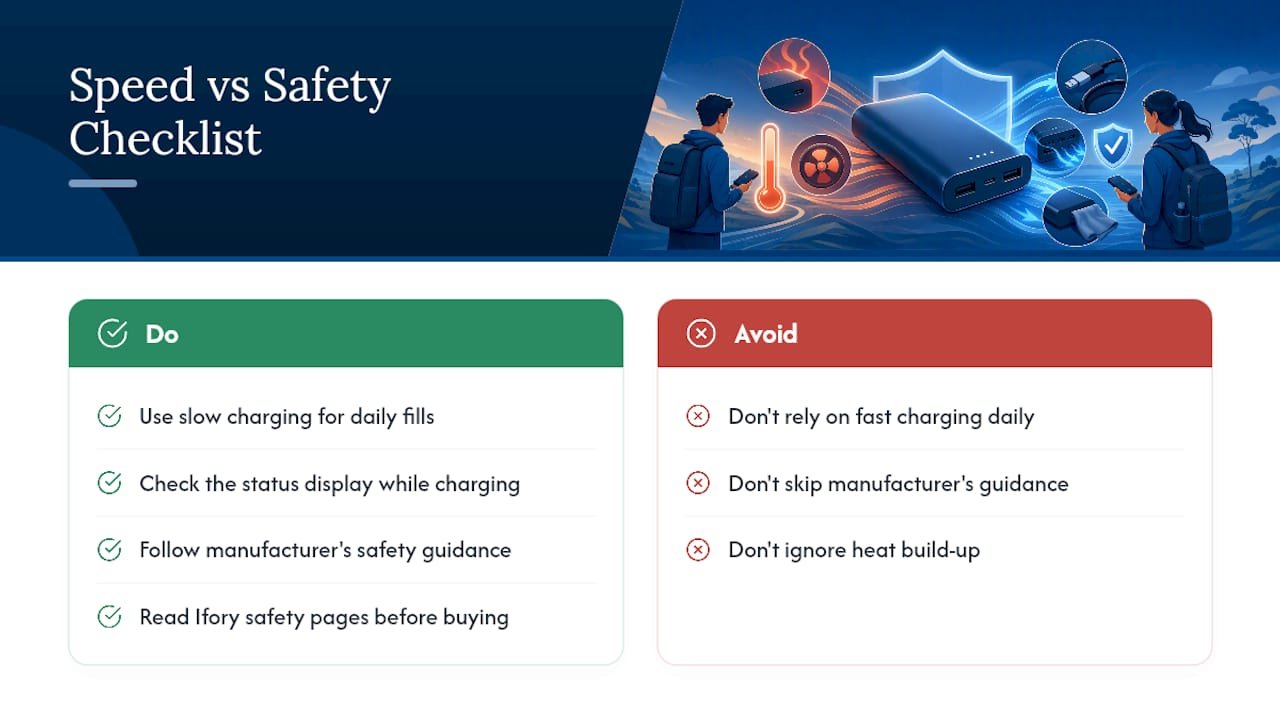
Fast charging earns its keep when you’re racing to leave the house or topping off gear before a hike. But for routine, everyday fills, I’d rather take the slower path. Less current through the converters means less heat, and less heat over hundreds of cycles means a battery that ages more gracefully.
Get in the habit of glancing at your power bank’s status display while it charges, and don’t skip the manufacturer’s guidance just because it seems like boilerplate. It usually isn’t. For anyone weighing a new unit, Ifory’s safety pages are worth a read before you buy.
— Mats
A Power Bank Built With Overheating Risk in Mind
Ifory’s power bank pairs 40,000mAh of capacity and 100W output with the kind of protective design that actually matters when things heat up. The IP67 rating keeps water and dust out of the internals, the anti-drop structure shields the battery management system from impact, and the LED display shows you real-time status instead of leaving you to guess whether a charge is running hot or normal.

The goal isn’t just high output. It’s high output you can trust to manage its own heat, whether you’re charging a phone at a campsite or running a laptop off it during a long shoot. If you’re shopping for a replacement after reading through the warning signs above, or just want a unit that pairs serious capacity with real safety features, browse the Ifory power bank lineup and check specs against what you now know to look for.
Sources
- How to safely maintain, use, and dispose of your power banks | The Verge
- The HUAWEI power bank heats up when it is charging or discharging | HUAWEI Support Global
- Safely use batteries and technology: Power banks guide | Product Safety Australia
- Power Bank Overheating Solution — Safe Fixes and When to Replace It – Power & Battery Guide