
USB-C’s plug is physically reversible, but bidirectional power and data flow are a different matter entirely: they depend on protocol negotiation, not the connector shape. Power-role and data-role swaps run on separate negotiation sequences inside USB Power Delivery, and a cable needs the right wiring and chip to carry either one at full strength.
TL;DR:
- Fully wired, full-featured cables are required for bidirectional power and high-wattage or video modes, and unmarked or lower-rated cables often cannot handle these functions.
- Role swaps for power or data are negotiated independently through dedicated protocol messages, meaning a device can change one without affecting the other, provided the conditions permit.
- Testing and verifying cable capability with a power meter or e-marker reader is essential, especially when experiencing low power delivery or no video output, since physical fit alone is not enough.
- Proper implementation of role swaps depends on a capable PD controller, correct firmware handling, and completing cable discovery and mode entry sequences within tight timing constraints.
- For outdoor or rugged use, pairing a high-capacity power bank with a full-featured, rated cable and verifying PD profiles before use ensures reliable power delivery and device compatibility.
Table of Contents
- How reversibility and role negotiation actually work
- Cable categories and the e-marker: what really enables bidirectional PD and video
- Designing bidirectional power and data: controller choices and policy pitfalls
- Step-by-step tests when bidirectional power or data doesn’t work
- Ifory example: bidirectional PD in a rugged power bank
- Author perspective: what this means in practice
- Carry bidirectional PD power into the field
- FAQ
- Sources
How reversibility and role negotiation actually work
A USB-C plug has 24 pins, but the two that matter most for orientation are CC1 and CC2. When you plug in a cable, only one CC pin makes contact in a way that tells both ends which physical lanes to use, which is why flipping the plug never breaks the connection but does remap which wires carry the high-speed signal. That detection happens before anything about power or data roles gets decided.
Power roles and data roles are negotiated independently, and that separation is the part most people miss. A device can be a power Source while acting as a data Upstream Facing Port, or the reverse, and switching one does not automatically switch the other. USB Power Delivery handles the power side through an explicit handshake: both ends exchange capability messages, agree on a voltage and current contract, and only then does VBUS carry real power. Until that handshake completes, PD keeps the line at zero volts, a safety behavior called Cold Socket that stops two power sources from colliding the instant they touch.
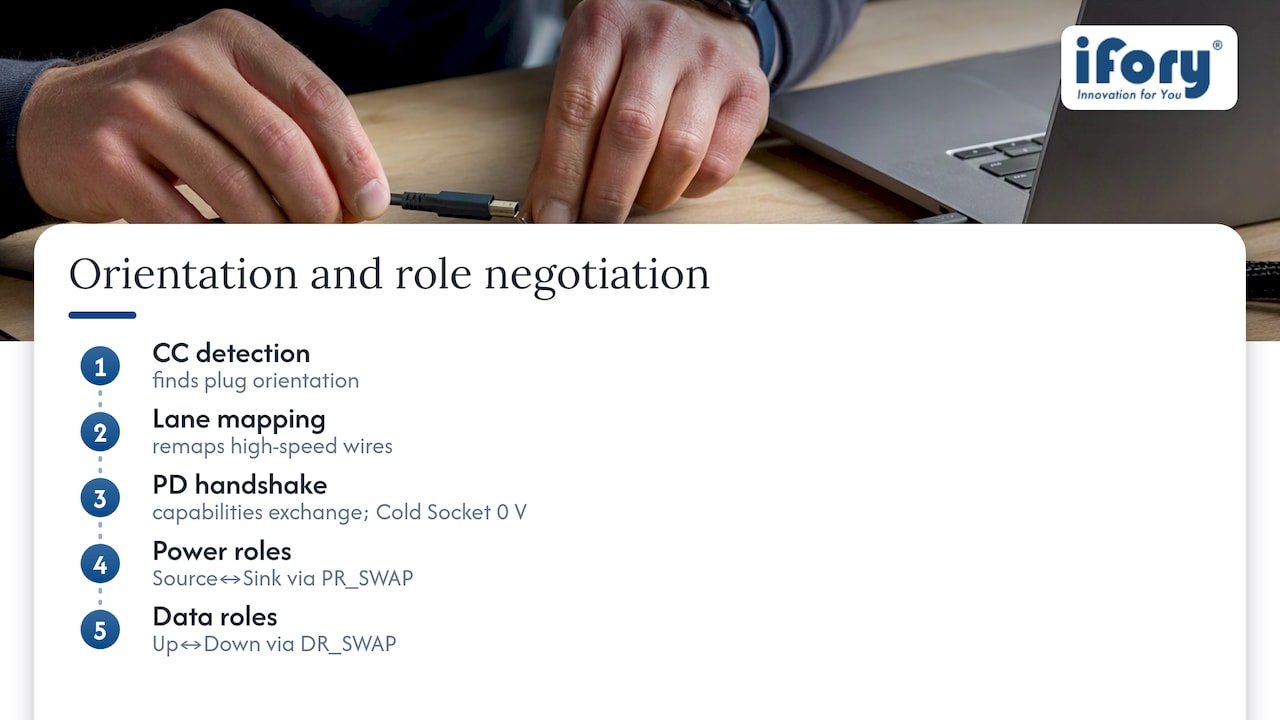
Role swaps themselves run on dedicated PD message sequences, PR_SWAP for power and DR_SWAP for data, and either side can request one if the policy engine allows it. Ports are also classified by capability: a Downstream Facing Port, an Upstream Facing Port, or a Dual-Role Port that can act as either depending on negotiation.
Getting into USB4 or an Alternate Mode like DisplayPort adds another layer. The USB-IF’s Type-C system overview describes Enter_USB as the required message sequence for USB4 entry, and it only succeeds after the cable and both endpoints have been discovered and found capable.
Cable categories and the e-marker: what really enables bidirectional PD and video
Not every USB-C cable is wired the same way, and the differences decide whether bidirectional power or video will work at all.
- USB 2.0-only cables carry basic data and lower power but skip the extra wires needed for SuperSpeed or Alternate Modes.
- Full-featured Type-C cables add the extra wiring and, for higher ratings, an e-marker chip that reports the cable’s identity to both endpoints.
- USB3.x cables support SuperSpeed data but may still lack the e-marker needed for the highest power tiers.
- USB4 and Thunderbolt cables carry the full wire set and always include an e-marker, since those modes require it.
Full-featured cables need that e-marker chip once current exceeds 3A or power exceeds 60W, and also when the cable needs to advertise SuperSpeed support. A cable without those wires or the chip can look and fit identically to one that has them, yet it will simply refuse to carry a high-power contract or an Alt Mode video signal.
The practical fix is to check vendor specs before assuming a cable is capable, and to use an inexpensive meter or e-marker reader to confirm what a cable actually negotiates rather than trusting its label. A frequent pitfall: a display stays blank or a charge caps at a low wattage despite a perfect physical fit, and the cable, not the ports, turns out to be the bottleneck.
Designing bidirectional power and data: controller choices and policy pitfalls
Implementing role swaps correctly starts with the PD controller. Texas Instruments documents this in detail for its TPS65987/TPS65988 family, where Port Configuration and Port Control registers set whether a port initiates or merely processes a swap request, using host commands such as SWSr, SWSk, SWDF, and SWUF.
Several conditions block a swap outright: a dead battery on one side, an active Alternate Mode that cannot tolerate a role change mid-session, or a NAK returned because the partner’s policy engine rejects the timing. Firmware that does not explicitly handle these cases can oscillate, repeatedly requesting a swap that the other side keeps refusing.
Best practice treats power and data role swaps as separate state machines rather than one combined toggle, logs every PD message during development, and verifies thermal headroom and Extended Power Range compliance before advertising high-wattage contracts. Cable identity discovery over SOP’ (the controller-to-cable-plug message channel) needs to complete before a high-speed mode gets authorized, and the Enter_USB sequence has tight timing: USB-IF’s overview notes devices may allow only about a second for that exchange before falling back to a lower mode. Designers who skip instrumenting this step often misdiagnose a timing failure as a hardware fault.
Step-by-step tests when bidirectional power or data doesn’t work
When a port or cable refuses to deliver power or data the way it should, work through the chain methodically rather than guessing at the cable first.
- Confirm the cable’s rated specification against the wattage and data mode you’re trying to use.
- Test the connection with a USB power meter to see the actual negotiated voltage and current.
- Swap in a known full-featured cable to rule out a wiring or e-marker gap.
- Capture a PD trace if the problem persists, looking for NAK, Reject, or Hard Reset messages.
- Check device firmware or policy settings for role-swap behavior that may be blocking the request.
A NAK usually means the partner rejected a request under current conditions, a Reject is a firmer refusal tied to policy, and a Hard Reset signals the link restarting after a serious negotiation failure. An Enter_USB failure points to a cable or endpoint that can’t support the requested mode within the allowed timing window.
Useful tools include an inexpensive PD power meter, an e-marker reader for checking a cable’s declared identity, and a PD sniffer for message-level debugging. For charger and power-source references while testing, a high-wattage USB-C charger is a convenient fixed point to isolate cable behavior from source behavior.
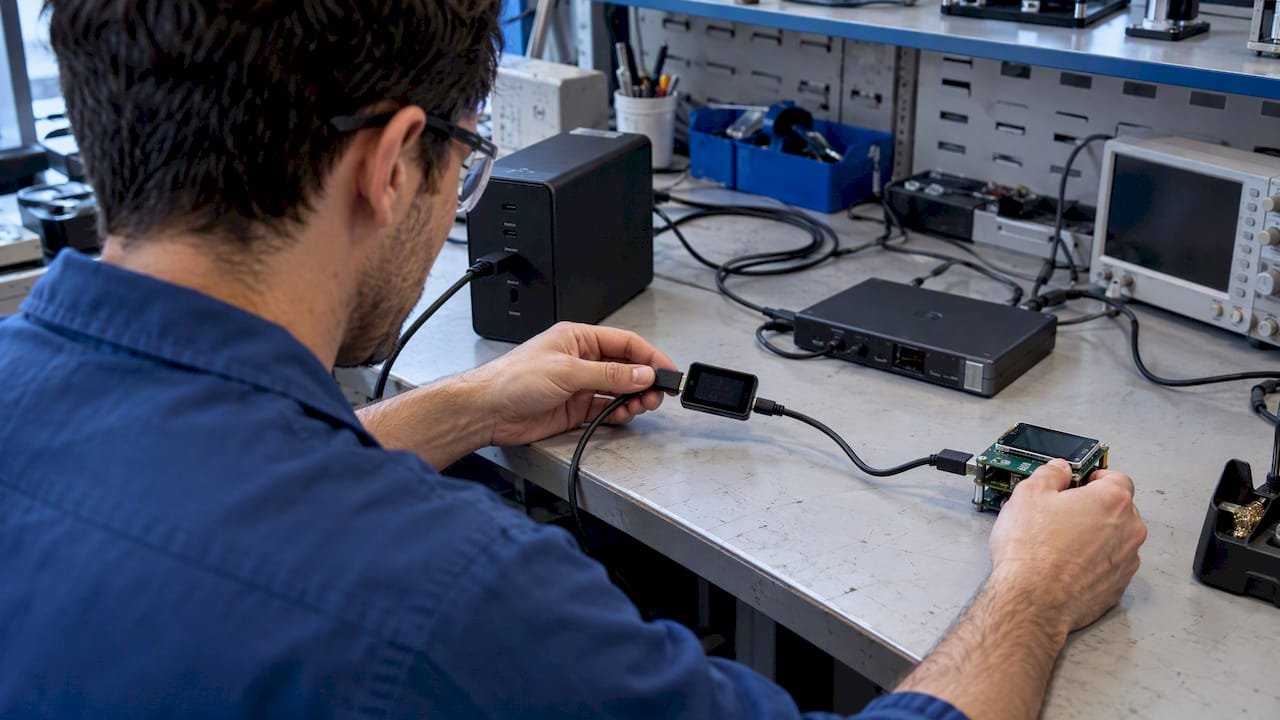
Pro Tip: Flip the cable and retest before replacing anything: an orientation-dependent failure points to a damaged pad rather than a dead cable, and marking the working side saves time later.
Ifory example: bidirectional PD in a rugged power bank
An outdoor power bank is a practical case study in bidirectional PD behavior. The Ifory Powerbank carries 40,000mAh, a 100W PD port, multiple simultaneous outputs, and an LCD status display, all wrapped in an IP67 enclosure. In the field, that means charging the unit itself from a PD wall adapter or solar panel, then reversing direction to power a laptop or camera gear from the same port.
Because power and data roles negotiate independently, the port that charges the bank is not automatically the same contract that discharges it. Readers pairing it with a laptop or dock should confirm the exact PD contract and use a full-featured cable rated for the wattage involved.
Author perspective: what this means in practice
The core distinction, connector shape versus protocol negotiation, explains nearly every confusing USB-C failure. Buy full-featured cables, keep a cheap PD meter in your bag, and favor devices whose firmware exposes clear role-swap policies rather than opaque auto-negotiation. Operating systems could do more here: consistent e-marker reporting and visible PD logs would turn guesswork into a two-second check. For outdoor users and hardware designers alike, the fix is the same: verify the cable, don’t assume it.
— Mats
Carry bidirectional PD power into the field
We built the Ifory Powerbank around the same protocol realities this article covers: 40,000mAh of capacity, a 100W PD port, multiple ports for simultaneous output, and an IP67 shell that keeps working through rain, dust, and drops. 
Pair it with a full-featured cable rated for your device’s wattage, and check the Ifory Powerbank and compatible accessories to confirm the PD profile fits your setup before you head out.
FAQ
Are USB-C cables bidirectional?
Physically, yes: a USB-C cable connects the same way regardless of which end plugs into which device. Whether power or data actually flows in both directions depends on PD negotiation and whether the cable has the wiring and e-marker needed for that mode.
Can USB-C go in both ways?
The plug itself is reversible, meaning you can insert it right-side up or upside down and it will fit either way. Which lanes carry the high-speed signal gets remapped by the CC pins at connection time, so both orientations work electrically even though they use different physical wires.
How can USB-C be reversible?
Reversibility comes from the CC1 and CC2 pins, which detect orientation the instant you plug in and tell both ends which lane set to use. This detection happens before any power or data role negotiation begins, so the physical connection and the protocol handshake are two separate steps.
Is USB-C to HDMI bidirectional?
No. A USB-C to HDMI connection uses an Alternate Mode that sends video in one direction only, from the USB-C source to the HDMI display. The cable’s e-marker and the discovery sequence confirm the mode is supported, but the video signal itself is not bidirectional.
Sources
- What’s new in the USB Power Delivery protocol? | Total Phase
- USB Type-C system overview | USB-IF
- TPS65987/88 power and data role swaps (TI application note)
- How many kinds of USB-C to USB-C cables are there? | Kernel.org (Bleung)
- I stopped trusting USB‑C cable labels and started testing them with a $15 meter instead | MakeUseOf