

The fastest way to keep devices dry outdoors is to combine a waterproof outer layer (a pouch, dry bag, or IP67-rated case) with sealed internal storage and a few quick-dry supplies on hand. Match the gear to the actual exposure you expect, from light drizzle on a run to full immersion on a boat. The rest of this guide walks through the options, field tactics, and emergency steps that make this approach work.
TL;DR:
- Choose IPX4 protection for rain or running, and use IP67 for brief immersion between 0.15 and 1 meter; wear can reduce water resistance over time.
- For boating, choose a dry bag with a folded closure or welded seam pouch, and add a tether or flotation near open water.
- Seal your phone before setting out, store charging gear separately, and cover ports; after heavy rain or a splash, wait about 30 minutes before reconnecting.
- If a device gets wet, unplug it, power it off, remove its case and cards, then air dry it; never use rice or heat.
- Wait at least a day before charging, since moisture can damage the port; seek repair if a liquid alert remains after a full day.
Table of Contents
- Which pouches, dry bags, and cases actually keep gear dry
- Carrying and using devices while active outdoors
- What to do immediately if a device gets wet
- Matching protection specs to your activity
- Ifory field-test highlights for outdoor device reliability
- Balancing protection, weight, and usability
- A rugged power bank built for wet conditions
- FAQ
- Sources
Which pouches, dry bags, and cases actually keep gear dry
Roll-top dry bags are the simplest solution for boating, kayaking, or heavy rain because the folded closure creates a reliable seal without moving parts to fail. Waterproof phone pouches with a lanyard work well for beach days or light rain since they let you glance at a screen without opening anything.
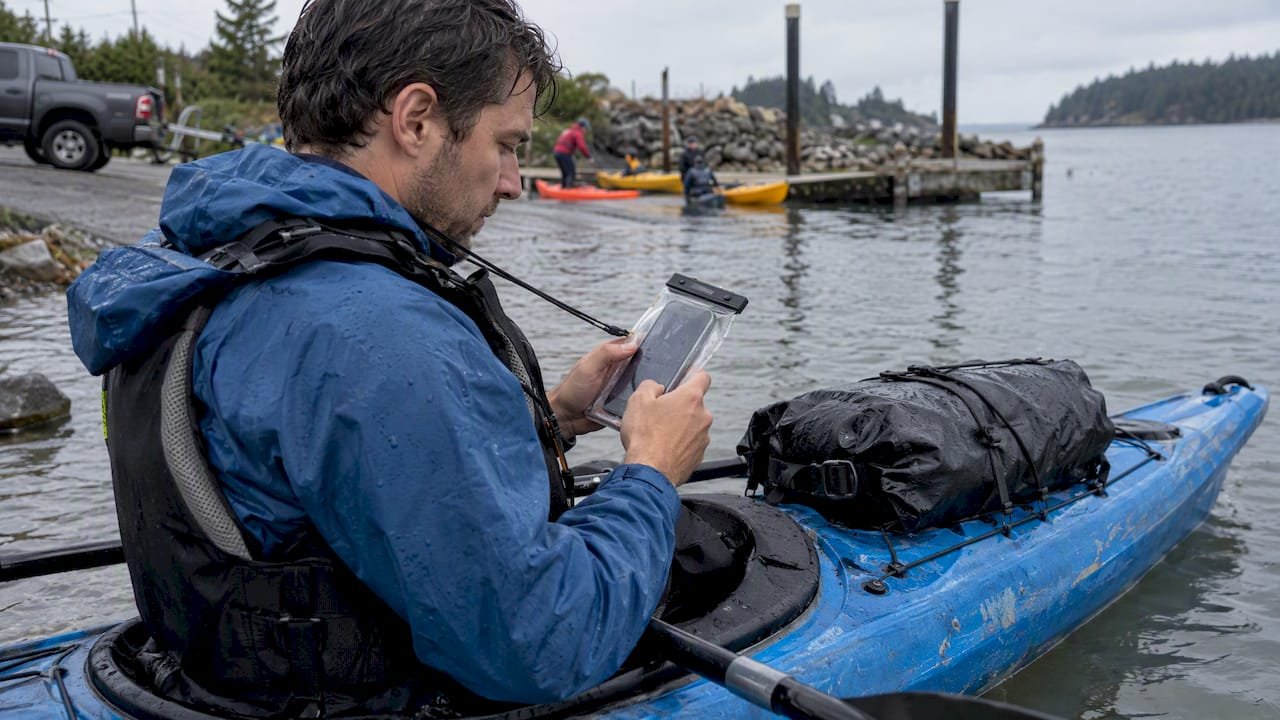
Not all protection performs the same way. Water-resistant cases shrug off splashes but will not survive a dunk, while a true IP67-rated case is built to handle temporary immersion. According to IEC 60529 standards, the second digit in an IP rating describes water protection specifically, so an IPX4 case only resists splashes from any direction, while an IP67 case tolerates immersion between 0.15 and 1 meter for a limited time. Jumping from “waterproof” marketing language to the actual number on the spec sheet saves you from a bad surprise.
Beyond the main bag or case, small accessories close the remaining gaps:
- Port plugs or silicone covers block moisture from entering charging ports when a device is not in use.
- Sealed zippers or welded seams hold up better than stitched seams with a coating, since stitching creates tiny needle holes.
- Float straps or floating pouches keep a phone or camera on the surface if it slips out of your hands near water.
When buying, check for a clear TPU window if you need to use a touchscreen or camera through the pouch, since cheaper plastic can blur photos and frustrate typing. If you are near water often, flotation is worth the small extra bulk, as explained in our guide to Outback photography safety for photographers.
Carrying and using devices while active outdoors
Where you stow a device matters as much as what it is stored in. A chest pocket or front pack pocket keeps gear accessible and visible, reducing the chance you forget it is exposed, while an interior dry-bag compartment is better for anything you will not need until camp. Outdoor experts at REI recommend organizing electronics into zipped pockets and dedicated waterproof storage rather than loose pack pockets, since loose items shift and collect moisture from condensation or splashback.
A short routine keeps devices dry without slowing you down:
- Zip your phone into a sealed pouch before starting a hike, run, or paddle, not after the rain starts.
- Tether pouches to a pack strap or belt loop so a quick grab does not risk a drop into water.
- Keep charging gear sealed in its own dry bag compartment and avoid plugging in anything while precipitation is active, since wet connectors are more prone to corrosion.
- Pack a microfiber cloth, a few silica gel sachets, and a small waterproof cord organizer so a brief exposure does not turn into a bigger problem at camp.
These habits cost almost nothing in weight but cut down the moments where a device is genuinely at risk.
What to do immediately if a device gets wet
Act fast but skip the folk remedies. Apple’s own guidance on liquid-detection alerts lays out the safest sequence, and it applies broadly to most phones and small electronics.
- Unplug any cable immediately and power off the device if you can do so safely.
- Remove the case and any SIM or SD cards so trapped water can escape.
- Tap the device gently with the connector facing down to clear excess liquid.
- Air-dry with a fan blowing cool air into the port, or set the device near silica gel packets.
- Skip rice, hair dryers, ovens, and compressed air. Heat can warp circuit boards and push moisture deeper into the assembly, and rice particles can lodge in ports.
According to Apple’s support documentation, drying a device fully can take a day or more, and charging before then risks permanent port damage from a wet connection. If a liquid-detection alert keeps appearing after a full day of air-drying, that is the signal to stop troubleshooting at home and get the device looked at by a repair service.
Matching protection specs to your activity
Buying the heaviest waterproof case available is not always the smart move. The goal is matching the rating and features to what you are actually doing.
An IPX4 splash rating is enough for running in rain or light drizzle, since the device is never submerged. A device or case rated IP67, like the kind used in gear tested for outdoor immersion, is built for a brief dunk, which fits kayaking, beach trips, or a sudden downpour where gear might end up in a puddle. Keep in mind that water resistance can fade with wear: Apple notes that drops and general use reduce a device’s splash and immersion resistance over time, so a rating on day one is not a rating forever.
Beyond the number, construction details decide how a case performs in practice. Welded seams and roll-top closures beat stitched seams with a coating, and a TPU window needs to stay clear enough for a camera lens to focus properly through it.
Before buying, run through this short checklist:
- Confirm the IP rating actually covers immersion, not just splashes.
- Check seam and zipper type: welded or roll-top beats stitched.
- Test touchscreen responsiveness through the material if possible.
- Decide whether flotation matters for your activity.
- Weigh the bulk against how often you will actually use the gear.
Pro Tip: Buy one step above what you think you need. A case rated for light rain will not save a phone that slips off a kayak.
Ifory field-test highlights for outdoor device reliability
Keeping a phone dry is only half the job when a dead battery leaves you without a working device in the first place. Field tests on Ifory power banks point to practical habits worth borrowing regardless of what gear you carry.
- Field tests comparing charging setups outdoors found reduced charging losses when cables and connections were kept sealed and dry rather than exposed to ambient moisture.
- Testing on nightly camp charging showed consistent overnight performance when the power bank itself stayed protected from dew and condensation.
- Drop and durability testing referencing MIL-STD-810 methods highlights port seals and a sealed housing as the features that matter most for outdoor reliability, not just the battery capacity number.
- A practical storm habit worth adopting: unplug charging gear and wait about 30 minutes before reconnecting after heavy rain or a splash, giving ports time to dry before current flows through them.
Balancing protection, weight, and usability
Most of the time, prevention wins over recovery: a light pouch and a dry pocket beat scrambling to fix a soaked phone later. Save the heavier, fully sealed cases for boat trips or days with prolonged exposure to water. If battery life worries you more than rain does, a port-sealed, rugged power option is worth building into your kit alongside whatever case you choose.
— Mats
A rugged power bank built for wet conditions
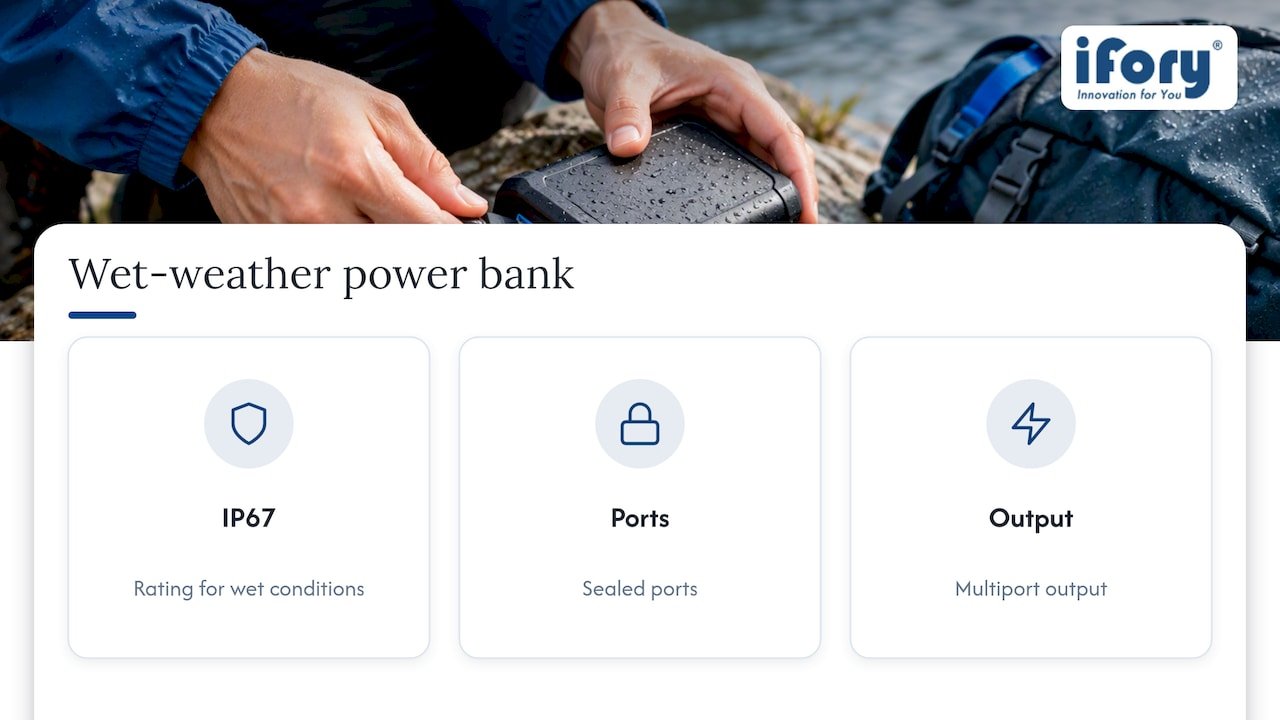
We built the Ifory Powerbank with an IP67 rating, sealed ports, and multiport output specifically because charging gear fails outdoors more often than phones do. 
If you pair your dry bag or pouch with a power source that can handle the same splashes and drops your phone survives, you remove one more point of failure on the trail. Check out the Ifory Powerbank for your next trip.
FAQ
How do I keep my phone dry while running in rain?
Use a slim waterproof pouch with a sealed closure and tether it to your armband or waistband so you don’t need to stop and check it. For a run under an hour, an IPX4 splash-resistant pouch is usually enough protection.
Do waterproof phone pouches actually work?
Yes, when the seams are welded or the closure is a true roll-top rather than a stitched seam with coating. Outdoor gear guidance from REI points to sealed closures as the main factor separating a pouch that works from one that leaks under light pressure.
How do I keep my phone from overheating outdoors?
Keep it out of direct sunlight when possible, and avoid sealing it inside a fully airtight pouch in hot weather since trapped heat has nowhere to go. A pouch with some airflow or shade from a pack pocket works better than direct sun exposure in a sealed case.
How can I protect my electronics from moisture in general?
Combine a waterproof case or pouch rated for your activity with small habits like keeping ports covered, packing silica gel sachets, and avoiding charging during precipitation. These steps address both the device itself and the easily overlooked charging cables and ports.
What should I avoid doing if a device gets wet?
Skip rice, hair dryers, and any heat source, since Apple’s guidance explains that heat can warp components and rice particles can damage ports. Let the device air-dry fully, which can take up to 24 hours, before attempting to charge it again.
Sources
- If you see a liquid-detection alert on your iPhone – Apple Support
- What does IP67 mean? — Polycase TechTalk
- Electronics protection in the outdoors — REI Expert Advice