
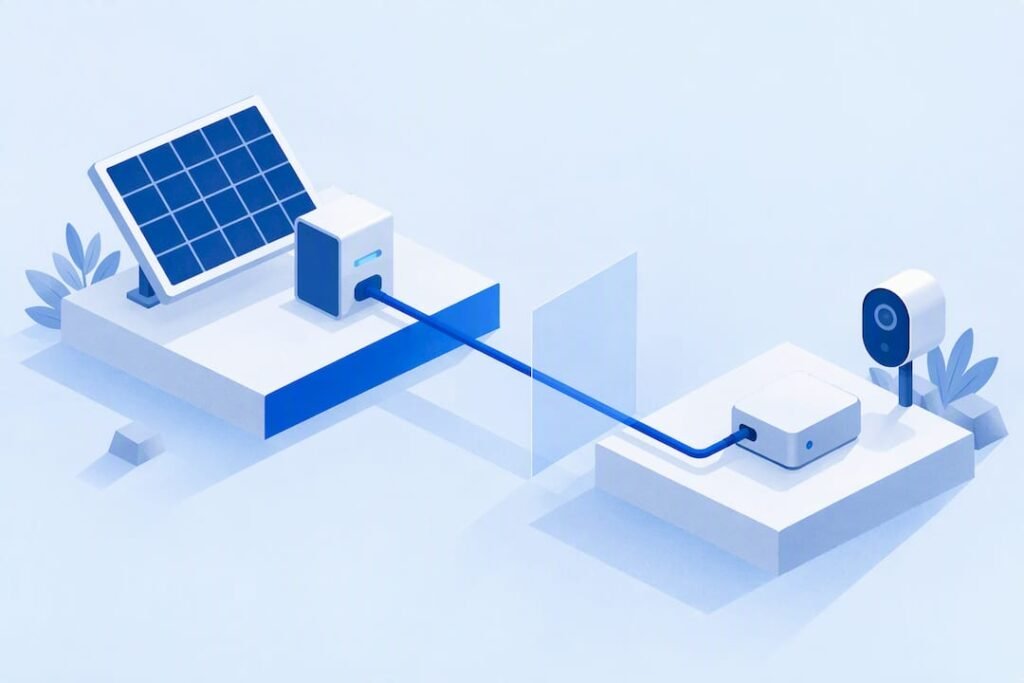
A power bank will keep tiny gadgets charging when it has a documented low-current mode or reliable always-on output, paired with a certified cable and the right port. Many banks cut off automatically when they sense a very small draw, mistaking a GPS tracker or earbud case for a device that already finished charging. A bank like the Ifory Powerbank is one example built with this kind of use in mind, but the fix often comes down to mode, cable and confirming the gadget’s own charging icon.
TL;DR:
- Choose a bank with a low current mode documented in its manual; high wattage alone will not prevent automatic shutoff on tiny loads.
- Troubleshoot in order: confirm the gadget’s charging icon, swap in a short certified cable, try another port, then press the bank’s power button.
- Unplug other devices before testing, because multiport banks can rebalance shared power within seconds and reduce output available to a small gadget.
- On multi day trips, pair a 40W PD panel with a bank that supports PD input, then charge gadgets from the bank overnight.
Table of Contents
- Why Small Gadgets Sometimes Won’t Charge from a Power Bank
- Step-by-Step Checklist for Charging Low-Draw Devices in the Field
- What to Look For in a Power Bank for Reliable Low-Current Charging
- Pairing a Solar Panel with Your Power Bank on Multi-Day Trips
- Quick Fixes When a Tiny Gadget Won’t Charge
- A Weekend Trip That Taught Me to Respect Low-Draw Quirks
- Why We Built a Powerbank Around Low-Draw Realities
- FAQ
- Sources
Why Small Gadgets Sometimes Won’t Charge from a Power Bank
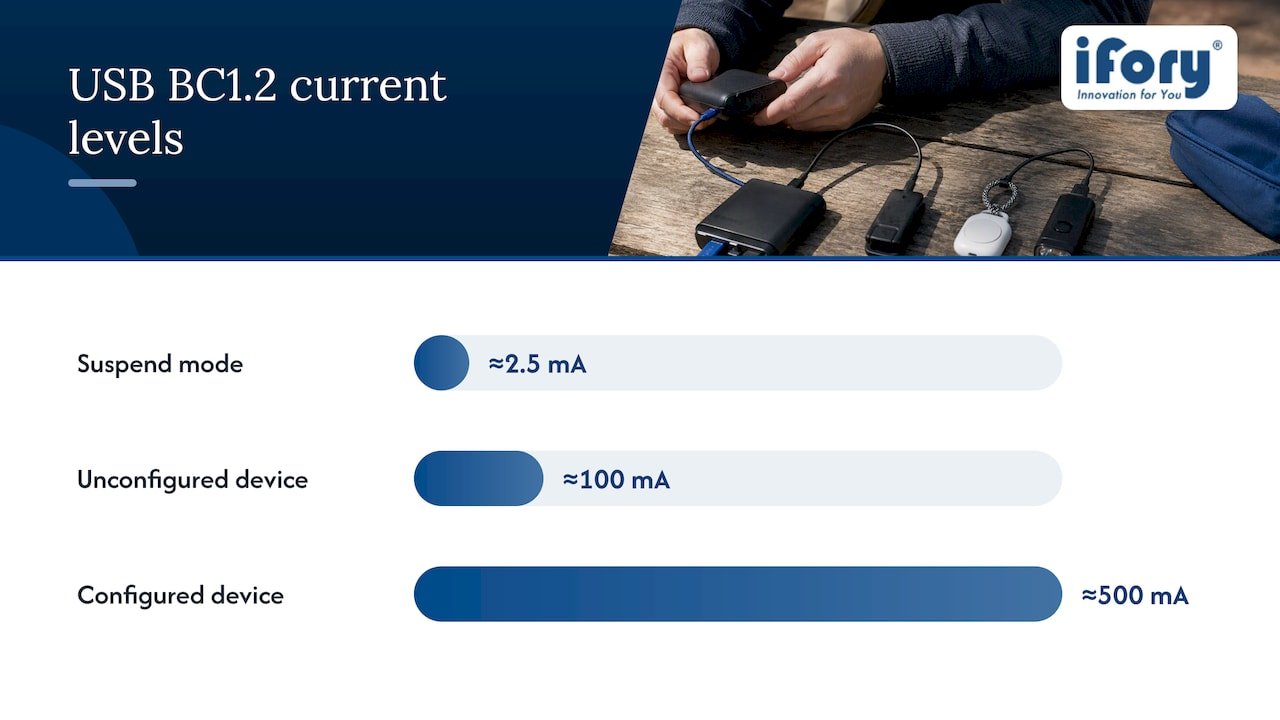
Every USB connection starts cautious. A device first draws a small unit load and only increases its current once it negotiates with the port it’s plugged into. The Battery Charging specification v1.2 sets out these rules: devices in suspend mode are limited to roughly 2.5 mA, unconfigured devices to about 100 mA, and configured ones to around 500 mA, unless the port identifies itself as a dedicated charging port. The spec also includes a Dead Battery Provision, letting a device with a fully dead battery pull limited startup current just to wake up enough to begin proper negotiation.
A power bank’s wattage rating describes what it’s capable of supplying, not what it forces onto a device. As the USB battery charging testing overview explains, the device itself requests a current level during negotiation, and the bank’s job is to meet that request, not dictate it. A tiny Bluetooth tracker might ask for only 100 mA, and a 100W-rated bank will happily supply that small amount, assuming it doesn’t misread the low draw as “nothing connected.”
Multi-port banks complicate this further. USB Type-C shared-capacity guidance describes how banks with several outputs share a pool of power across ports, rebalancing contracts within seconds whenever a device connects or disconnects.
- A fully charged phone connected to one port can quietly reduce what’s available to a tiny gadget on another port.
- Unplugging other devices before troubleshooting a stubborn low-draw gadget often resolves the issue immediately.
Step-by-Step Checklist for Charging Low-Draw Devices in the Field
Before reaching for troubleshooting tricks, run through this sequence in order:
- Check the gadget’s own screen or LED for a charging icon, not just the bank’s output light, since a bank can show “on” while the device sees nothing useful.
- Swap in a short, certified cable. Long or poorly shielded cables cause voltage drop that some low-draw devices can’t tolerate.
- If the bank has a documented low-current or small-current mode, activate it using the manual’s button sequence. These modes exist specifically for true wireless earbuds, fitness trackers and smart watches, as described in the Mi Power Bank Pro manual.
- If no such mode exists, briefly charge a phone or other higher-draw device first to wake the bank, then swap in the tiny gadget while the bank is still active.
- Try a different port. Some banks mix standard downstream ports with dedicated charging ports, and one may behave very differently from the other for a low-draw device.
- Press the bank’s power button again if output seems gated. Several models require a manual wake-up press before any port goes live.
- Keep the bank above freezing temperatures during cold trips and recharge it periodically, since a near-empty bank is far more likely to shut off on tiny loads.
Pro Tip: Keep a spare short USB-C to USB-A cable in your kit. Cable quality causes more low-draw charging failures than the power bank itself.
What to Look For in a Power Bank for Reliable Low-Current Charging
Not every high-capacity bank handles tiny gadgets well. When comparing options, prioritize:
- A low-current or small-current mode spelled out in the manual, not just implied by marketing copy.
- An LED or LCD display that confirms active output, or a power-check button you can press before connecting anything.
- USB-C PD input support, which matters most if you plan to recharge the bank from a solar panel in the field.
- Durability features suited to outdoor use: an IP67 rating, anti-drop construction and a capacity large enough to top off several small devices across a multi-day trip.
- A built-in flashlight, useful on its own but also a sign the bank was designed with extended off-grid use in mind.
High wattage alone doesn’t guarantee a gadget will charge. A bank can advertise 100W and still auto-shutoff on a 100 mA draw if it lacks a dedicated low-current mode, since the wattage figure describes a ceiling the device may never approach.
Pairing a Solar Panel with Your Power Bank on Multi-Day Trips
Solar panels produce variable output depending on cloud cover, angle and time of day, which makes them a poor direct source for delicate low-draw devices. Buffering solar input through a power bank gives you stable, predictable output regardless of what the panel is doing outside.
- Match the panel’s PD rating to the bank’s input spec. A 40W PD panel paired with a PD-capable bank input, like the one offered with the Portable Solar Panel – PD 40W, replenishes faster than a standard panel without PD.
- Charge the bank during daylight hours and run your small devices off the bank at night, rather than trying to charge gadgets straight from the panel.
- Keep the panel angled toward the sun and free of dust, and stagger which devices you charge first based on how urgently you need them.
Quick Fixes When a Tiny Gadget Won’t Charge
When a gadget refuses to charge mid-trip, work through these fast checks before assuming it’s broken:
- Swap the cable and try a different port on the bank.
- Press the bank’s power or power-check button, and enable low-power mode if the model has one.
- Briefly charge a phone or other larger device to wake the bank, then swap in the small gadget while output is active.
- Confirm the gadget shows a charging icon or a rising battery percentage. The USB charging behavior explainer notes that a high wattage label is a capability claim, not proof that a specific tiny device is drawing current.
Pro Tip: If none of these steps work, the gadget’s charging port or internal battery circuit, not the power bank, is the most likely point of failure.
A Weekend Trip That Taught Me to Respect Low-Draw Quirks
On a weekend trip, I tried charging a GPS tracker and a pair of earbuds in their case overnight. Both sat untouched for hours until I realized the bank had auto-shut off on the tiny draw. Enabling the bank’s low-current mode and switching to a shorter cable fixed both within minutes. It’s a small habit now: check the mode, check the cable, check the icon, in that order.
— Mats
Why We Built a Powerbank Around Low-Draw Realities
We designed this powerbank with the same checklist in mind. Its high capacity and fast PD output give it headroom for phones and laptops, while multiple ports let you run a tiny tracker alongside bigger gear without one starving the other. The LED display lets you confirm output is active before you walk away from camp, and rugged features like waterproof and anti-drop construction mean a drop in the mud or a sudden downpour won’t end your trip early. A built-in flashlight rounds out the kit for nighttime fixes.
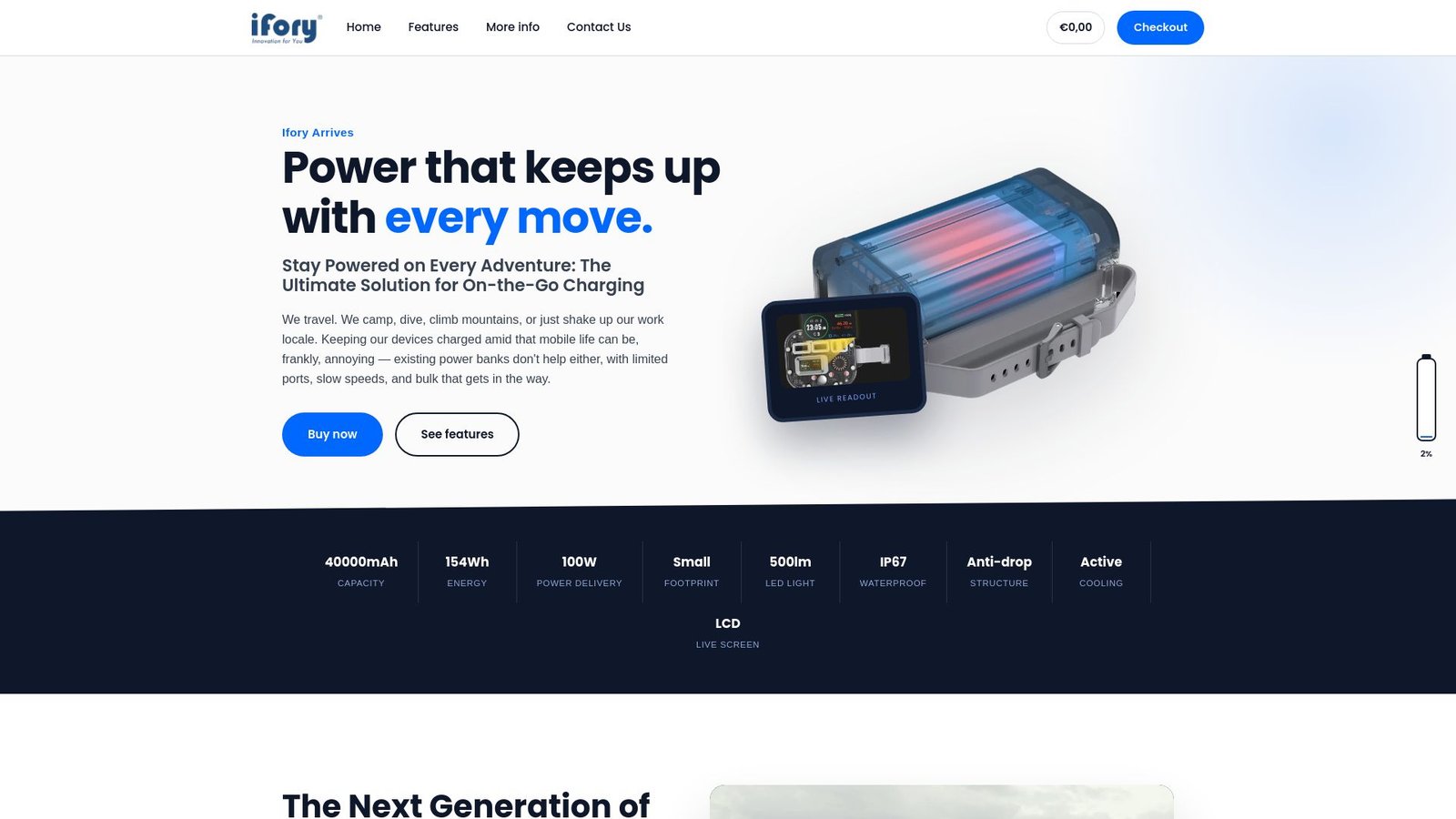
For longer trips, our Portable Solar Panel – PD 40W pairs well as a daytime charging source, buffered through the bank for stable overnight output. If you’re comparing high-wattage options, models like the UGREEN 145W Power Bank 25000mAh show how common large-capacity specs have become, though matching a low-current mode to your specific gadgets still matters more than wattage alone. Check availability and pricing on our Ifory shop page.
FAQ
Why does my power bank stop charging a small gadget?
Most banks interpret a very low current draw as a sign the device is already full or disconnected, so they shut off output automatically. Activating a documented low-current mode, confirmed in manuals like the Mi Power Bank Pro guide, usually resolves this.
Does a higher wattage power bank charge small devices better?
Not necessarily. Wattage describes the maximum a bank can supply, but the USB negotiation process means the device itself requests how much current it actually wants, so a high-wattage bank without a low-current mode can still cut off a tiny gadget.
What is a low-current or small-current mode?
It’s a setting documented in many power bank manuals that keeps output active for devices drawing very little current, like earbuds or fitness trackers, instead of treating the small draw as a finished charge. These modes are often activated with a specific button sequence and may exit automatically after a set time.
Why does my bank behave differently with multiple devices plugged in?
Multi-port banks share a limited pool of power, and USB Type-C shared-capacity rules allow them to rebalance each port’s available current within seconds of a new device connecting. Unplugging other devices before troubleshooting a stubborn port often helps.
How much does the Ifory Powerbank cost?
The Ifory Powerbank is priced at 99 EUR as a one-off purchase. The compatible Portable Solar Panel – PD 40W is available through the same shop page, with pricing on request.