
The IN port is where you recharge the power bank itself, and the OUT port is where the power bank sends power to your phone, tablet, or other device. Many newer USB-C ports can do both jobs, so when a port has no label at all, check the spec sheet or manual before assuming which way the power flows.
TL;DR:
- USB-C ports on power banks can serve as both input and output, depending on the wiring and features like dual-role power, so always check the spec sheet rather than assume based on shape.
- Port labels such as 5V/2A or PD indicate maximum capabilities, but actual power delivery depends on device requests, cables, and simultaneous usage.
- Micro-USB ports are typically only used for recharging the power bank, while USB-A ports generally provide fixed output speeds, mostly for older or budget models.
- Power banks’ energy capacity measured in milliamp-hours (mAh) is key for portability, but airline travel regulations focus on watt-hours (Wh), with 100 Wh being a common limit for unchecked carry-on.
- Built-in protections like overcharge, short circuit, over-current, and over-temperature safeguard both the device and user, especially when using low-quality cables or in travel scenarios.
Table of Contents
- What input and output mean in electrical terms
- Connector types: USB-A, micro-USB, USB-C, and Lightning explained
- USB-C, dual-role power, and what PD actually promises
- How to identify which port does what on your power bank
- Battery capacity units and what they mean for air travel
- Overcharge and short circuit protection built into the ports
- Why cable quality and length change your charging speed
- Choosing and using a power bank: what actually matters
- FAQ
- Sources
What input and output mean in electrical terms
Every charging port on a power bank plays one of two roles: source or sink. A source pushes power out, and a sink pulls power in. The OUT port is the source: it feeds your phone or camera. The IN port is the sink: it’s where you plug in a wall charger to refill the battery inside the bank. USB-C complicates this a little because a single port can switch roles depending on what’s connected to it, but the underlying physics (something has to be the source, something has to be the sink) never changes.
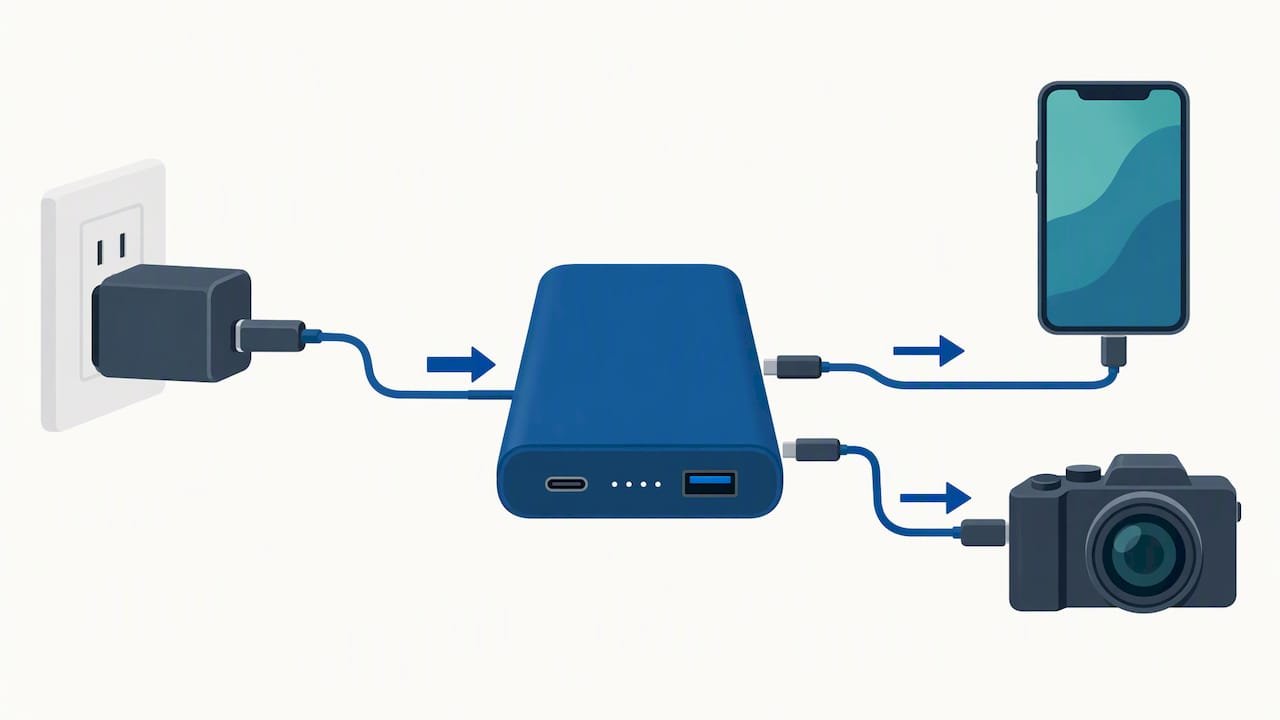
Manufacturers print this information directly on the housing, usually next to each port, and the numbers tell you more than just “fast” or “slow.” A label like 5V/1A describes a maximum voltage and current the port can handle under that mode. Seeing 9V/2A or 18W instead signals a higher-power mode, often tied to Quick Charge or a similar fast-charging protocol. PD stamped near a port means it supports USB Power Delivery, a negotiation standard that lets the device and the power source agree on how much power to send.
None of these numbers are promises. They’re ceilings. A port rated for 18W only delivers that much if the connected device requests it, the cable can carry it, and nothing else is drawing power from the same battery at the same time. Plug an older phone that tops out at 10W into an 18W port, and you’ll get 10W, not 18W.
Common markings you’ll run into and what they tell you:
- 5V/1A: a baseline output, typical of older ports or output meant for small accessories like earbuds or fitness trackers.
- 5V/2A: standard phone-charging speed, common on basic single-port banks.
- 9V/2A or 9V/3A: a sign of Quick Charge or similar fast-charging support, usually paired with a matching wall adapter.
- PD or PD3.0: USB Power Delivery support, meaning the port can negotiate higher wattages with compatible devices.
- QC (Quick Charge): a Qualcomm-developed fast-charging protocol found mostly on Android phones and compatible power banks.
- IN (sometimes with a battery icon): the port meant for recharging the bank, not for charging other devices.
Reading these labels correctly saves you from the common frustration of a phone charging at a crawl when the port is technically capable of much more. The bottleneck is rarely the port alone, it’s the combination of port, cable, and device all agreeing on the same speed.
Connector types: USB-A, micro-USB, USB-C, and Lightning explained
Shape tells you a lot about a port’s likely job, even before you check the label. Each connector type has a typical role, though exceptions exist.
USB-A is the rectangular connector most people grew up with. On a power bank, it’s almost always an OUT port, since USB-A was never designed for the kind of two-way power negotiation modern charging needs. You’ll find one or more USB-A ports on budget and mid-range banks, each delivering a fixed-ish output based on its printed rating.
Micro-USB shows up mostly as an input on older or budget power banks. It’s the small, slightly tapered port that predates USB-C, and if you see one on a bank made in the last few years, it’s almost certainly there just for recharging the unit, not for powering your phone.
USB-C is the wildcard. Its oval, reversible shape can serve as input, output, or both, depending on how the manufacturer wired it and what features it supports. Many modern banks use USB-C as a combined IN/OUT port, which is convenient but means you have to check the specs rather than guess from the shape alone.
Lightning connectors appear on the cable side far more often than on the bank itself, since Lightning is Apple’s proprietary standard. When a power bank includes a built-in Lightning cable, it’s functioning as an OUT port feeding an iPhone or iPad.
A few visual cues help beyond the connector shape itself:
- A lightning bolt icon usually marks a fast-charging or PD-enabled port.
- A battery outline often sits near the IN port, hinting at “this recharges me.”
- Arrows pointing inward or outward are less common but occasionally used to show the direction of power flow.
- A single port labeled “IN/OUT” signals a bidirectional USB-C port, common on newer banks.
On multiport banks, it’s typical to see one dedicated IN port, often micro-USB or USB-C, and several OUT ports in USB-A or USB-C, sometimes with one marked for PD or fast charging specifically. Single-port banks are simpler but force the same port to handle both jobs in sequence, meaning you can’t charge the bank and a device through that port at the same moment.
USB-C, dual-role power, and what PD actually promises
The USB-C shape and USB Power Delivery are two different things, and mixing them up leads to disappointment. A port can look like USB-C and still lack PD entirely, supporting only basic 5V charging. The connector is the shape, PD is the feature set layered on top, and only the printed specs or USB Power Delivery technical documentation confirm which features are actually implemented.
Dual-role power, or DRP, is the specific USB-C feature that lets a port act as either source or sink depending on context. A DRP-enabled port can recharge the bank one moment and power a phone the next, all through the same physical connector. Not every USB-C port is DRP, which is why some banks still separate IN and OUT even on two USB-C ports.
USB Power Delivery has expanded significantly over the years. The original spec topped out around 100W, but PD Revision 3.1 raised the ceiling to over 200W over full-featured USB-C cables and introduced PPS (Programmable Power Supply) for finer voltage control. Higher wattage figures are capabilities, not guarantees: they only apply when the cable, the port, and the connected device all support the same PD profile simultaneously.
The connector shape doesn’t guarantee PD or bidirectional support on its own, since USB-IF treats the physical connector and the negotiated features as separate layers of the standard. Before assuming a port does everything USB-C can theoretically do, check the spec sheet for explicit mentions of PD, PPS, or DRP.
A quick checklist for confirming real bidirectional PD support:
- Look for “PD” or “USB PD 3.0/3.1” printed near the port, not just the USB-C logo.
- Check whether the manual lists specific wattage for both charging in and charging out.
- Search for “DRP” or “dual-role power” in the product documentation.
- Confirm the included cable is rated for the wattage you expect, since a thin or basic cable can cap performance well below the port’s limit.
How to identify which port does what on your power bank
Figuring out IN versus OUT doesn’t require guesswork. A short, methodical check settles it almost every time.
- Inspect the labels and icons first. Look for “IN,” “OUT,” a lightning bolt, or a battery outline printed directly on or near each port. Most manufacturers mark at least the input port clearly, since mixing it up is the most common user error.
- Check the spec sheet or manual for PD and DRP declarations. If the ports aren’t clearly marked, the product page or included manual usually states which ports support Power Delivery and whether any port is dual-role.
- Run a safe test with a low-risk device. Plug in something you don’t mind testing, like a pair of earbuds or an old phone, and watch the LED indicators or LCD screen. Most banks show a charging animation or percentage change that confirms power is flowing out, while an input connection typically triggers a different light pattern or a battery-filling icon.
- Match your cable’s rating to the port’s declared wattage. A cable rated for only 5V/2A will bottleneck a 20W port, and in rare cases, a cable rated well below a port’s maximum can run hotter than it should under sustained load.
Pro Tip: When you’re not sure which port is which, or you’re about to travel, keep unused ports covered and avoid plugging anything in until you’ve confirmed the labels, since a wrong connection rarely damages anything but wastes time and, in flight, draws unwanted attention from crew enforcing in-flight charging rules.
Battery capacity units and what they mean for air travel
Power banks are usually marketed by mAh (milliamp-hours), a measure of electrical charge capacity. But airlines and aviation regulators care about Wh (watt-hours), a measure of actual energy, because Wh accounts for voltage and gives a consistent way to compare batteries of different chemistries and designs.
The rough idea: watt-hours equal the capacity in amp-hours multiplied by the voltage. A bank’s printed mAh figure alone doesn’t tell an airline how much energy is packed inside unless the voltage is also known, which is why manufacturers increasingly print the Wh rating directly on the device for travelers’ convenience.
EASA guidance treats power banks as spare lithium batteries that must travel in cabin baggage, never in checked luggage, with terminals protected against accidental short circuits. The guidance highlights 100 Wh as a key threshold: banks under that limit generally travel without special steps, while those between 100 and 160 Wh may need the operator’s approval before boarding. EASA’s recommendations also state that power banks shouldn’t be used to charge other devices during flight and should be kept protected from short circuits throughout the trip.
A practical checklist before flying with a high-capacity bank:
- Confirm the Wh rating printed on the bank itself, not just the mAh figure.
- Pack it in carry-on luggage, never in checked bags.
- Keep it in a case or pouch that shields the ports from metal objects like keys or coins.
- Avoid charging devices from the bank, or charging the bank itself, while in flight.
- Check your specific airline’s policy, since carriers can apply stricter limits than the regulatory baseline.
For readers who need to ship power banks rather than carry them, international shipping rules for lithium batteries involve their own separate compliance steps, distinct from airline carry-on rules.
Overcharge and short circuit protection built into the ports
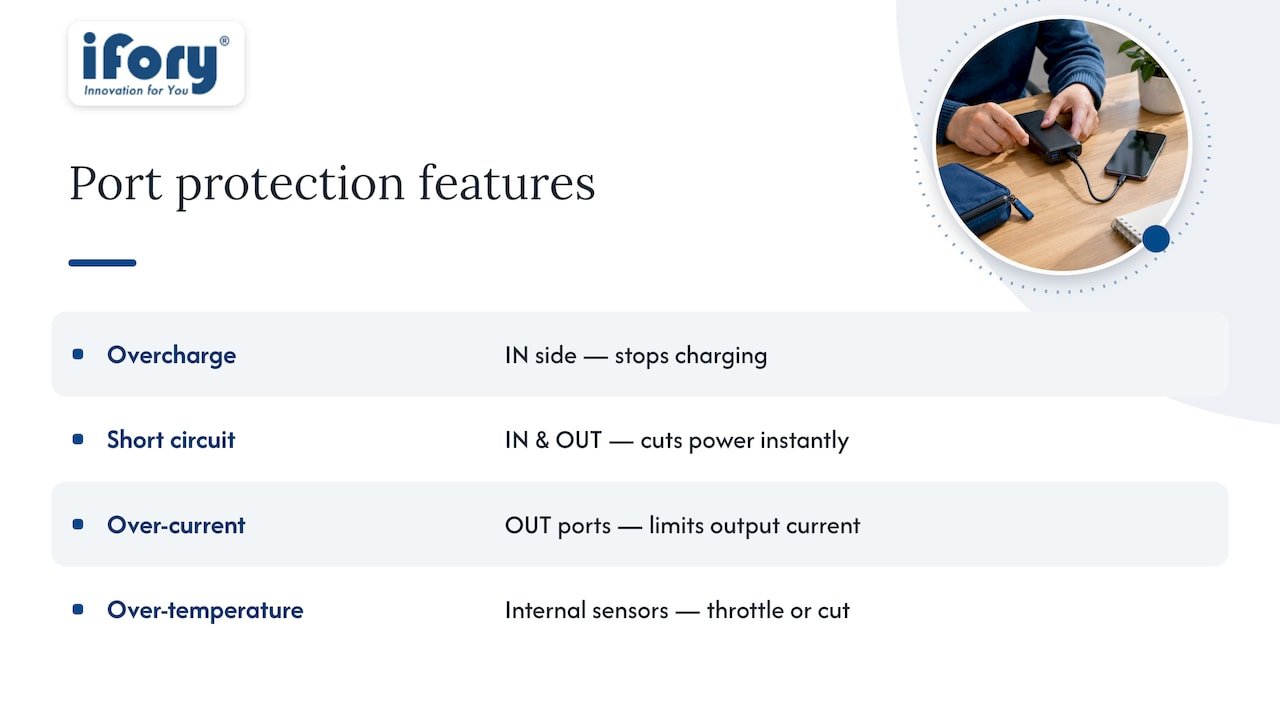
Input and output ports on a power bank aren’t just physical holes for cables, they’re monitored circuits. Overcharge protection stops the battery from continuing to draw power once it reaches full capacity, which prevents the kind of prolonged overcharging that degrades lithium cells or, in rare cases, causes overheating. This protection sits on the IN side, watching the charging process from wall adapter to internal cell.
Short circuit protection works on both IN and OUT ports. If a cable is damaged or a foreign object bridges the contacts inside a port, the protection circuit cuts power flow almost instantly rather than letting current spike uncontrolled. This is part of why EASA recommends protecting battery terminals during travel: a loose power bank rattling around a bag with keys or coins raises the odds of an accidental short, and built-in protection is a safeguard, not a substitute for keeping ports covered.
Over-current and over-temperature protection round out the common set. Over-current protection limits how much the port will output even if a connected device tries to pull more than it should, while thermal sensors can throttle or cut power if internal temperatures climb beyond a safe range. None of these systems are visible day to day, but they’re the reason a damaged cable or a flaky connection usually just stops working rather than causing a bigger problem.
Why cable quality and length change your charging speed
The port’s rating is only half the equation. A power bank might be capable of 18W output, but a thin, poorly shielded cable can cap that well below the advertised number, especially if the cable wasn’t designed for higher currents in the first place. Cheaper cables often use thinner copper wiring, which increases resistance and limits how much current can pass through safely.
Length matters too. Longer cables naturally have more resistance than short ones, and at the same gauge, a six-foot cable will generally delivery slightly less effective power than a one-foot cable carrying the same rated current. For most everyday phone charging, this difference is barely noticeable, but for high-wattage PD charging of laptops or tablets, cable length and quality become more relevant.
The safest approach is matching the cable to the port’s stated capability rather than assuming any USB-C cable will do. A cable explicitly rated for the wattage you’re trying to pull, ideally one that shipped with the device or power bank, avoids the slow, inconsistent charging that comes from mismatched hardware. If a device charges noticeably slower on one cable than another despite using the same port, the cable is usually the culprit.
Choosing and using a power bank: what actually matters
Most of the confusion around power banks comes down to treating capacity as the only number that matters. It isn’t. A 20,000mAh bank with no PD support and a single 5V/1A output will charge your phone slower than a smaller bank with proper fast-charging ports, and for anyone charging a laptop or tablet, confirmed PD and DRP support matters more than raw mAh.
Weight and capacity pull against each other, so think about how you’ll actually use the bank before chasing the biggest number on the shelf. Someone charging a phone twice on a weekend trip needs far less than someone keeping a camera, a phone, and a headlamp running on a multi-day hike, where build quality and an IP rating start to matter as much as capacity.
If you fly often, check the Wh rating before anything else, since that single number determines whether a bank sails through security or triggers extra questions. The mAh figure on the box won’t help you there.
— Mats
FAQ
What’s the difference between input and output on a power bank?
The input (IN) port is where you plug in a charger to refill the power bank’s internal battery, while the output (OUT) port is where you plug in your phone or another device to draw power from the bank. Some USB-C ports combine both roles in a single connector, so checking the label or spec sheet is the only reliable way to confirm which mode a given port supports.
Which is better, 20,000mAh or 10,000mAh?
Neither capacity is automatically “better,” since the right choice depends on how many charges you need and how much weight you’re willing to carry. A larger capacity bank roughly doubles the charges of a smaller capacity bank at the same output speed, but it also weighs more and takes longer to recharge itself.
Do you charge from input or output?
You recharge the power bank itself through the input (IN) port, and you charge your devices from the output (OUT) port. On a bank with a combined USB-C port, the same connector can do either job depending on what’s plugged in.
What type of power bank has Type-C input and output?
Many modern power banks use a single USB-C port that handles both input and output through dual-role power (DRP), while others include two separate USB-C ports, one dedicated to each function. Checking the printed label or manual for “IN,” “OUT,” or “DRP” confirms which setup a specific bank uses.
Sources
For readers who want the primary documentation behind this explainer, the USB-IF’s Power Delivery specification covers source/sink roles, DRP, and wattage tiers in full technical detail. EASA’s guidance on lithium batteries in aviation lays out cabin-carriage rules and Wh thresholds for travelers. Beyond these, your power bank’s own manufacturer spec page remains the final word on which ports support PD, DRP, or fast charging for that specific model.