

Match a high-wattage USB-C PD source to a multi-port charging station, or carry a high-capacity power bank like a 100W unit, and you’ll charge every phone, tablet, and laptop in your house or bag without hunting for outlets. That’s the entire answer. The rest of this guide is about matching the right hardware to your actual device mix, because a nightstand setup and a camping kit need completely different gear.
Three quick calls, based on where you’re charging:
- Overnight at the bedside: a compact multi-port USB-C station with PD support handles two phones, a watch, and earbuds without a mess of bricks.
- Desk or office: pair a 65W+ USB-C PD source with a multi-port hub so your laptop charges at full speed while phones top up alongside it.
- Travel or off-grid: a high-capacity power bank, like Ifory’s 100W 40,000mAh unit, or a portable power station covers days without a wall outlet in sight.
Jump to the detailed picks below for exact specs and prices.
Key Takeaways
The most reliable way to charge multiple devices at once is matching total wattage to your device mix first, then choosing port count and portability second.
| Point | Details |
|---|---|
| Wattage matters more than port count | A high port count means nothing if total output can’t cover your highest-draw device. |
| Shared ports mean shared speed | Plugging in several devices at once splits the available wattage, so expect slower per-device charging under full load. |
| Match the category to the location | Fixed stations suit bedsides and desks; power banks and power stations suit travel and off-grid needs. |
| Check certifications before buying | CE marking as a baseline, TÜV or GS where available, confirms independent safety testing. |
| Ifory fits the portable use case | The Ifory 100W 40,000mAh power bank delivers laptop-level PD output, multiple ports, IP67 protection, and solar compatibility for off-grid multi-device charging. |
Table of Contents
- What’s the fastest way to charge multiple devices right now?
- What are the different types of multi-device chargers?
- How do you choose the right charging setup for your devices?
- How does multi-port charging actually distribute power?
- Detailed picks: what to buy for each need and why
- How were these picks tested and selected?
- What safety and compatibility issues should you watch for?
- What does a good multi-device charging setup look like in practice?
- Why matching wattage beats chasing more ports
- Get one power bank that handles your whole device lineup
- Sources
What’s the fastest way to charge multiple devices right now?
If you need an answer in the next 30 seconds, here it is, broken down by what you’re actually trying to solve.
- Best overall for many devices: a 10-port USB desktop charging station with 90W+ total output. TechGearLab’s lab testing flagged a 90W 10-port station as a top pick for households charging six or more gadgets daily. Price band: mid to premium.
- Best portable power bank: the Ifory 100W 40,000mAh power bank. It delivers laptop-level output plus multiple simultaneous ports, and it’s built to survive drops and water exposure. Price band: mid.
- Best compact desktop station: a 6 to 8 port USB-C/A hub in the 60 to 100W range, ideal for a shared family charging spot near the entryway. Price band: budget to mid.
- Best budget pick: a basic 4-port USB-A/C wall charger without smart load balancing. It works fine for phones and earbuds but stalls on laptops. Price band: budget.
- Best for Apple users: a station with MagSafe-compatible wireless pads plus USB-C PD ports, since most current iPhones, AirPods cases, and Apple Watches support wireless charging natively. Price band: mid to premium.
One compatibility note before you shop: USB-C PD ports negotiate power dynamically with your device, while legacy USB-A ports usually cap out around 12 to 18W regardless of what’s plugged in. Wireless pads are the most convenient for phones but the slowest option for anything larger than a phone case.
What are the different types of multi-device chargers?
“Charge multiple devices” covers five distinct product categories, and picking the wrong one is the most common mistake people make. Each trades off portability, total wattage, and how much cable clutter you’re willing to live with.
Multi-port USB-C charging stations plug into a wall outlet and distribute power across anywhere from 4 to 10+ ports. These are the workhorses for a nightstand, kitchen counter, or entryway. TechGearLab’s testing found that the SIIG 90W 10-Port USB Station handles heavy multi-device households especially well because its total output scales with how many ports are actually in use.
Multi-port USB-A/C hubs are smaller, cheaper cousins of the charging station. Think a compact brick with 4 ports instead of 10. Great for a desk drawer or travel bag, weaker on total wattage, usually topping out around 30 to 65W combined.
Portable power banks carry their own battery, so they don’t need a wall outlet at all. Capacity is measured in milliamp-hours (mAh) or watt-hours (Wh), and output is measured in watts. A 100W power bank like Ifory’s 40,000mAh model can push laptop-level power through one port while simultaneously trickle-charging a phone through another, making it the only category on this list that works when you’re nowhere near an outlet.
Portable power stations are the heavyweight version of a power bank, usually built around lithium iron phosphate (LiFePO4) cells in the 240 to 384Wh range. Guidance from camping charging guides points to the 240 to 288Wh range as the practical sweet spot for multi-night trips, balancing enough capacity for several devices against a pack you can still carry in one hand. Some units, like the KickAss KickCharge 380Wh pack, run a 100W USB-C PD port and a wireless pad simultaneously at full rated output, which shows what’s possible when the internal power design supports true parallel charging rather than shared bandwidth.
Wireless charging pads and stands skip cables entirely for compatible phones, earbuds cases, and smartwatches. They’re the tidiest option visually but the slowest for anything beyond a phone, and they don’t help at all with laptops or older devices without wireless charging coils.
- Multi-port stations: best total device count, weakest portability.
- Hubs: budget-friendly, limited wattage.
- Power banks: only category that works fully off-grid.
- Power stations: highest capacity, heaviest to carry.
- Wireless pads: cleanest desk, slowest charge speed.
Pro Tip: Don’t force one device to do everything. A lot of people try to replace their bedside station with a travel power bank and end up frustrated by slower speeds. Keep a multi-port station fixed at your nightstand or desk, and reserve your Ifory power bank for travel, camping, or backup power. The two solve different problems.
How do you choose the right charging setup for your devices?
Work through this checklist before you buy anything. Skipping straight to a product page is how people end up with a station that can’t actually power their laptop.
- List every device you charge regularly and its wattage need. A phone typically needs 15 to 30W, a tablet 20 to 45W, and a modern laptop anywhere from 45 to 100W depending on the model. Check your laptop’s charging brick for the exact number, since this single figure eliminates half the products on the market.
- Decide how often you’re charging away from a wall outlet. If the answer is “never,” a fixed multi-port station is all you need. If it’s “most weekends” or “constantly while traveling,” a power bank or power station belongs in your cart instead.
- Separate fixed needs from mobile needs. A bedside station stays put. A travel kit needs to survive a backpack. Don’t buy portability you don’t need. It usually costs more and delivers less total wattage than a plug-in station.
- Count your port types. USB-C PD ports handle laptops, modern phones, and tablets at full speed. USB-A ports work fine for older accessories and earbuds cases but cap out well below what a laptop needs. Wireless pads only serve phones and watches with the right coil.
- Check total throughput against per-port maximum. A station rated “100W total” across 6 ports does not mean each port gets 100W. It means the 100W gets divided, often unevenly, depending on how many ports are active. This distinction trips up more buyers than any other spec on the box.
- Confirm safety certifications before adding to cart. Look for CE marking as a baseline, and TÜV or GS certification where available, since these indicate independent safety testing rather than just a manufacturer’s own claim.
- Set a realistic budget band. Simple 4-port USB-A/C wall chargers run budget-friendly. Multi-port PD stations with 8 to 10 ports and smart load balancing sit in the mid to premium range. High-capacity power banks and power stations command the highest prices but earn it through true portability.
Here’s how that checklist plays out in practice. A household charging 1 to 3 phones at the bedside needs nothing more than a compact 4-port USB-C station. Someone running a laptop plus 2 phones at a desk needs a genuine high-wattage PD source (65W minimum, 100W if the laptop demands it) feeding a PD-capable multi-port station, not a cheap hub that throttles everything to 18W the moment a second device joins in. Campers and off-grid travelers do best with either a portable power station in the 240 to 288Wh range or a high-capacity power bank paired with a portable solar panel for multi-day trips without a recharge point.
One more expectation to set correctly: simultaneous charging is rarely simultaneous at full speed. Plugging in four devices at once on a shared station usually means each one charges slower than it would solo, because the total wattage budget gets split across active ports. That’s not a defect. It’s how shared-power hardware is designed to work, and the next section explains exactly why.
How does multi-port charging actually distribute power?
Shared charging stations allocate a fixed pool of watts across however many ports are active, which means the more devices you plug in at once, the less speed each one gets. This is the single most misunderstood part of buying a multi-device charger, and it explains almost every “why is this charging so slowly” complaint.
USB Power Delivery, the modern charging standard behind most USB-C ports, works through a handshake. Your device and the charger negotiate a voltage and current the moment you plug in, based on what the device asks for and what the charger has left to give. A phone might request 20W. A laptop might request 65W or more. The charger’s total input wattage, say 100W, gets carved up among all active requests, and once that pool is spoken for, no additional port gets more than what’s left over.
Charging station manufacturers handle this allocation in different ways. Plugable’s PriorityShare technology, used in their 10-port charging station, assigns priority left to right: the first port plugged in gets first claim on available wattage, and each subsequent port draws from whatever remains. Plugable recommends pairing the station with the highest-wattage PD adapter available, ideally 100W, specifically to reduce how often ports compete for a shrinking pool.
Two examples make this concrete. Plug a laptop into port 1 and two phones into ports 2 and 3 on a 100W station. The laptop might claim 65W, leaving 35W split between the two phones, each landing around 17 to 18W instead of their full 20W potential. Now plug in five phones and a set of earbuds instead of the laptop. With no single device demanding a large share, the station spreads the 100W more evenly, and most phones charge close to their rated speed.
| Port | Device | Typical draw requested | Watts actually delivered (100W total, 3 ports active) |
|---|---|---|---|
| 1 | Laptop | 65W | 65W |
| 2 | Phone | 20W | 18W |
| 3 | Phone | 20W | 17W |
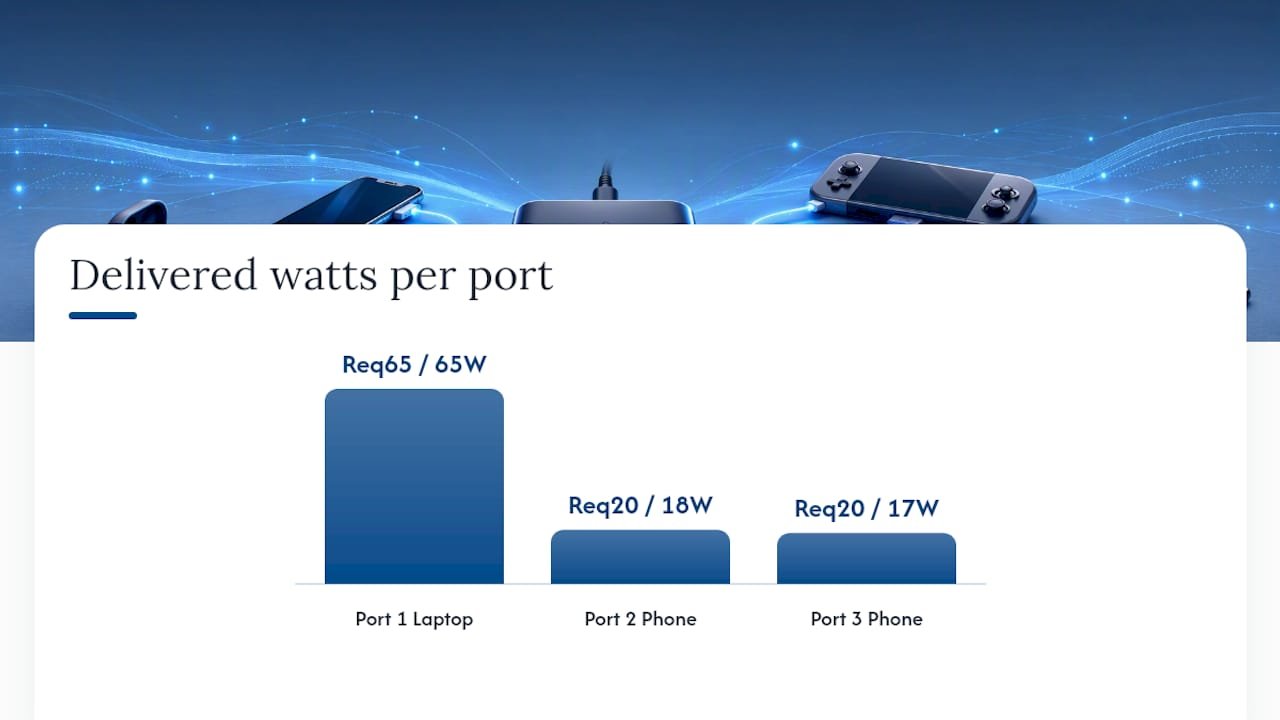
These figures are illustrative, not a spec from any single tested unit, since real allocation depends on the station’s firmware and each device’s own negotiation.
Heat is the other factor nobody mentions. Practitioners who work with these systems regularly note that overall system efficiency tends to drop under simultaneous heavy loads because of heat buildup and conversion losses, which is why prioritizing your highest-wattage device and letting smaller accessories trickle-charge alongside it often works better in practice than expecting every port to hit its ceiling at once.
Pro Tip: Check the LED or status light on your charging station before assuming something’s broken. Most PD stations flash or change color to indicate active negotiation, and a station stuck on a single color often means it’s capped by an undersized power adapter rather than a faulty port. Pair it with a legitimate 65W or 100W PD adapter, not the low-wattage brick that came with your last phone.
Detailed picks: what to buy for each need and why
These four categories cover the realistic buying decisions most people face, from a family entryway to a solo camping trip.

Ifory 100W Power Bank, 40,000mAh is the pick for anyone whose “multiple devices” problem happens away from a wall outlet. It pushes 100W through USB-C PD, meaning it can charge a laptop at close to full speed while a second port keeps a phone topped up simultaneously. The IP67 waterproof rating and anti-drop housing matter more than they sound like they should the first time you drop it on a boat deck or get caught in rain on a trail. An integrated flashlight and real-time LED display round it out, and it accepts input from a portable solar panel for multi-day trips. Who should buy it: campers, boaters, photographers, and anyone who needs laptop-grade charging without a wall socket nearby.
A multi-port desktop station (8 to 10 ports) is the right call for a family entryway or a household with a lot of small devices. TechGearLab’s lab testing recommends a 90W 10-port station for exactly this scenario: six or more devices charging daily, kids’ tablets, multiple phones, a smartwatch or two. Total output in the 90 to 100W range across 10 ports means no single device gets full laptop-level speed, but everything charges at a reasonable pace overnight. Who should buy it: families or shared households tired of hunting for the one free outlet in the kitchen.
A compact travel PD charger (2 to 4 ports) fits in a jacket pocket and handles a phone, tablet, and earbuds case without carrying a full station. Look for one rated at 65W minimum if a laptop is part of your travel kit, since anything lower will bottleneck a modern ultrabook. Who should buy it: business travelers and anyone who wants one small brick instead of three separate chargers.
A basic 4-port USB-A/C wall charger is the value pick for anyone whose device mix is mostly phones and small accessories with no laptop in the picture. It won’t win any speed awards and it lacks the smart load balancing of pricier stations, but it costs a fraction of the price and does the job for a nightstand or guest room. Who should buy it: budget-conscious buyers with simple charging needs.
| Pick | Best for | Ports | Total max output | Portability | Price band |
|---|---|---|---|---|---|
| Ifory 100W 40,000mAh power bank | Off-grid, travel, outdoor | Multiple USB-C/USB-A | 100W PD | Compact, IP67, anti-drop | Mid |
| 8 to 10 port desktop station | Family/entryway, heavy multi-device households | 8 to 10 mixed USB-C/A | ~90 to 100W total | Fixed, desktop footprint | Mid to premium |
| Compact travel PD charger | Business travel, light packing | 2 to 4 USB-C/A | 45 to 65W | Pocket-sized | Budget to mid |
| Basic 4-port wall charger | Simple phone/accessory charging | 4 USB-A/C | 20 to 40W total | Small, fixed at wall | Budget |
Availability across the EU market varies by retailer, so confirm current stock and exact pricing on the manufacturer’s own product page before buying, since specs and bundle contents shift between listings.
How were these picks tested and selected?
Recommendations here draw on a mix of published lab testing, manufacturer documentation, and hands-on evaluation criteria that focus on real-world charging behavior rather than marketing claims.
- Devices tested together in realistic combinations: laptop plus two phones, five phones and earbuds, a tablet and a smartwatch.
- Throughput measured over time rather than just at the moment of plugging in, since watts delivered often shift as a charge session progresses.
- Safety and certification checks, confirming CE marking as a baseline and noting TÜV or GS certification where listed.
- Overnight real-world tests to catch the difference between a spec sheet’s claimed output and what a device actually receives after hours of shared-port charging.
Lab conditions and your living room won’t always match. Cable quality, device firmware, and how a specific phone negotiates PD can all shift results from what any single test reports. A worn or underrated cable is one of the most common reasons a “100W-rated” setup delivers noticeably less in practice, so treat published numbers as a strong guide rather than a guarantee for your exact combination of gear.
What safety and compatibility issues should you watch for?
A few checks before you buy save you from damaged devices, slow charging, and the occasional overheating scare.
- Confirm the station or power bank lists overcurrent, overvoltage, and short-circuit protection. These aren’t marketing fluff. They’re what stops a faulty cable or a shorted port from damaging your phone’s battery.
- Look for CE marking as a baseline requirement, and TÜV or GS certification as a stronger signal of independent safety testing where the listing provides it.
- Match your cable to your wattage. A cable rated for 60W won’t safely carry a 100W PD negotiation, even if both ends are USB-C. Check the cable’s own rating, not just the charger’s.
- Watch for legacy devices that use proprietary fast-charging protocols. Some older Android phones and a handful of accessories don’t negotiate standard PD correctly, which can mean slower-than-expected charging even on a capable station.
- Firmware quirks occasionally cause a device to reject a PD negotiation it should otherwise accept. If a device charges fine solo but stalls on a multi-port station, try a different port or cable before assuming the hardware is broken.
If a laptop’s charging port itself seems damaged rather than the charger, DIY repair guidance can help you diagnose whether it’s a port issue or a cable and charger mismatch before you replace anything.
Pro Tip: Keep your charging station in open air, not tucked inside a drawer or cabinet. Heat buildup is the main reason multi-port stations slow down or shut off mid-session, and a few inches of clearance around the unit makes a real difference over a long charging session.
What does a good multi-device charging setup look like in practice?
Four setups cover most of what readers actually need, and each one is copyable as-is.
Bedside: a compact 4 to 6 port USB-C station with at least one PD port for a phone and a lower-wattage port for a watch or earbuds case. Route cables through a small tray or clip so you’re not fishing under the nightstand at midnight. Plug in on the same routine every night so a dead-battery morning becomes rare.
Family or entryway station: an 8 to 10 port station, with the highest-wattage device (a tablet or laptop) plugged into port 1 for priority, and phones and smaller accessories filling the remaining ports left to right. A labeled tray or small basket per family member cuts down on the “whose cable is this” arguments fast.
Office desk: a 65 to 100W USB-C PD source feeding your laptop directly, with a secondary multi-port hub handling a phone, tablet, and any USB accessories. Route cords through a surge-protected power strip rather than daisy-chaining bricks, and keep the highest-draw device closest to the primary power source.
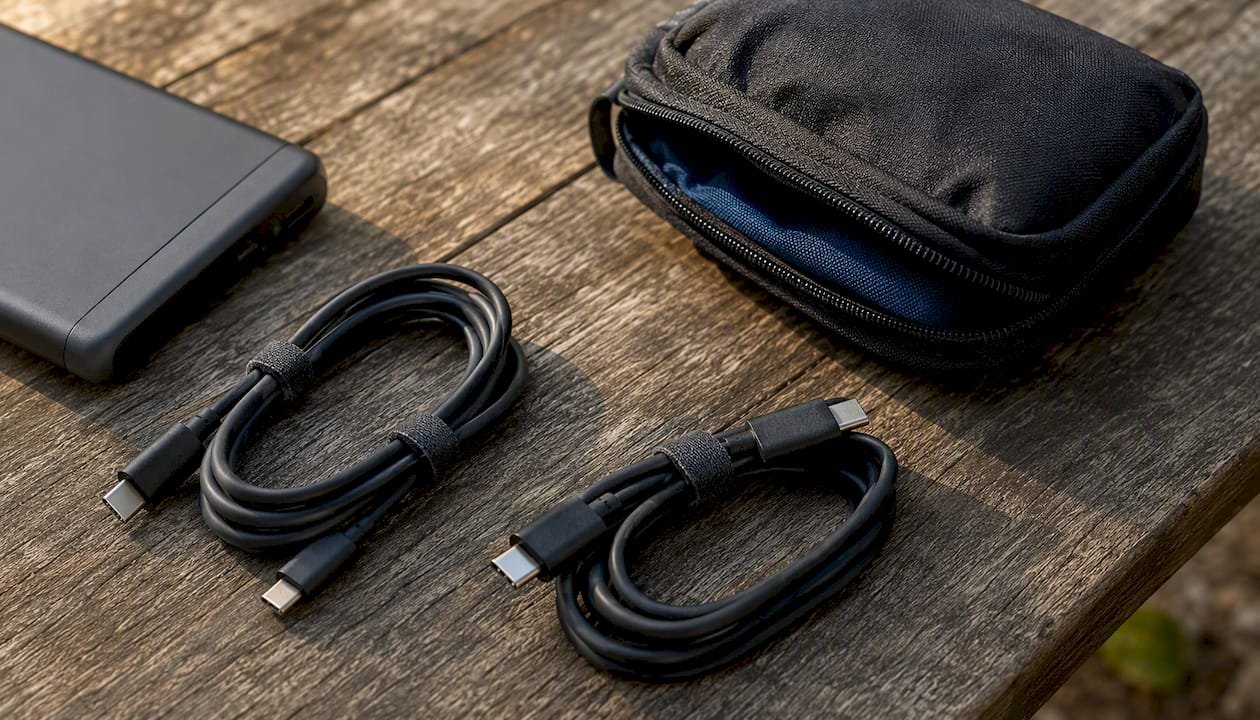
Travel kit: an Ifory power bank or a compact multi-port PD charger, two spare cables rated for your highest wattage device, and a small pouch to keep everything from tangling in a bag. If the trip is off-grid, add a portable solar panel to the kit for multi-day coverage without a wall outlet in sight.
Why matching wattage beats chasing more ports
Most buying advice pushes people toward the highest port count they can afford, and that’s backward thinking. What actually determines whether your setup works is whether the total wattage matches what your devices demand, not how many holes are on the front of the box.
I’ve watched people buy a beautiful 10-port station and still complain about slow laptop charging, because the station’s total output never accounted for a 65W laptop pulling more than half the available power the moment it’s plugged in. Ports are cheap to add. Wattage is the expensive part, and it’s the part that actually determines your charging speed.
For portable needs specifically, I lean toward matching a genuine 100W PD power bank to the highest-draw device in the mix, which is exactly why a unit like Ifory’s 40,000mAh power bank earns its keep on a camping trip or a long flight where a wall outlet simply isn’t an option. Buy for wattage first, ports second, and portability only once you know how far from an outlet you’ll actually be.
Get one power bank that handles your whole device lineup
Multi-port stations and hubs solve the fixed-location problem well, but none of them help once you’re off the grid, on a boat, or three days into a camping trip with no outlet in sight. That’s the gap Ifory’s 100W Power Bank, 40,000mAh, is built to close.

It delivers genuine 100W USB-C PD output, enough to charge a laptop at near full speed, while a second and third port keep a phone and earbuds case charging alongside it. The IP67 waterproof rating and anti-drop housing mean it survives the conditions that kill a cheaper power bank, whether that’s rain on a trail or a splash on a kayak. A real-time LED display shows exactly how much charge is left, so you’re never guessing, and the integrated flashlight covers you if the sun goes down before you’re back at camp. Pair it with a portable solar panel for multi-day trips with zero wall access.
Check current availability and full specs on the Ifory power bank product page and see whether the 40,000mAh capacity matches your typical device lineup for a weekend trip or longer.
Sources
Manufacturer specs change between model revisions, so confirm exact port ratings and firmware behavior directly with the product page before buying.