

Choose USB Power Delivery for mixed-device households and laptop charging. Pick Qualcomm Quick Charge only when you own a Snapdragon phone that specifically benefits from it. That’s the short answer to pd vs qc, and it holds true for nearly every buying decision you’ll make this year.
Here’s how it breaks down by household:
- Mixed-device households (phones, tablets, laptops from different brands): PD, every time.
- Laptop owners: PD, since it’s the only one of the two that scales past 100W.
- Snapdragon-only phone users who never touch a laptop: QC can still shave charging time, but a PD charger will usually work too.
One safety reminder before you buy anything: the charger, the cable, and the device all need to support the same protocol, or you’re just charging at standard USB speed no matter what the box says.
Key Takeaways
USB Power Delivery is the more future-proof, universal choice for most buyers because it scales from phones to laptops on a single open standard, while Quick Charge stays relevant mainly on older Snapdragon phones.
| Point | Details |
|---|---|
| Default to PD | Choose PD with PPS for mixed-device households and any laptop charging needs. |
| QC has a narrow lane | Quick Charge only offers a real edge on older or budget Snapdragon phones without PD support. |
| Wattage isn’t speed | A device’s input cap sets the real charging speed, not the charger’s advertised maximum. |
| Match your cable | Use a 5A-rated USB-C cable for anything above 60W or charging stalls below its potential. |
| Ifory covers the PD checklist | Ifory’s 100W power bank supports PD fast charging across multiple ports, which fits the mixed-device buying rule directly. |
Table of Contents
- USB Power Delivery (PD): What It Is and Why It Fits Most Setups
- Qualcomm Quick Charge: Where It Still Makes Sense
- PD vs QC: The Technical Differences That Actually Matter
- Why a High-Wattage Charger Doesn’t Guarantee a Faster Charge
- How to Choose a Charger or Power Bank: A Practical Checklist
- What the Shift to PD Means for Anyone Who Travels
- Primary Sources Behind This Comparison
- Pack One Charger Instead of Four
- Sources
USB Power Delivery (PD): What It Is and Why It Fits Most Setups
PD is an open standard maintained by the USB-IF, which means any manufacturer can build it into a charger or device without paying Qualcomm a licensing fee. That’s why you’ll find it on iPhones, Samsung Galaxy phones, Steam Decks, and MacBooks alike. No single company controls it.
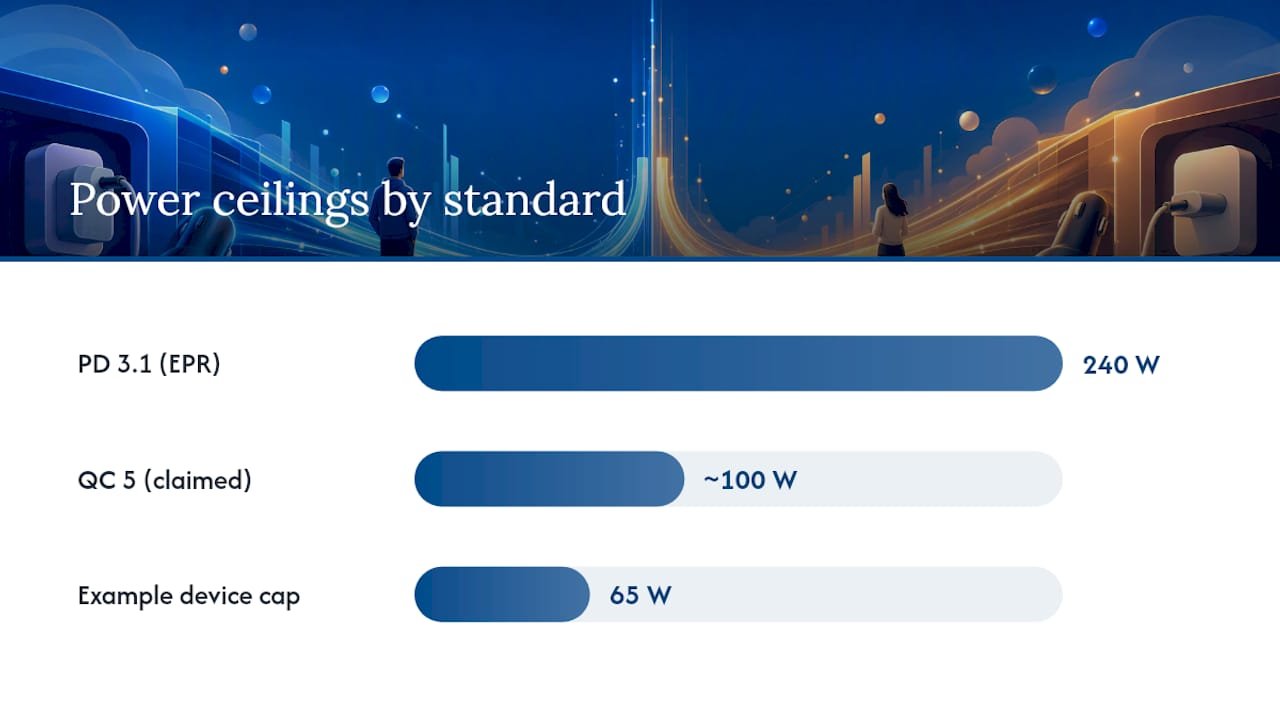
The real trick is Programmable Power Supply (PPS), added in PD 3.0. Instead of jumping between fixed voltage steps, PPS lets the charger and device negotiate in small increments, which keeps the battery cooler and extends its lifespan over hundreds of charge cycles. PD 3.1 pushed things further with Extended Power Range (EPR), taking the ceiling from 100W all the way to 240W.
In practice, here’s what that range looks like on real gear: phones typically max out around 20 to 30W, tablets land between 30 and 65W, and most laptops fall somewhere between 45 and 100W. A handful of gaming laptops push past that into EPR territory, which is where the 240W ceiling actually gets used.
Qualcomm Quick Charge: Where It Still Makes Sense
Quick Charge is Qualcomm’s own protocol, and it lives almost exclusively on phones running Snapdragon chips. Unlike PD, you won’t find it on a MacBook or an iPad, because Apple has no reason to license Qualcomm’s tech when PD already does the job.
QC has gone through several generations. QC 3.0 introduced stepped voltage negotiation, cycling through preset levels to find the fastest safe charge rate. QC 4 and 4+ added partial PD compatibility, acknowledging that the industry was consolidating around USB-IF’s standard. QC 5 supports power levels around 100W in newer implementations and leans further into PD/PPS interoperability rather than fighting it.
So when does QC actually win? Mostly on older or budget Snapdragon phones tuned specifically for QC’s negotiation style, where you might see a slightly faster charge than a generic PD brick delivers. On flagship Snapdragon phones sold today, most also support PD, so the gap tends to shrink to nearly nothing. QC’s advantage is narrow and device-specific, not universal.
PD vs QC: The Technical Differences That Actually Matter
The core difference comes down to how each protocol negotiates power. PD asks the device what voltage and current it wants and adjusts smoothly, especially with PPS active. QC historically works in fixed steps, hopping between preset voltage levels until it lands close to the target.
Both approaches use similar fine increments where it counts. PPS and Quick Charge’s stepped negotiation both operate in roughly 20 mV increments at the fine-tuning stage, which is what keeps heat down during a fast charge instead of dumping full voltage at once.
Power ceilings, side by side:
- PD 3.1 with EPR: up to 240W
- QC 5: claims roughly 100W or more in current implementations
- Real-world speed always gets capped by whichever component (charger, cable, or device) supports the least power
That last point is the one people miss. A 240W-capable charger paired with a 65W laptop still charges at 65W. The device sets the ceiling, not the box on your desk.
Safety and efficiency features matter here too. Fine-grained voltage stepping in both PPS and QC reduces the heat generated during a fast charge, which protects battery chemistry over time. Most modern chargers also run cable authentication and thermal checks before ramping up to full power. If the protocols don’t match at all, say a QC-only phone plugged into a PD-only charger with no fallback support, you don’t get an error message. You just get slow charging, because the connection defaults to basic USB power delivery.
Why a High-Wattage Charger Doesn’t Guarantee a Faster Charge
This trips up more buyers than anything else in the pd vs qc conversation. A charger’s advertised wattage is a ceiling, not a promise. Both the charger and the device have to implement the same protocol, or the connection falls back to plain USB charging speeds, often just 5 to 15W.
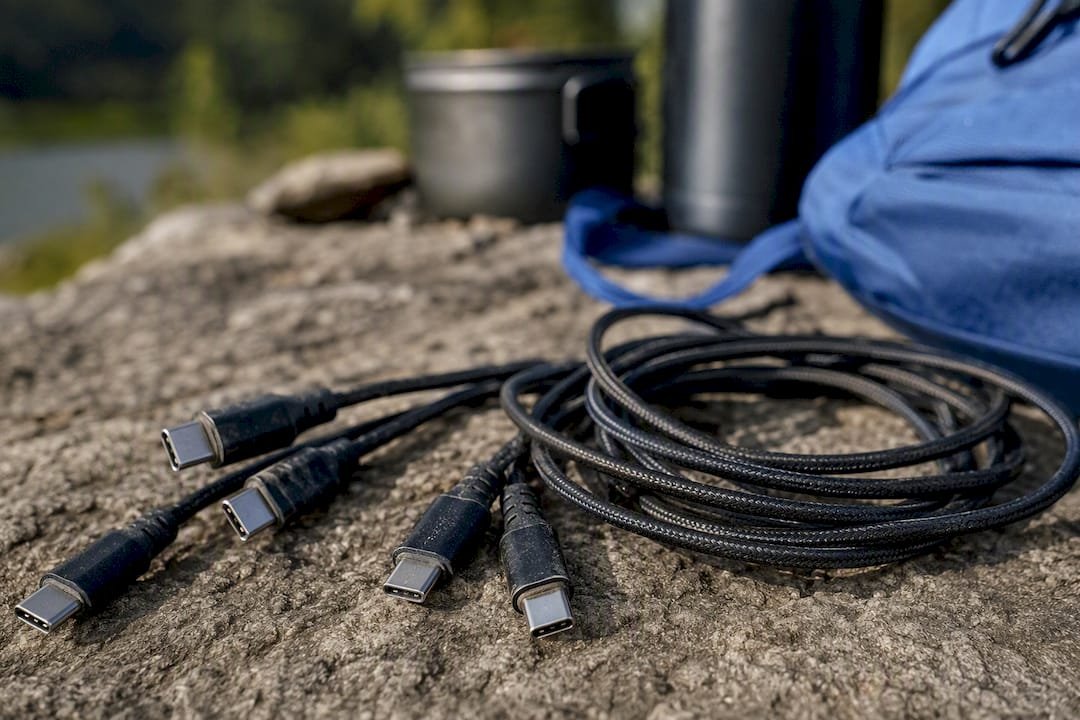
Cables matter just as much as the charger. Anything above 60W needs a cable rated for 5A, and it needs to be a genuine USB-C to USB-C cable built for that load, not a leftover cable from an old phone. Port type counts too. Not every USB-C port on a multiport charger runs at full wattage.
Here’s a concrete example: a Refurbished LG X Charge Black phone with a 25W input cap will not charge any faster on a 100W charger than it would on a 30W one. The phone simply refuses the extra power. That 100W rating only pays off when you’re charging something that can actually use it, like a laptop.
Pro Tip: Check your device’s printed or listed maximum input wattage before buying a charger. Match the charger and cable to that number instead of chasing the highest wattage on the shelf.
How to Choose a Charger or Power Bank: A Practical Checklist
Shopping for a charger shouldn’t take longer than checking a few labels. Here’s the order to work through:
- Look up your device’s max input wattage before you shop, not after. It’s usually in the spec sheet or settings menu.
- Prefer PD with PPS unless you have a specific, confirmed reason to go QC. PPS covers more devices and protects battery health better over time.
- Only pick QC-specific gear if you own an older Snapdragon phone that clearly benefits from it, phones without listed PD support in their spec sheet.
- Decide between a single high-power port and a multiport design based on whether you’re charging a laptop and a phone at the same time, or just topping off two phones.
- Check the printed labels on both charger and cable: look for PD or PPS callouts, wattage per port, and a 5A rating if you’re pushing past 60W.
- Consider dual-protocol chargers if your household mixes an iPhone, a Samsung phone, and an older Snapdragon device. Many current multiport bricks now support both PD and QC to cover exactly this situation, according to testing from ChargingGearLab.
Skip step one and you’ll end up with a charger that’s either underpowered for your laptop or wildly overkill for your phone.
What the Shift to PD Means for Anyone Who Travels
The industry isn’t fighting over pd vs qc anymore. It’s converging, and PD with PPS is winning that convergence because it’s the only option that scales from a phone to a gaming laptop without switching standards. That matters more for how you pack than how you shop.
For anyone who travels or spends time outdoors, that consolidation means fewer bricks in your bag. A rugged, PD-capable power bank can replace three or four single-purpose chargers, which is exactly the gap products like Ifory’s outdoor power banks are built to close.
— Mats
Primary Sources Behind This Comparison
The wattage figures and version history here come from the USB-IF’s own PD specification pages and the Quick Charge overview on Wikipedia. Real-world cable and fallback behavior draws from USB hardware documentation, and practical buying context comes from hands-on comparisons published by ChargingGearLab.
Pack One Charger Instead of Four
If the checklist above left you eyeing a single power source that just handles everything, that’s the exact problem Ifory built its power bank to solve. The Ifory 100W power bank runs on PD with PPS support, so it charges a laptop, a phone, and a tablet off the same 40,000mAh cell without you tracking which brick goes with which device.

It also carries multiple USB-C and USB-A ports for exactly the mixed-device scenario this article walks through, an IP67 waterproof rating for use outside the living room, and a real-time LED display so you’re not guessing at remaining charge. Add the built-in 500-lumen flashlight and you’ve got a backup light source for the same trip. If you’re planning a camping run or a work trip where losing charger compatibility mid-week isn’t an option, check the full power bank lineup and pick the port configuration that matches your own device mix.
Sources
- USB-IF: USB Power Delivery specification and overview
- Quick Charge — Wikipedia
- ChargingGearLab: Power delivery vs quick charge explained