
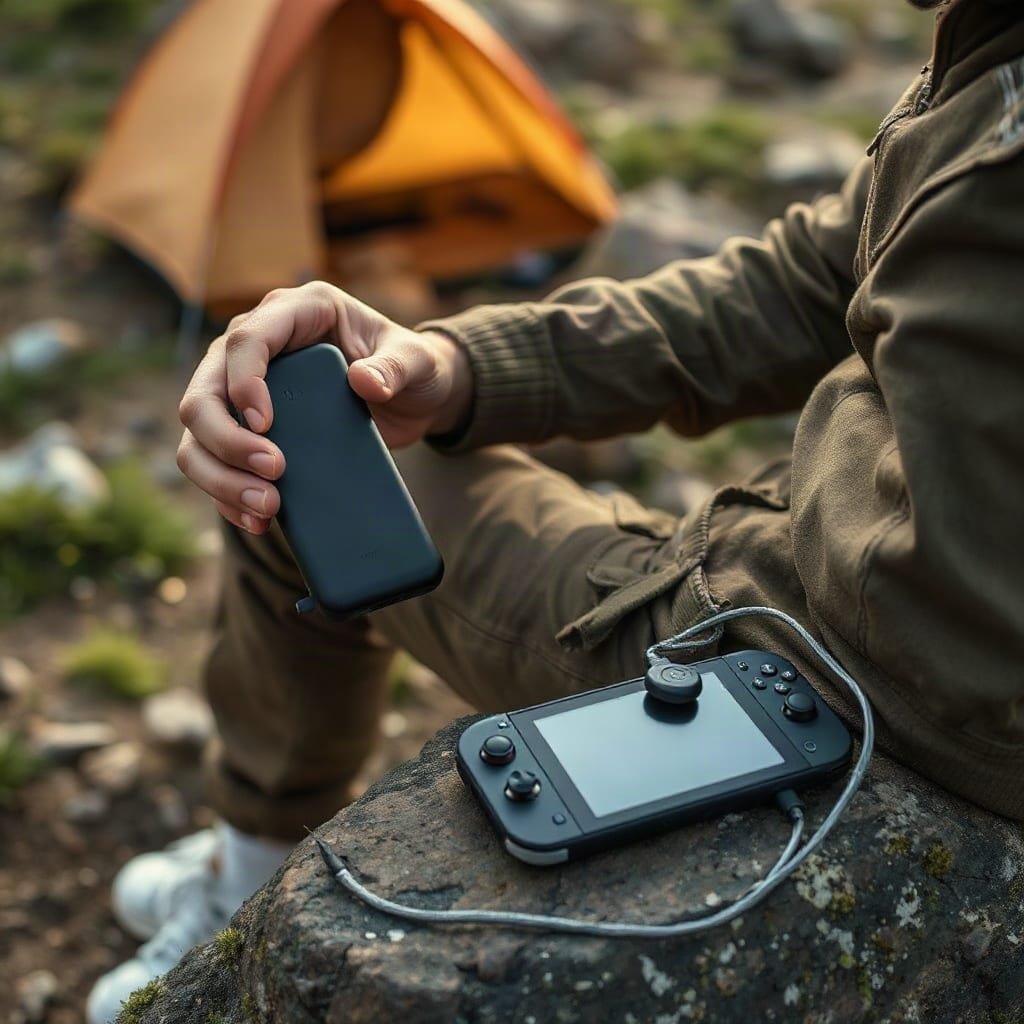
To charge a Nintendo Switch on the go, plug a USB-C cable into any USB Power Delivery source rated 18W or higher, and the console charges exactly as it does at home. The one thing that will not work away from a wall is TV output: the dock needs 15 volts at 2.6 amps, a combination phone chargers do not offer. For handheld charging, 9V or 12V is plenty, and a 100W brick will not beat the adapter in the box.
TL;DR:
- Any USB-C PD charger of 18W or more charges a Switch handheld at full speed. The console, not the brick, sets the pace.
- 15V at 2.6A is only needed for the dock. A power bank that tops out at 12V will charge the battery but never output to a TV.
- Nintendo rates a full charge from empty at about 3 hours with the included adapter, in sleep mode. Dead to 50% runs about an hour.
- A USB-A to USB-C cable kills Power Delivery. Your 100W brick drops to 7.5W the moment you use one.
- A 40,000mAh power bank is about 148Wh, which puts it over the 100Wh carry-on threshold. Check your airline before you fly.
Table of Contents
- The 15-Volt Rule, and Why a Phone Charger Still Works
- How to Charge a Nintendo Switch on the Go: What Actually Works
- Is It Safe to Charge a Nintendo Switch With a Phone Charger?
- How Long a Switch Takes to Charge, and the 30-Minute Wake-Up
- Playing While Charging: Yes, With One Catch
- Joy-Con, Pro Controller and Switch Lite: What Changes
- Airports, Trains and Solar: The Rules That Bite
- Get Through a Festival Weekend Without Hunting for an Outlet
- Frequently Asked Questions
- Sources
The 15-Volt Rule, and Why a Phone Charger Still Works
The Switch charges through the USB-C port on the bottom edge of the console. The 2025 model adds a second port on the top edge, which is handy when the console is propped up in tabletop mode. Nintendo's own AC adapter is rated at 5V/1.5A and 15V/2.6A. That second figure is where most of the online confusion lives, because 15 volts is a dock requirement, not a charging requirement.
USB Power Delivery works as a negotiation. The charger advertises which voltages it can produce, the console picks one, and current ramps from there. Any USB-C source offering 9V or 12V at 2A or more charges the handheld battery at close to full speed. Only a source offering 15V at 2.6A will also drive the dock and put a picture on a television.
That single distinction explains most of the complaints about power banks. A bank that tops out at 12V is not faulty. It never offers the one voltage the dock is waiting for.
Fifteen volts at 2.6 amps is the only handshake that puts a Switch on a TV. Every other USB-C source in your bag is a battery charger, not a dock supply.
You do not need the dock to charge the console. Plug the cable straight into the console, or into the top port on the newer model, and leave the dock at home.
How to Charge a Nintendo Switch on the Go: What Actually Works
The console caps how much power it pulls, so the size of your charger stops mattering past a certain point. What matters is whether the charger speaks Power Delivery and whether your cable can carry it.
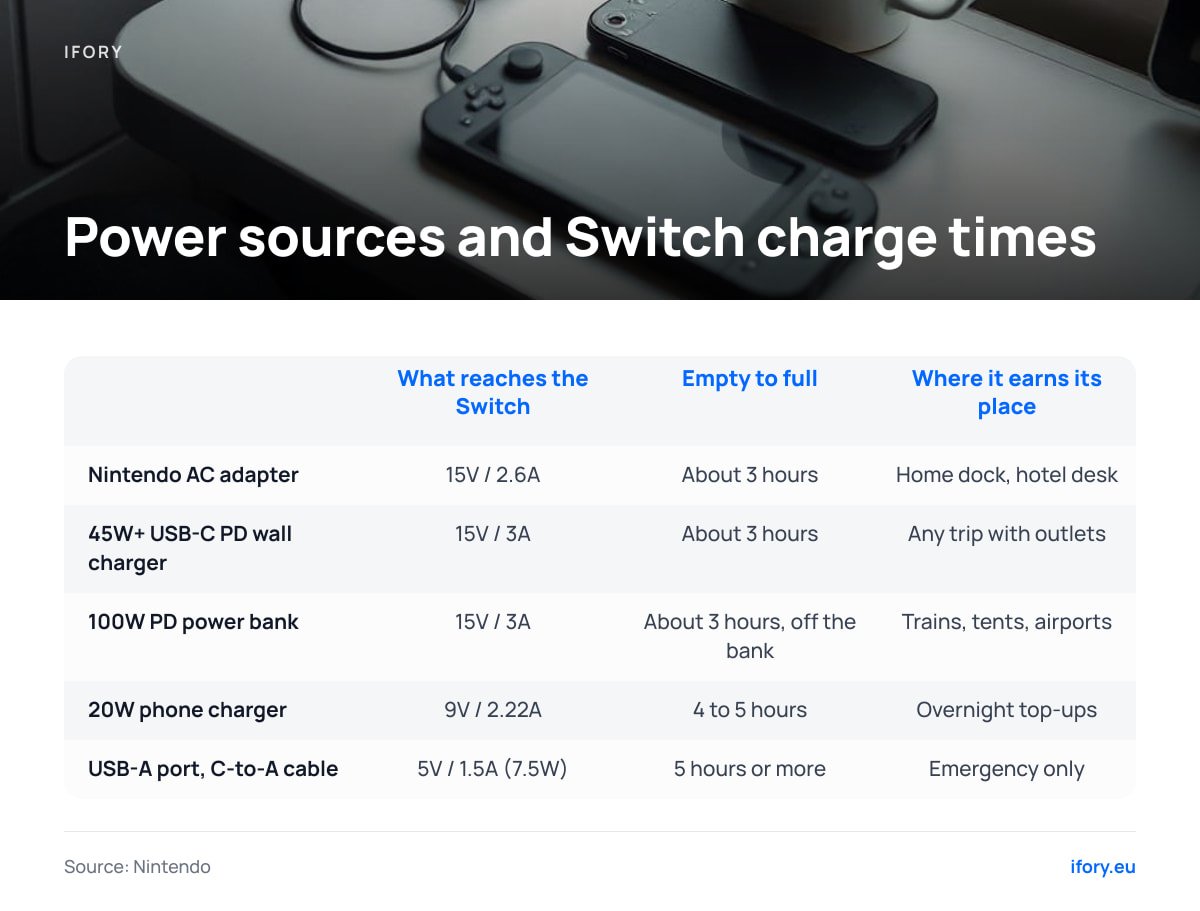
| Power source | What reaches the Switch | Empty to full, sleep mode | Where it earns its place |
|---|---|---|---|
| Nintendo AC adapter (in the box) | 15V / 2.6A | About 3 hours | Home dock, hotel desk |
| 45W+ USB-C PD wall charger | 15V / 3A | About 3 hours | Any trip with outlets |
| 100W PD power bank | 15V / 3A | About 3 hours, off the bank | Trains, tents, airports |
| 20W phone charger | 9V / 2.22A | 4 to 5 hours | Overnight top-ups |
| USB-A port, C-to-A cable | 5V / 1.5A (7.5W) | 5 hours or more | Emergency only |
The third row is the one worth staring at. A 100W power bank does not fill a Switch faster than the 39W adapter that came in the box, because the console decides the rate. Teardown measurements put handheld charging intake somewhere around 15 to 18W, and it tapers as the battery approaches full. Extra wattage on the label only pays off when you are charging a laptop, a phone and the console from the same brick, which is the exact problem a 100W power bank solves for gaming hardware.
Pro Tip: Check the cable before you blame the charger. A USB-A to USB-C cable has no wire for Power Delivery negotiation, so a 100W brick drops to 5V/1.5A, or 7.5W, the moment you use one. A USB-C to USB-C cable rated for 3A or more carries everything the Switch can accept. A 60W cable is more than enough, and a 5A cable is overkill.
Is It Safe to Charge a Nintendo Switch With a Phone Charger?
Yes, with one condition: the charger has to be a real USB-C PD charger from a brand you recognize. The charging circuitry lives inside the console, not in the adapter, so a plain charger cannot force voltage into it that it has not asked for. A Nintendo Switch plugged into a modern 20W phone brick charges safely, just more slowly than on the official adapter.
Where things go wrong is TV docks, not chargers. A third-party dock negotiates 15V on the console's behalf and then converts that to HDMI output, and it has to get that handshake right on its own. Cheap docks have damaged consoles in the past, which is why Nintendo's support pages recommend licensed accessories for docked play. Keep the official dock for the television and use a plain cable everywhere else.
Two more charger types to avoid or accept knowingly:
- Old non-PD USB-C chargers. Some early USB-C adapters from 2017 and 2018 implemented the standard badly. If a charger refuses to offer anything above 5V, the console charges, just at a crawl.
- Laptop bricks with a USB-A port and nothing else. These fall back to 5V/1.5A and cannot keep up during play.
- Chargers claiming 15V without PD. The voltage is only safe if the console asked for it. A charger that pushes 15V unconditionally is a paperweight with a plug.
How Long a Switch Takes to Charge, and the 30-Minute Wake-Up
Nintendo rates the console at about 3 hours for a full charge from empty using the included adapter, with the console in sleep mode. The battery is 4,310mAh, which works out to about 16 watt-hours. Lithium cells fill quickly at the start of a charge and slow down near the top, so the first half arrives much faster than the last. Expect a little over an hour from dead to 50%, and another 90 minutes or so to finish.
A console that has been flat for weeks behaves differently. The charging circuit needs to bring the cell back to a safe minimum before the processor will boot, so the screen stays black and the power button does nothing.
A Switch that has sat dead for weeks needs about 30 minutes on the cable before it will light up. Pressing power sooner tells you nothing about whether it still works.
Temperature moves those numbers more than most people expect. Charging a warm console in a hot tent slows the rate as the system protects the cell, and charging a cold one below freezing is worse. If you have been out in the cold, let the console sit at room temperature for a while before plugging in.
Playing While Charging: Yes, With One Catch
You can absolutely play while charging, and Nintendo's own support guidance is to do it. The catch is arithmetic. A handheld Switch running a demanding game draws 8 to 9 watts at moderate brightness. A charger supplying 20W or more covers that comfortably and refills the battery at the same time. A 7.5W charger does not.
7.5 watts in, 8 to 9 watts out. On a basic USB-A phone charger, a Switch playing a demanding game drains faster than it fills.
Three habits make on-the-go charging faster in practice:
- Charge in sleep mode when time is short. The screen is the single biggest drain. Sleep mode doubles the effective charging rate compared with playing.
- Turn on airplane mode. Wireless radios run continuously and sip a watt or two that could be going into the battery.
- Drop the brightness. Screen brightness at maximum can account for a third of total handheld draw.
If you want the battery to climb while you play, use a 30W charger or better. Anything smaller is a trickle.
Joy-Con, Pro Controller and Switch Lite: What Changes
The controllers have their own rules, and they trip people up in different ways.
- Joy-Con. These charge from the console's own battery when slotted onto the rails, so they top up every time you charge the console. A separate charging grip lets you refill a spare pair while another set is in use. Nintendo lists around 3.5 hours for a full pair.
- Pro Controller. Charges over USB-C from any charger you already carry, and takes around 6 hours. It uses standard 5V input, so even a weak phone brick handles it.
- Switch Lite. Charges over USB-C exactly like the standard console, and the 15V rule never applies because it cannot dock at all. Any PD source works, including a small 10,000mAh pocket bank.
- Switch OLED. Same 4,310mAh cell as the revised standard model, rated for 4.5 to 9 hours of play. Nothing about its charging behavior is different, so every rule above carries over.
The practical upshot: one USB-C cable and one PD source cover the console, the Pro Controller and the Lite.
Airports, Trains and Solar: The Rules That Bite
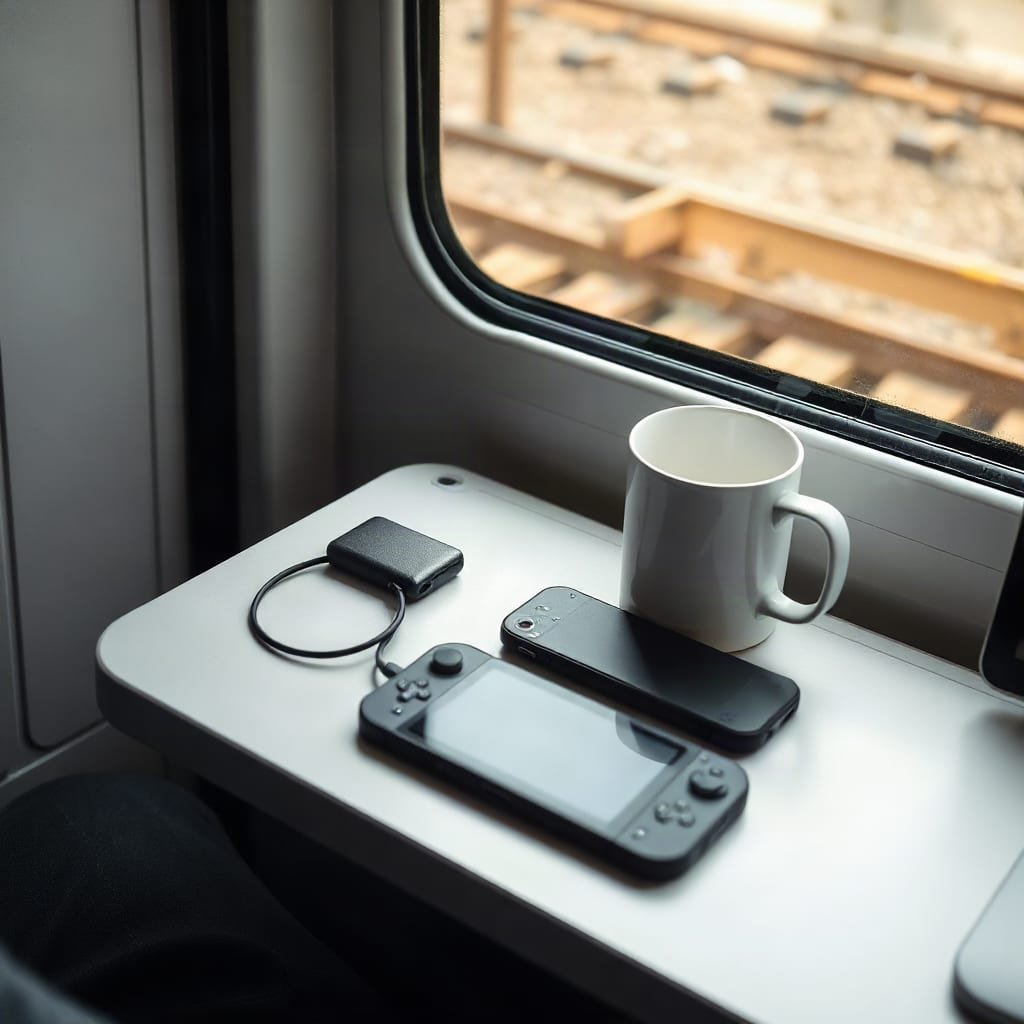
Power banks are regulated as lithium batteries, and the limits are set by watt-hours, not milliamp-hours. The FAA's lithium battery guidance allows batteries up to 100Wh in carry-on with no approval, requires airline sign-off between 100 and 160Wh, and prohibits power banks in checked baggage at any size. A 40,000mAh bank rated at 3.7V nominal is about 148Wh, which lands it in the middle category. We covered the airline-by-airline detail in what airlines actually allow for power banks over 100Wh, and the checked-bag question separately in why power banks cannot fly in checked luggage.
In Europe, the cable question is settled. Directive (EU) 2022/2380, the common charger rule, has required handheld video game consoles sold in the EU to charge over USB-C since 28 December 2024. One cable now covers your phone, your tablet and your console on a multi-country trip.
Solar is the one source where the marketing and the physics diverge. A panel rated 40W under laboratory conditions produces closer to 25W under real sunlight, less in cloud, and nothing at all after dark. Charging a large power bank from empty on solar is a full-day project, not a lunchtime one. Our breakdown of what actually works in solar phone chargers applies to console charging too: panels earn their place as a top-up on a multi-day trip, and as the only option when you are genuinely off-grid.
Get Through a Festival Weekend Without Hunting for an Outlet
A 40,000mAh bank rated at 3.7V holds about 148 watt-hours, and after conversion losses you can expect about 6 to 7 full Switch charges out of it, more if you charge in sleep mode and less if you play the whole time. The Ifory 40,000mAh 100W power bank delivers 15V on its USB-C PD output, which means it charges the console at full speed and can run the dock if you have one. It also covers a laptop, a phone and a camera on the same trip.
For trips with no outlets at all, the Ifory Portable Solar Panel is rated 40W PD and folds flat enough for a pack. It refills the bank over a day of decent sun, which is the honest description: a day, not an hour.
One limit worth stating plainly. At about 148Wh this bank sits above the 100Wh carry-on threshold, so most airlines will ask you to get approval before you fly with it, and it can never go in a checked bag. Check the printed Wh rating on any power bank, including ours, against your airline's rules before you pack it. Free shipping and 30-day returns apply either way.
Frequently Asked Questions
Can I charge a Nintendo Switch with any phone charger?
Yes, if it is a USB-C Power Delivery charger from a known brand. The console does the voltage negotiation itself and will not accept more than it asked for. A modern 20W phone brick charges a Switch safely, just more slowly than the 39W adapter in the box.
Why won't my Switch output to a TV from a power bank?
TV output requires 15 volts at 2.6 amps through the dock. Most power banks top out at 12V, which charges the battery perfectly well but never triggers docked mode. Look for 15V listed on the output spec if docked play matters to you.
How long does a Switch need to charge before it turns on?
About 30 minutes if the console has been flat for weeks, because the charging circuit has to bring the cell back to a safe minimum before the processor will boot. A console that was only recently drained usually shows the charging indicator within a few minutes.
Can I play while the Switch is charging?
Yes. Just check the wattage. Handheld gameplay draws 8 to 9 watts, so anything under 10W will not keep up and the battery will still fall. A 20W charger or better covers play and refills the battery at the same time.
Does a 100W charger charge a Switch faster than the official one?
No. The console limits its own intake, and handheld charging sits somewhere around 15 to 18W regardless of what the charger can supply. Extra wattage only helps when you are charging several devices from the same brick.
How long does it take to reach 50%?
About an hour from empty, because lithium cells accept charge fastest at low capacity and slow down near full. Nintendo's figure of about 3 hours for a complete charge from empty reflects that tapering curve.
Sources
- USB Charger and Power Delivery | USB Implementers Forum
- Directive (EU) 2022/2380, common charger | EUR-Lex
- Lithium Battery Safety | Federal Aviation Administration